
- Features
- Resources
- Pricing
- Try Trainn's AI Video Agent


Product
Usecases
Resources
Case Studies
Company
- Customers
- Pricing
- Try Trainn's AI Video Agent
- Expert voices
- Log in
- Book a demo
- Sign up →
Published on: 03 Jun , 2026
How Often Should You Update Step-by-Step Guides
On this page
There is no universal answer — but there is a framework. How often you should update step-by-step guides depends on two things: how fast your product ships changes, and what type of guide you're looking at. Most SaaS products release updates every two to four weeks. At that pace, a guide library reviewed quarterly is already months behind by the time anyone checks it. The more important number: outdated documentation doesn't just fail to help customers — it actively increases support tickets by 23% (Supportbench).
Yael Ofir, who leads customer education at Guesty, described the same reality: "It's not just a major release once a year. It's just ongoing. Features are updating all the time. It's a SaaS platform — so that's our challenge."
Keeping guides current is not optional maintenance. It is a direct lever on ticket volume. This article covers the four triggers that should drive guide updates, how often each guide type needs reviewing, who should own it, and a step-by-step walkthrough for updating guides in Trainn so the system is fast enough to actually follow.
How Often Should You Update Step-by-Step Guides: The Direct Answer
Update step-by-step guides within 48–72 hours of any product change that affects them. For onboarding guides, update immediately — before the next customer onboards. For teams shipping updates every two weeks, guide review is a recurring task every two weeks, not a quarterly project.
Table: Update frequency by guide type
| Guide type | Update trigger | Target window |
|---|---|---|
| Onboarding / Getting started | Any product change affecting the setup workflow | Immediately — before the next customer onboards |
| Feature-specific workflow guides | UI change, renamed element, added or removed step | Within 48 hours of release |
| Integration and setup guides | Change to your product or the third-party interface | Within 24 hours — external systems change independently |
| FAQ and troubleshooting guides | Support ticket data showing the guide is failing | Quarterly audit + immediately if ticket volume spikes |
The frequency above assumes a biweekly release schedule. Teams shipping weekly or continuously need guide review built into the release process itself — not scheduled as a separate activity.
Four Triggers That Should Drive Guide Updates
Your product release schedule is the primary trigger, but it is not the only one. Four distinct triggers should feed your update queue — and each one catches problems the others miss.
Trigger 1 — Product release (primary). Every release is reviewed against the guide library. Guides affected by UI changes, renamed features, new steps, or removed options are flagged and updated within the target window. This trigger must be connected directly to the release process — not left as a post-release follow-up that falls off the sprint board.
Trigger 2 — Support ticket data (reactive). A guide that customers view and then immediately follow with a support ticket is failing — regardless of whether a product change caused it. Per-step drop-off analytics identify exactly where customers abandon guides, signalling a missing step, an unclear instruction, or a screenshot that no longer matches what they see.
Trigger 3 — Quarterly content audit (proactive). Once per quarter, review the full guide library: is every step accurate against the current product UI? Is the guide being found and used? Is it reducing or increasing tickets for its topic? Guides that fail any criterion are updated, consolidated, or removed. Removing an outdated guide is better than leaving it live — an inaccurate guide that a customer follows is worse than a gap in coverage.
Trigger 4 — Customer and CSM feedback (ongoing). Guide ratings, support ticket references to specific guides, and CSM session notes surface update needs the other three triggers miss. Build a single channel where this feedback reaches the guide owner consistently — a shared inbox, a Slack channel, a tag in your ticketing system — so it doesn't get lost between release cycles.
Why Most Guide Libraries Go Out of Date (The Workflow Problem)
Most guide libraries go out of date not because teams don't care — but because each update takes too long to complete in a manual workflow.
The math is concrete. A team with 50 active step-by-step guides and a biweekly release schedule will experience 4–6 guide update incidents per cycle. At 30–90 minutes each in a manual workflow, that is one to two full days of work per sprint — before any new guides are created. Most teams fall behind within the first quarter. Within months, 20–40% of guides contain inaccurate content (Ariglad), and only 1 in 5 companies rate their knowledge base as "very accurate" (Brainfish).
Alumio, a customer who manages biweekly releases, put it plainly: "The platform changes every two weeks... if you have an old video or guide which is six months or one year older, it no longer complies with what the clients will see. The goal is to spend as less time as possible for our colleagues to generate these videos or guides over and over again."
— Adriaan Staal, Head of Product, Alumio
The consequence is not a silent one. Customers who follow an outdated guide, reach a step that no longer exists in the UI, and file a ticket stop trusting the guide library entirely. One inaccurate guide erodes confidence in all of them.
The fix is not a stricter update policy — it is a faster update workflow.
Table: Manual vs. Trainn update workflow
| Step | Manual workflow | Trainn workflow |
|---|---|---|
| Identify affected guide | Review release notes manually, cross-reference guides | Review release notes; use analytics to spot guides with high drop-off or low completion |
| Update the screenshot | Re-perform the entire workflow and recreate and edit the guide from scratch, manually | Re-capture only the affected step inline |
| Publish | Update at source; re-embed manually in each channel | Publish once — propagates to wherever its embedded, knowledge base, in-app tutorials, and academy simultaneously |
| Time per guide | 30–90 minutes | Under 10 minutes |
With Trainn's step-by-step guide maintenance workflow, only the affected steps change. If one UI element shifts in a 20-step guide, one step is updated — not the entire guide re-recorded. The update then propagates automatically to every channel the guide is published in: the knowledge base, in-app tutorials widget, and academy — no re-embedding, no secondary publishing workflow required.
Who Should Own Guide Updates
A guide without a named owner does not get updated. Ownership must be assigned before the guide is published — not negotiated after it goes stale.
Ownership by guide type:
- Onboarding and getting-started guides: CS team or onboarding lead
- Feature-specific guides: CS manager or technical writer closest to that product area
- Integration guides: solutions or partnerships team, co-owned with CS
- FAQ and troubleshooting guides: support team lead
The guide owner's standing responsibility is simple: review release notes before every product release, identify affected guides, and update them within the target window. This is not an ad hoc task — it belongs in the sprint checklist next to QA sign-off.
A practical documentation calendar for a biweekly release schedule:
- Release week, day 1: Guide owner reviews release notes
- Release week, day 1–2: Flag affected guides and assign updates
- Release week, day 2–3: Update all flagged guides within the 48-hour window
- Post-release, ongoing: Monitor per-step drop-off and ticket correlation data
- End of quarter: Full library audit — accuracy, performance, coverage
How to Audit a Guide Library That's Already Out of Date
If the guide library hasn't been systematically maintained, a three-pass quarterly audit is the right starting point. Pull the full library, sort by last-updated date, and cross-reference against the past six months of product releases.
Pass 1 — Accuracy pass. Does every screenshot match the current product UI? Does every step description reference the correct button labels, menu names, and workflow sequence? Any guide that fails this pass is updated immediately.
Pass 2 — Performance pass. Which guides have high per-step drop-off or low completion rates? A guide with accurate screenshots but a 60% abandonment rate at step 3 needs a rewrite — not just a screenshot refresh. Identify the specific step causing the drop-off and fix it.
Pass 3 — Coverage pass. Which support ticket topics have no guide coverage at all? Cross-reference your top 20 ticket topics against the guide library. Every gap is a guide to create.
After the audit: update everything that failed the accuracy pass, rewrite the failing steps for performance-pass failures, and add the coverage gaps to the creation queue. For any guide that is consistently inaccurate and low-traffic, removal is the right call — a missing guide creates a gap; an inaccurate one creates distrust.
Getting Started with Trainn: How to Update a Step-by-Step Guide
The following walkthrough covers updating an existing step-by-step guide in Trainn after a product change. The average time per update: under 10 minutes, regardless of how many channels the guide is published in.
Step 1: Open the guide that needs updating.
Go to the Library in Trainn and open the step-by-step guide flagged for review from the release notes.
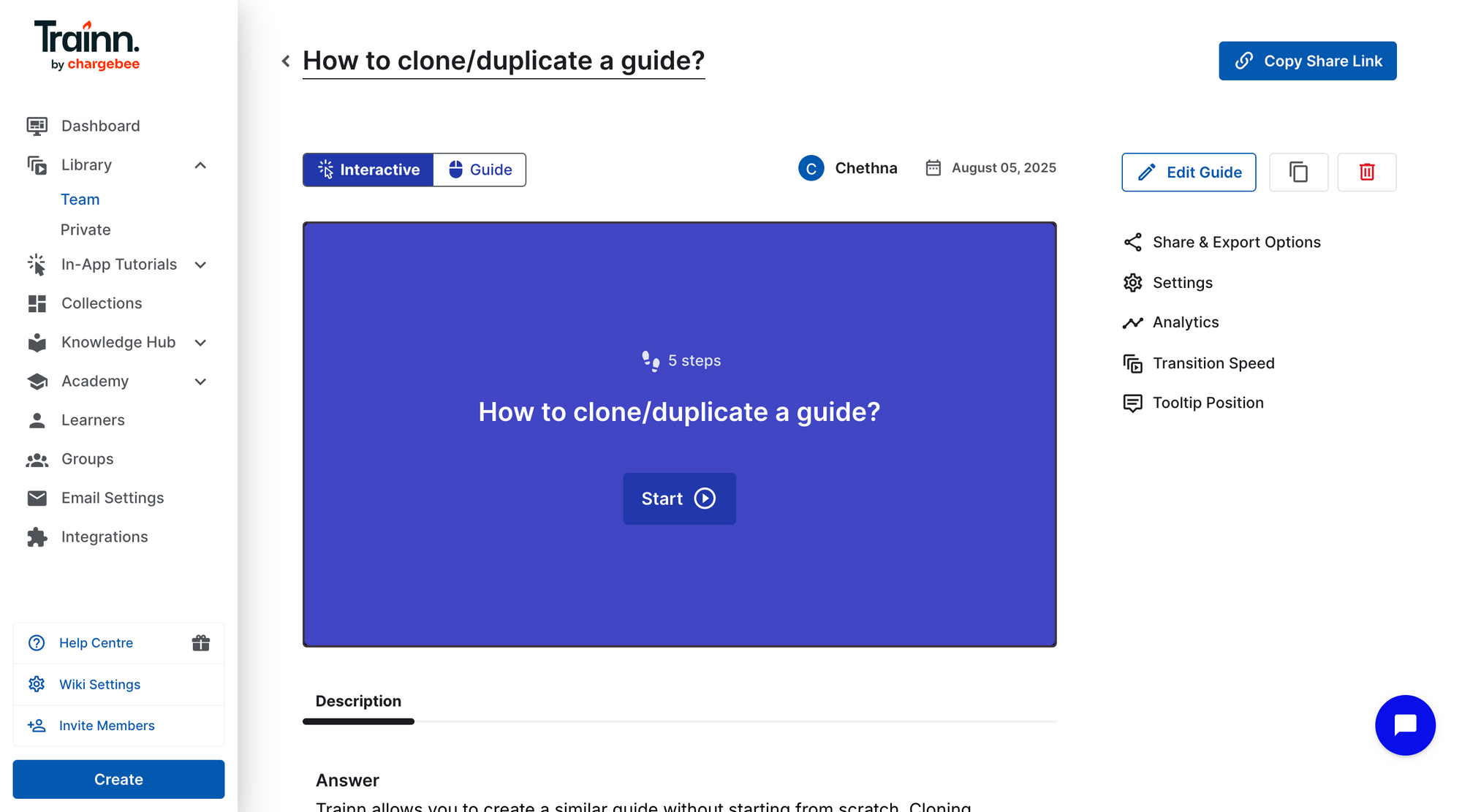
Step 2: Identify the affected steps.
Review the product release notes alongside the guide. Mark which steps show UI, workflow, or terminology that has changed. Steps that haven't changed require no action.
Step 3: Navigate to the affected step.
Click into the specific step that needs updating. Trainn's numbered step structure makes it immediately clear which step to go to — no scrolling through a long document.
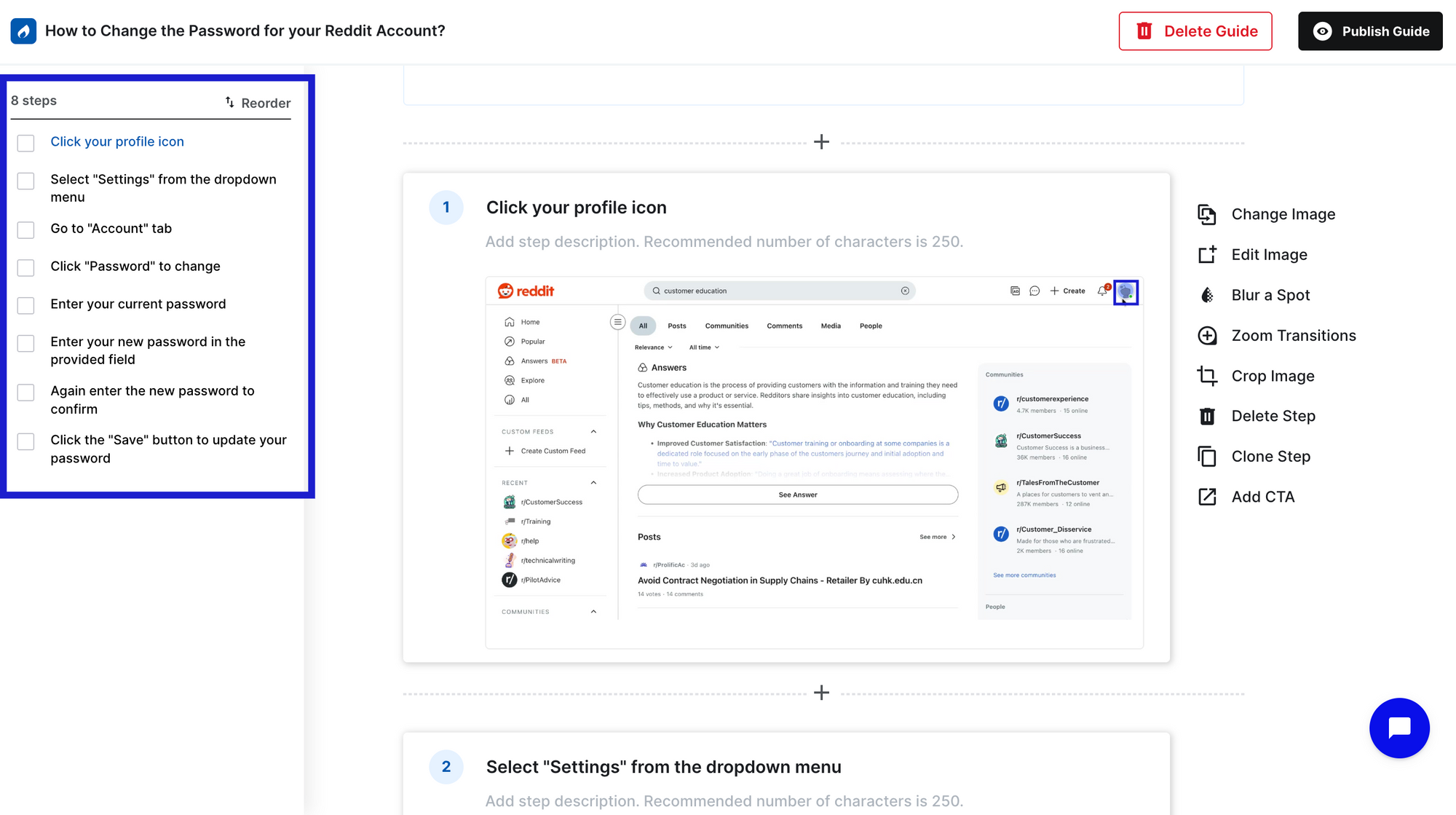
Step 4: Re-capture the screenshot for the affected step.
Click the ‘+’ symbol to add a new step. Select ‘record’ to capture the new UI or workflow.
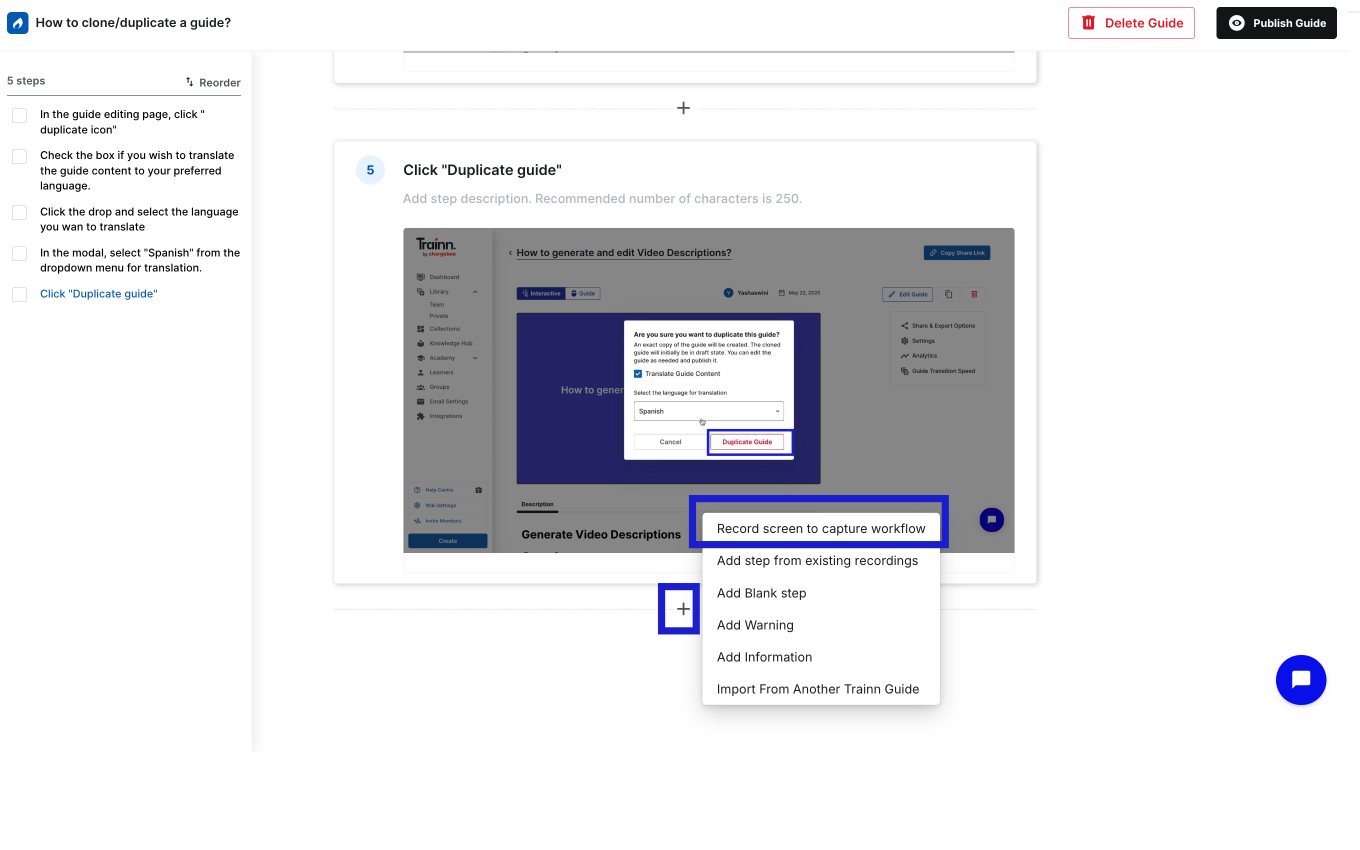
Step 5: Review and edit the new step.
Review and edit the new step generated - the step description, and zooms or spotlights.
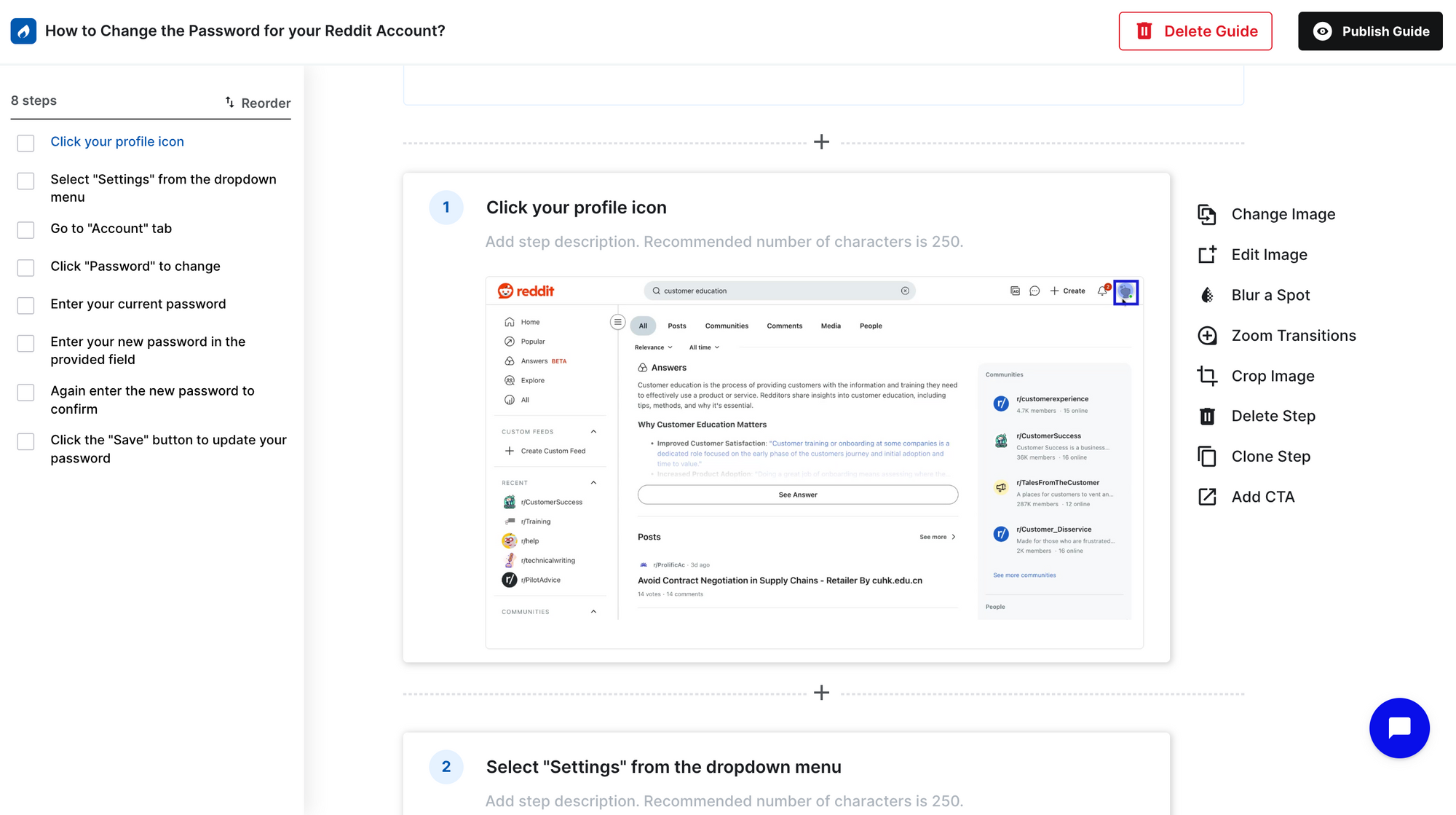
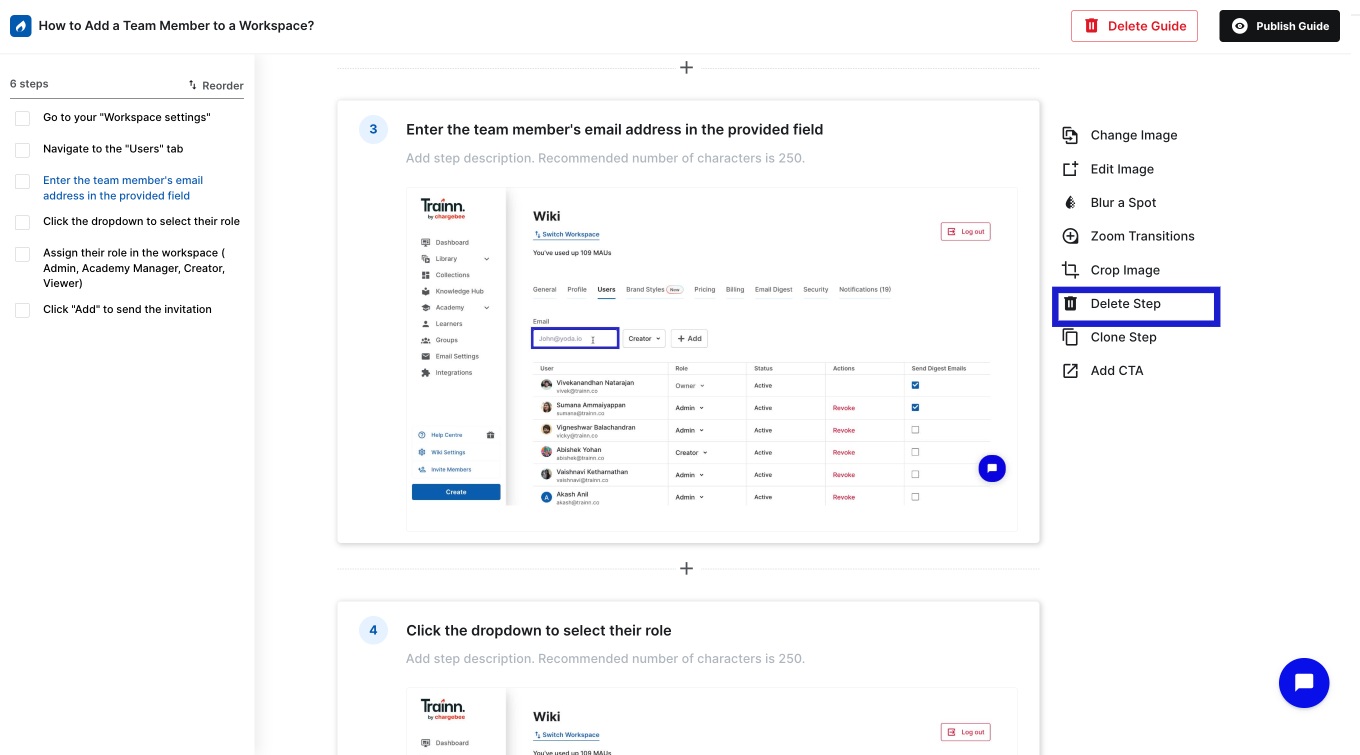
Step 5: Delete the outdated step or affected steps
From the numbered step structure, go to the outdated step and delete the same.
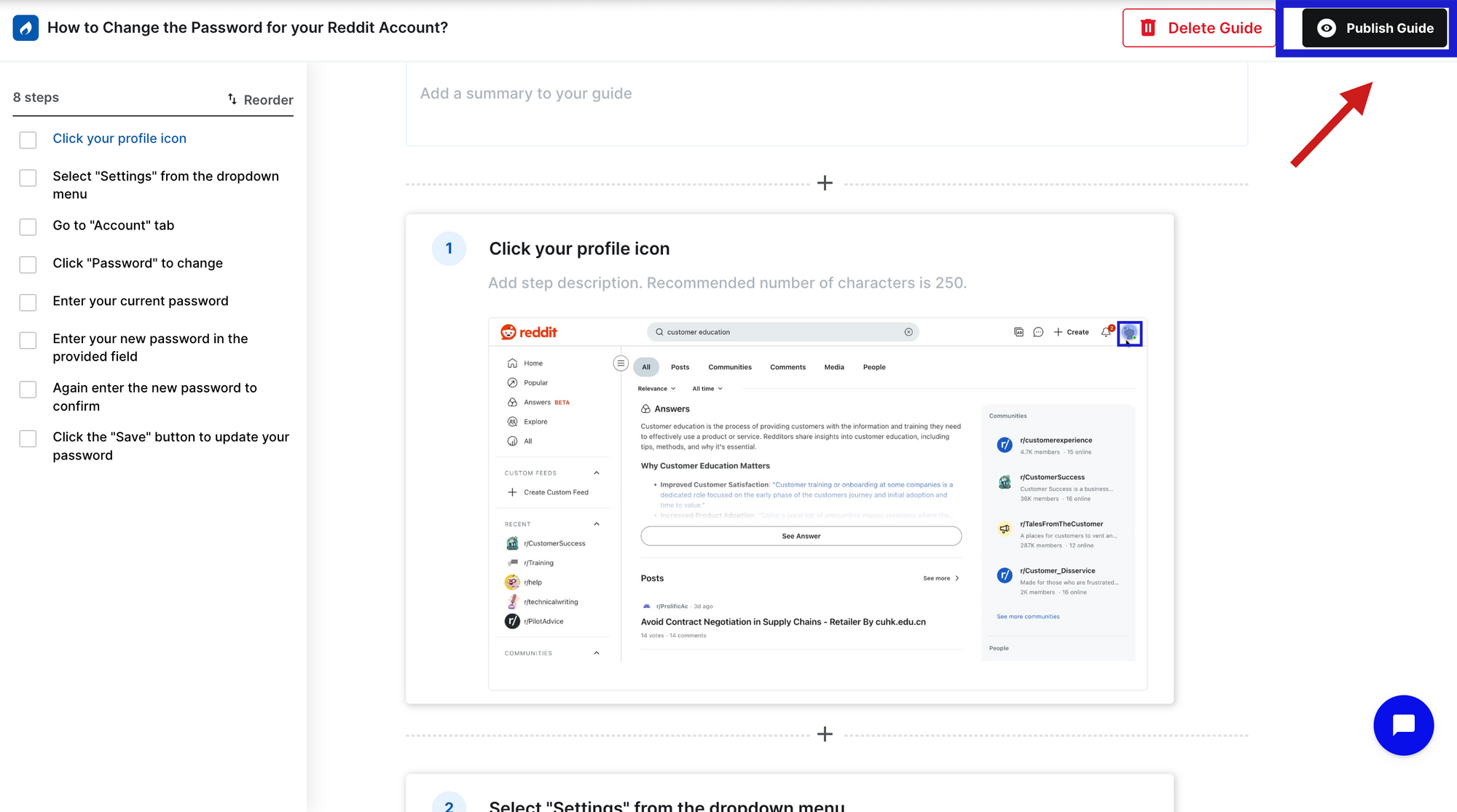
Step 7: Publish the updated guide.
Click 'Publish'. The update propagates simultaneously to your knowledge base, in-app tutorials, and academy — no re-embedding, no manual republishing across channels.
Step 8: Log the review in your maintenance record.
Mark the guide as reviewed with today's date. Trainn's update tracking logs this automatically, creating an audit trail of when each guide was last updated and by whom.
Frequently Asked Questions
How often should step-by-step guides be updated?
Update step-by-step guides within 48–72 hours of any product release that changes the UI, workflow, or terminology shown in the guide. For onboarding guides, update immediately — a new customer encountering an inaccurate guide on day one loses trust before they've had a chance to form it. Run a full library audit quarterly regardless of release activity.
What happens if step-by-step guides are not kept up to date?
Outdated documentation increases support ticket volume by 23% — it doesn't just fail to help, it actively makes the problem worse (Supportbench). A customer who follows an inaccurate guide and finds a step that no longer matches the product submits a ticket and stops trusting the guide library. One inaccurate guide erodes confidence in the entire library.
How do I know when a step-by-step guide needs updating?
Four triggers should feed your update queue: a product release that changes UI or workflow steps in the guide; support ticket data showing customers view the guide and then file a ticket; per-step drop-off analytics showing where customers abandon the guide; and the quarterly content audit. Product releases are the primary trigger — the others catch what releases miss.
How long does it take to update a step-by-step guide?
In a manual workflow — re-capturing screenshots, rewriting descriptions, re-embedding across channels — updating a 20-step guide where four steps have changed takes 30–90 minutes. With Trainn's inline step editing, only the affected steps are updated and the change propagates automatically to the knowledge base, in-app tutorials, and academy. The same update takes under 10 minutes.
Who should be responsible for keeping step-by-step guides up to date?
Every guide needs a named owner before it goes live — a CS manager, implementation lead, or technical writer responsible for reviewing release notes and updating affected guides within the target window. Without named ownership, every update becomes a conversation about whose job it is. The documentation owner should review release notes before every product release as a standing task.
Next Steps
Update frequency is determined by how fast your product ships changes — but the system that makes it sustainable is trigger-based ownership paired with a tool where each update takes minutes, not hours. A biweekly update policy is achievable. A manual workflow that makes each update 60–90 minutes of effort is what makes it fail.
Start with your top 10 ticket topics, run the three-pass audit on any guides that cover them, and build the release-aligned review into your next sprint process. For the update workflow itself, Trainn's knowledge base and in-app tutorials give every updated guide reach across all delivery channels from a single publish action.
For more on building the guide library in the first place, see how to build a knowledge base of step-by-step guides and how to write step-by-step guides that reduce customer support tickets.
Ready to Trainn your customers?
- Create videos & guides
- Setup Knowledge Base
- Launch an Academy

Trainn is an AI-powered product video and guide creation platform that turns screen recordings into product demo videos, training videos, onboarding videos, step-by-step guides, and interactive walkthroughs. Trainn also delivers this content externally through a branded no-code LMS, or in-app through embedded tutorials to train customers at scale.

North Bethesda, Maryland 20852


