
- Features
- Resources
- Pricing
- Try Trainn's AI Video Agent


Product
Usecases
Resources
Case Studies
Company
- Customers
- Pricing
- Try Trainn's AI Video Agent
- Expert voices
- Log in
- Book a demo
- Sign up →
Published on: 10 Jun , 2026
How to Embed Step-by-Step Guides on Your Website or Help Center
On this page
Most teams share step-by-step guides as individual links: one guide per email, one guide per help article. That is a convenient way to share one guide at a time. It is not a help center.
It gives customers no way to search for a guide they were not directly sent. No central destination to return to. No guarantee they are seeing the current version after the product changes.
There are four methods for embedding step-by-step guides on a website or help center —shareable links, iframe embeds, native publishing on help center, and a dedicated knowledge base. They solve different problems and produce very different customer experiences. Only one of them builds a self-serve help center that customers can navigate on their own.
Link Sharing vs. Help Center Delivery: Why the Difference Matters
Sharing a step-by-step guide link and publishing a help center are not the same thing. Understanding the difference is the decision that shapes how you approach guide delivery.
Link sharing means each guide has a URL. You send it to the customer who needs it. Fast, no setup required. The limit: customers can only find guides they were directly sent. There is no search, no central library, no way to browse, and no visibility into whether the customer actually used the guide they received.
Help center delivery means the full guide library is published to a single, searchable destination with a permanent URL. Customers navigate to it directly, search for any guide they need, and always find the current version. The guide library becomes a self-serve resource customers return to, not a collection of links sitting in email threads.
Both approaches are valid, but they solve different problems. Link sharing works when you have a handful of guides to share with specific customers in a specific moment. A dedicated help center works when you have a guide library that customers should be able to explore and search independently.
81% of customers prefer to resolve product issues on their own before contacting support. (Forrester Research, 2024)
That preference only converts to a self-serve outcome when customers have a destination they can navigate without being sent a link first. The help center is that destination.
The Four Methods for Embedding Step-by-Step Guides
Four methods exist for embedding step-by-step guides on a website or help center. The right one depends on whether you need to embed one guide or publish a searchable library, and on how much you need the embedded content to stay current when the product changes.
| Method | How it works | Engineering required | Searchable library? | Guide freshness |
|---|---|---|---|---|
| Share link | Each guide gets a URL; share via email, Slack, or link in a help article | None | No | Manual: customer sees whatever version was linked |
| iFrame embed | Each guide provides an embed code; paste into any webpage or help center article | None (copy-paste) | No | Manual: requires updating each embed when a guide changes |
| Native integration | Guide creation tool connects directly to Confluence, Zendesk, Notion, or Intercom; guides publish as formatted articles with one click | Platform connection only | No (within individual articles) | Semi-automatic: depends on tool and integration |
| Dedicated knowledge base | The full guide library publishes to a branded, searchable help center at a custom URL; guides update automatically when edited | None | Yes | Automatic: editing a guide updates the help center immediately |
Share links and iFrame embeds are the right method when you are placing one guide inside a specific onboarding email or help article. The setup takes minutes, requires no engineering, and works within whatever platform you already use. The constraint is scope: each guide is a standalone link or embed, not part of a library customers can search.
Native integrations reduce the friction of publishing individual guides to an existing platform. A guide created in your chosen tool publishes directly to a Zendesk article or Confluence page with one click, with annotated screenshots rendered inline. This is still a single-guide model. Customers who don't navigate to that specific article won't find the guide.
A dedicated knowledge base is the right architecture for teams building a self-serve help center that customers can navigate on their own. The full guide library lives at a branded subdomain, is searchable across every guide, and stays current because editing a guide in the dashboard updates the help center immediately, with no separate publishing step.
Where Embedded Guides Should Live on Your Website or Help Center
The method you use depends partly on where the guides need to appear. Each location on a website or help center serves a different customer at a different moment.
| Location | Who finds the guide | When they find it | Best method |
|---|---|---|---|
| Onboarding email or Slack message | New customers during the first week | When they receive the message | Share link |
| Help center article | Customers searching for a specific topic | When they navigate to that article | iFrame embed or native integration |
| Internal wiki (Confluence, Notion) | Team members or technically advanced customers | When they navigate to the wiki page | Native integration |
| Dedicated help center at a custom URL | Any customer at any stage of their journey | When they search for help independently | Dedicated knowledge base |
| Website resource or product page | Prospects and new customers exploring the product | Before or just after signing up | Share link or iFrame embed |
The dedicated knowledge base is the only method that gives customers a destination they can navigate independently, without needing a link to be sent. The other methods work well in context: in an email, in a help article. But they do not replace a help center.
A customer who receives a guide link in an onboarding email can follow that guide. A customer who runs into a problem three months later, in a feature they have not used before, needs a help center they can search. Those are different needs and they need different delivery methods.
How to Publish a Step-by-Step Guide Library to Your Help Center in Trainn
Before setting up the help center, identify which guides to build first. The highest-leverage starting point is the workflows where customers most commonly hit friction: the three to five workflows most escalated to CSM calls, and the activation step that first unlocks product value. Build and publish those before building a comprehensive library.
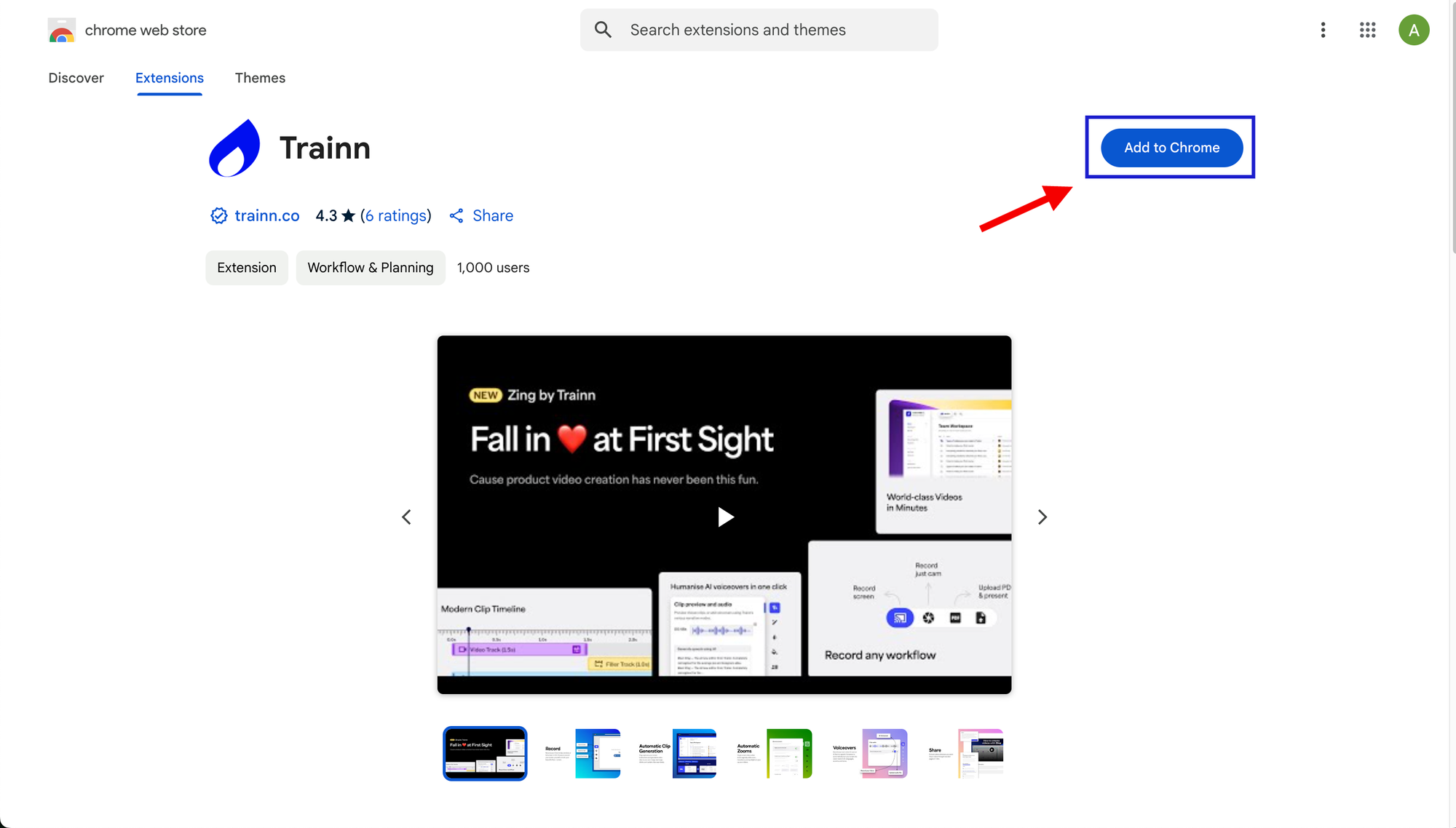
Step 1: Install the Trainn Chrome extension.
Download the Trainn Chrome extension — it is the starting point for recording guides into your knowledge base.
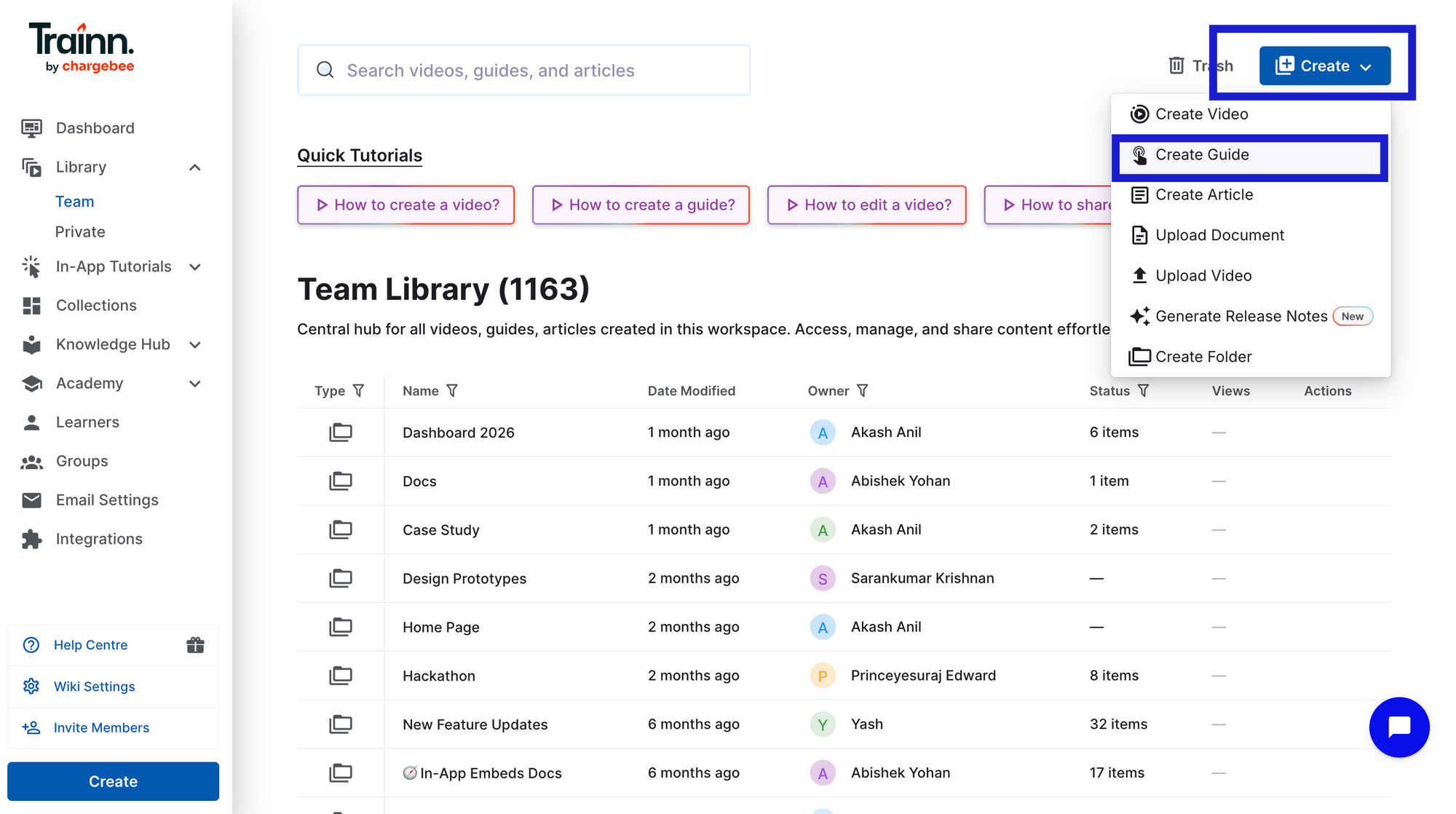
Step 2: Open Trainn and create a new guide
Go to the Library page. Click 'Create' and select 'Create Guide'.
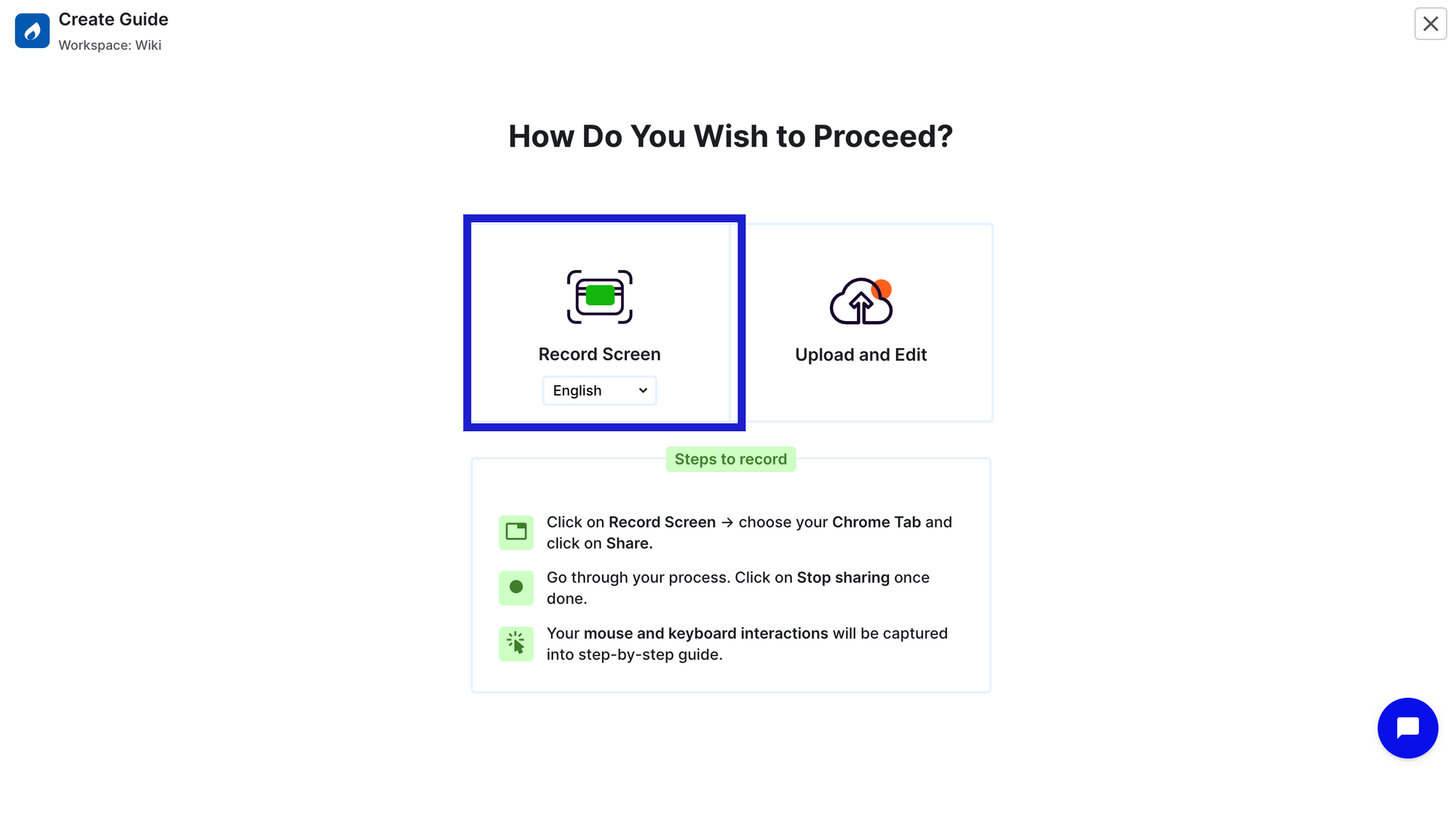
Step 3: Record the product workflow
Click 'Record'. Select the tab you want to record and proceed with 'Share' to start recording. Perform the workflow the way you would normally show it to a customer.
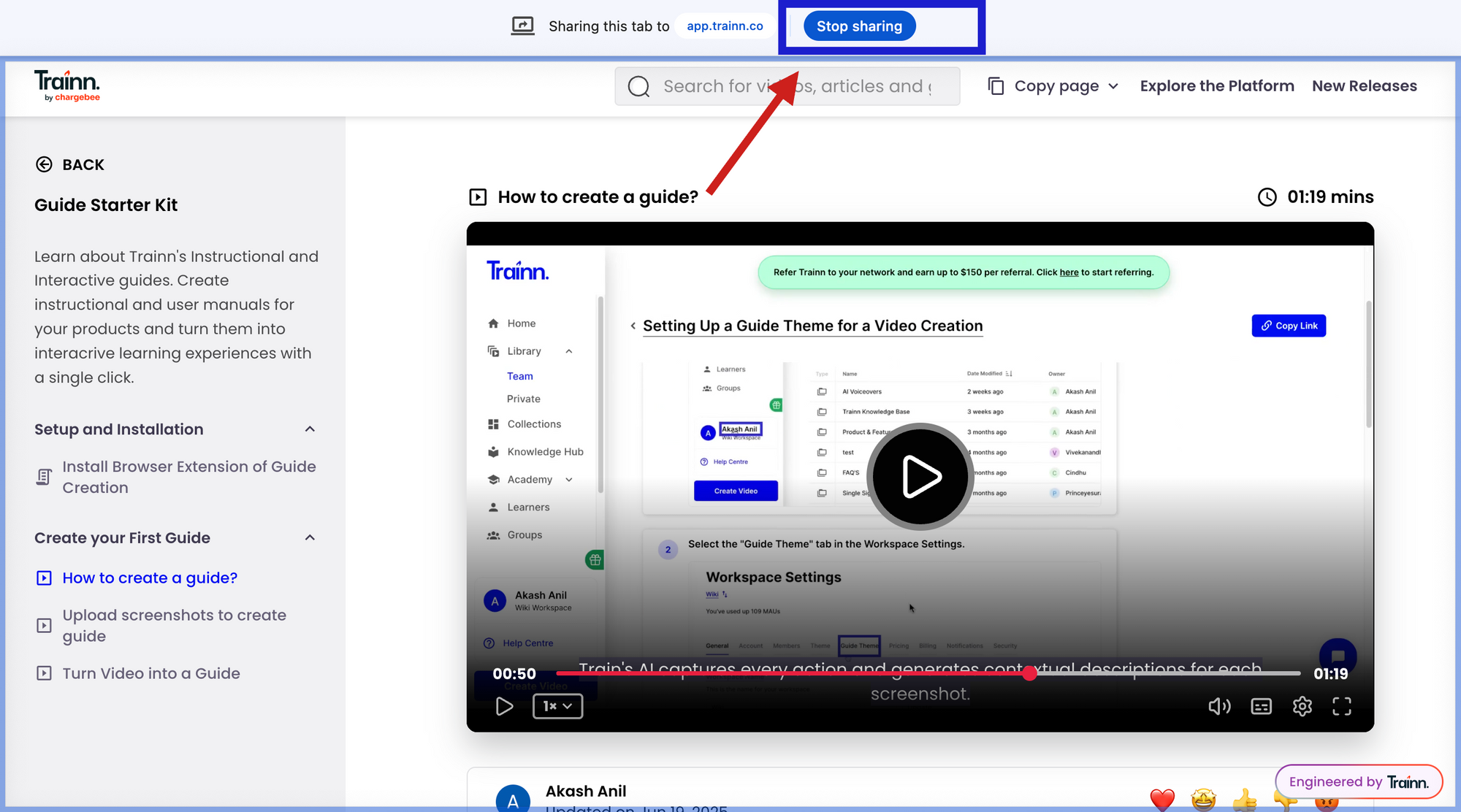
Step 4: Stop recording and the step-by-step guide is generated.
Click 'Stop sharing'. Trainn automatically captures every action and generates screenshots with zooms and spotlights to highlight each action and contextual step descriptions.
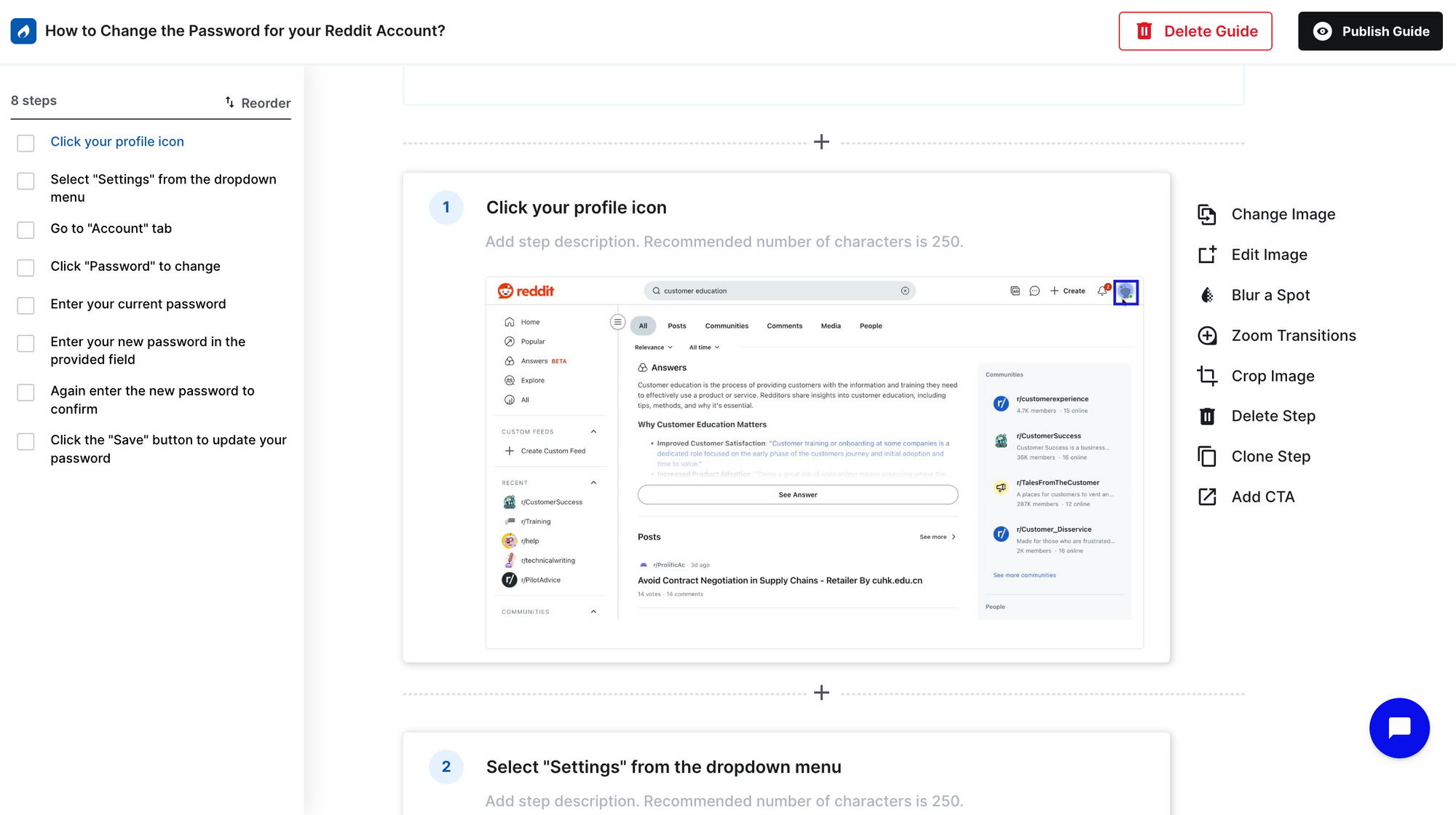
Step 5: Review, edit, and publish
Review each step individually — swap screenshots, adjust zooms or spotlights, edit descriptions, blur sensitive data, and reorder steps as needed. Once done, Publish the guide
Step 6: Copy and paste the embed code
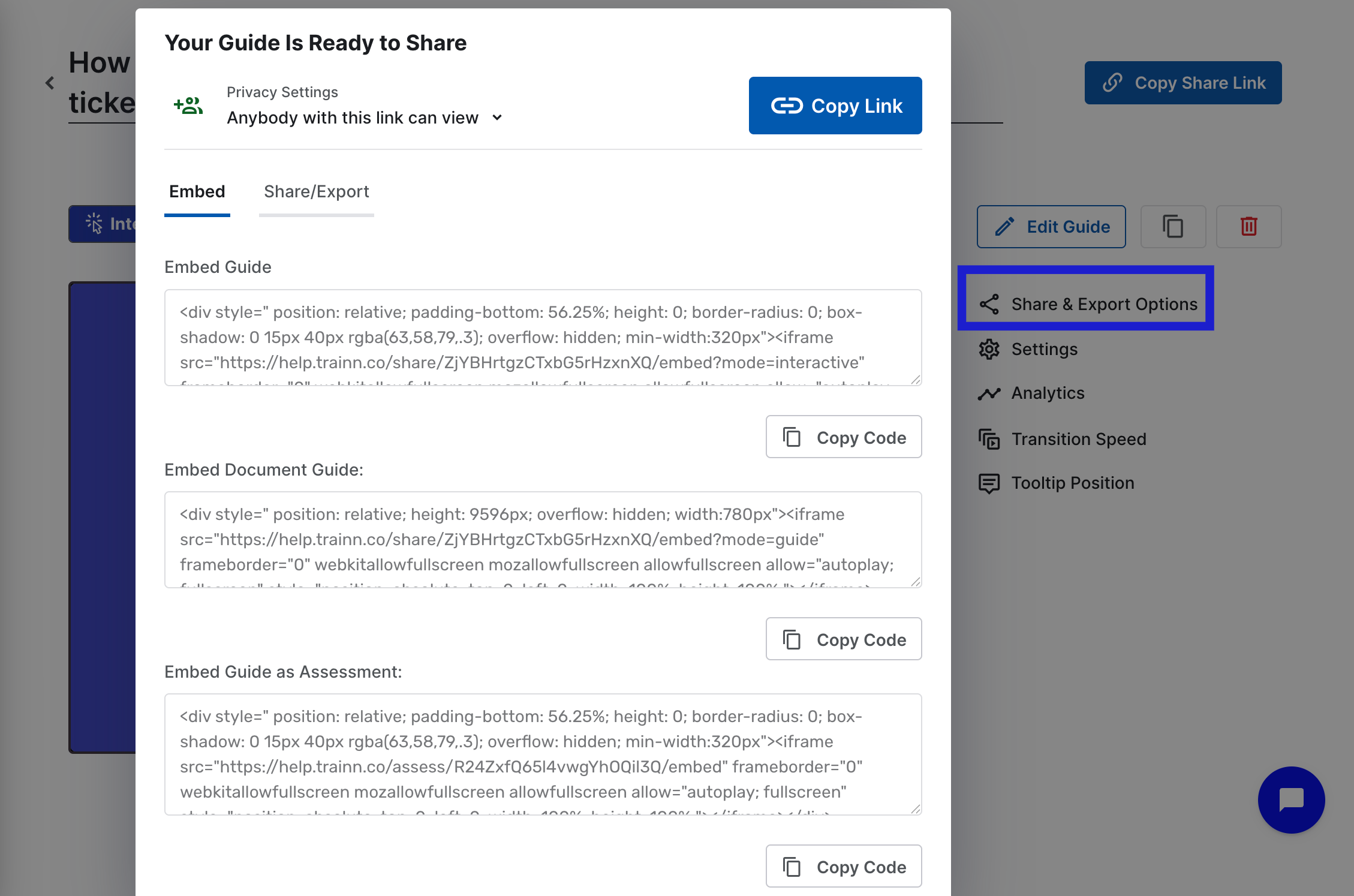
Click Share and Export Options on any published guide. Go to the Embed tab and copy the embed code. Paste it into any webpage or help center article where the guide should appear. The guide renders inline, step by step, wherever the code is placed. No developer required.
For teams building a full help center rather than embedding individual guides
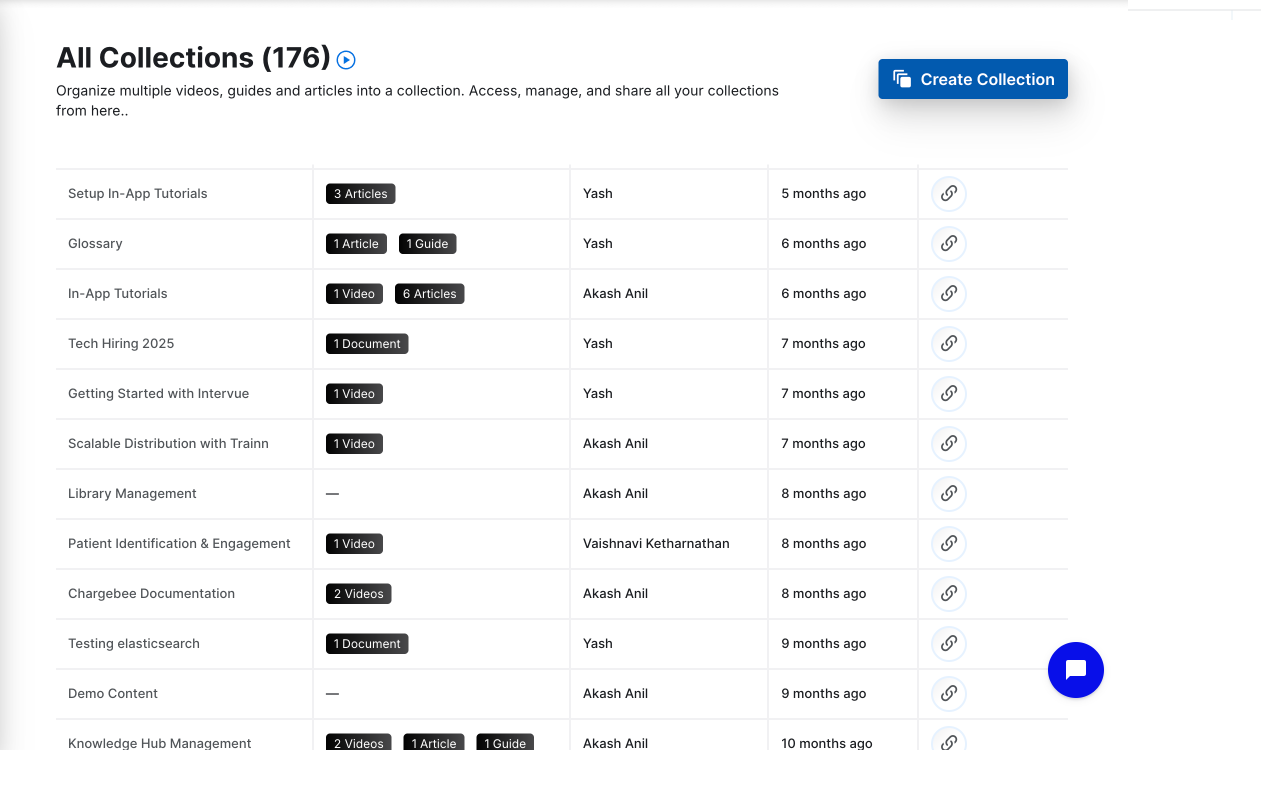
Step 7:Organise guides into collections
Group related step-by-step guides into different collections for specific use cases, or features for onboarding flows and feature adoption sequences.
Step 8: Publish your knowledge base and embed the in-app widget
Add your collections to the knowledge base and publish it. You can also embed the knowledge base directly inside your product using the in-app widget - without relying on developers.
Frequently Asked Questions
How do you embed step-by-step guides on a website or help center?
Four methods exist: share links (each guide gets a URL to send via email or link in a help article), iFrame embed codes (paste into any webpage or help center article), native integrations (publish directly to Confluence, Zendesk, or Notion with one click), and a dedicated knowledge base (the full guide library published at a custom URL, searchable and branded). The right method depends on whether you are embedding one guide in context or publishing a complete self-serve help center.
What is the best way to share step-by-step guides with customers?
For a handful of guides sent to specific customers in a specific moment, a share link in an email or Slack message is the fastest approach. For a guide library that customers should navigate independently, a dedicated knowledge base is the right architecture: a searchable, branded help center at a custom URL where customers find any guide without being sent a specific link. Most teams need both: share links for in-context delivery, a knowledge base as the destination customers return to.
How do you embed step-by-step guides in Zendesk or Confluence?
Use a guide creation tool with a native integration to your help desk or wiki. Guides publish directly to Zendesk articles or Confluence pages as formatted content with annotated screenshots rendered inline. The limit: each guide is embedded in one specific article. Customers who don't navigate to that article won't find the guide. For a searchable guide library customers can browse across all topics, a dedicated knowledge base is the more complete architecture.
How do you keep help center guides up to date when the product changes?
Use a platform where editing a guide step in the dashboard automatically updates the help center with no separate publishing step. In Trainn, updating one step's screenshot and description makes the change live in the knowledge base immediately. Connect this process to your release cycle: every product release should flag which guides are affected, and those steps should be reviewed and updated within a defined SLA. Without a systematic update process, the help center drifts out of sync with the product.
What is the difference between a help center and sharing individual guide links?
A help center is a branded, searchable destination where customers navigate to find guides on their own. Individual guide links require customers to receive a specific link to find a specific guide. A help center scales with the library: as new guides are published, they appear in search and in the relevant collection automatically. Link sharing does not scale the same way: every new guide requires a manual share with every customer who might need it.
Next Steps
Embedding step-by-step guides on a website or help center is an architecture decision before it is a method question. Share links and iFrame embeds work for placing individual guides in context. A dedicated knowledge base is the architecture for a guide library customers can search and navigate independently, with guides that stay current automatically as the product changes.
The teams that see the lowest support ticket volumes from their help centers are not the teams with the most guides. They are the teams whose guides are organized, findable, and accurate, published from one content library that stays in sync with the product.
For the help center delivery infrastructure that makes guides searchable, branded, and automatically current, see Trainn's knowledge base.
For teams who want to go a layer further: Trainn's in-app tutorials widget surfaces guides inside the product at the screen where friction occurs, pulling from the same content library as the knowledge base. Both channels, one library.
For more in this series: how to drive product adoption with step-by-step guides and how to automatically create step-by-step guides from screen recordings.
Ready to Trainn your customers?
- Create videos & guides
- Setup Knowledge Base
- Launch an Academy

Trainn is an AI-powered product video and guide creation platform that turns screen recordings into product demo videos, training videos, onboarding videos, step-by-step guides, and interactive walkthroughs. Trainn also delivers this content externally through a branded no-code LMS, or in-app through embedded tutorials to train customers at scale.

North Bethesda, Maryland 20852


