
- Features
- Resources
- Pricing
- Try Trainn's AI Video Agent


Product
Usecases
Resources
Case Studies
Company
- Customers
- Pricing
- Try Trainn's AI Video Agent
- Expert voices
- Log in
- Book a demo
- Sign up →
Published on: 26 May , 2026
9 Best Step-by-Step Guide Creation Tools for SaaS Products in 2026
On this page
If you’ve been on the search for the best step-by-step guide creation tool, you might have noticed something odd: every "top 10" list ranks a completely different set of tools. A Chrome extension that captures screenshots lands at #2, an in-app onboarding platform takes #4, and a full customer education platform sits at #7 — as if choosing between them comes down to personal preference.
It's not the same at all. A team using Scribe for internal SOPs is solving a different problem than a team running a customer training program in Trainn or pushing tooltips into their product with Appcues.
This guide covers the nine tools that actually matter for SaaS teams in 2026, what each one does well, where it falls short, and how to pick the right one for your team.
TL;DR
- A step-by-step guide creation tool records a workflow once and turns it into shareable instructions - usually as a video, an interactive guide, a static screenshot SOP, or a tooltip flow inside your product.
- The tools split, roughly, into the ones built for documentation, the ones built for product-led activation, and the ones built for customer education at scale. Picking the right kind matters more than picking the right name inside the kind.
- Trainn is the option B2B SaaS teams pick when one screen recording needs to turn into a video, an interactive guide, and a written SOP - then live inside a branded academy, a knowledge base, and the product itself.
- Scribe, Tango, Iorad, and Dubble are good at producing static guides from clicks. Quick to set up. Limited if you need to create guides and videos at scale at the same time.
- Appcues, Userpilot, Pendo, and WalkMe sit inside your product as overlays. Powerful for in-app activation. Not the right tool if your customers need to learn before they log in.
- Evaluate any of these on six things: what kinds of output it produces, where the content can live, how easy it is to update when the product changes, how long it takes to ship the first useful guide, the analytics you get on who's actually consuming it, and whether it can handle more than one language.
What Is a Step-by-Step Guide Creation Tool?
A step-by-step guide creation tool is software that records a workflow once and turns it into instructions you can share - as a video, an interactive guide, a written SOP, or a walkthrough that pops up inside your product. SaaS teams use these tools to onboard customers, train partners, document features, and reduce support tickets. The whole point is to stop rebuilding the same content from scratch every time.
Two years ago, this was harder than it sounds. You’d grab screenshots of your product screens in one tool, paste them into a word document and type out the steps, and then stitch the whole thing together. Translating it for customers in another country was its own project. By 2026, AI handles most of that automatically - the screenshots, the captions, the multilingual versions, the step-by-step text. The friction is mostly gone.
The output is what separates the tools. Some produce videos. Some produce static screenshot guides. Some produce both. Some live inside your product as tooltips. Knowing which output you actually need is half the work of picking the right tool.
How We Evaluated These Tools
We put this together to help SaaS teams sort through a market that's genuinely confusing right now. To keep the analysis useful, our evaluation drew on:
- Conversations with over 30 customer success leaders, customer education teams, and implementation managers/prospects at B2B SaaS companies about how they actually picked their tools and what they wish they'd known earlier.
- Hands-on testing of each tool's core workflow, from recording to publishing, to check whether their marketing matches the product.
- Verified user reviews on G2 and Capterra across all nine tools, including the critical ones.
- Public case studies and customer outcomes from each vendor's website, cross-checked wherever we could.
After that, six criteria kept coming up as the ones that actually decide whether a tool works for your team:
- How easy is it to use the tool - Can I just record my screen and can the tool do the rest of the heavy lifting: add screenshots, annotate where I’m clicking, add descriptions, and publish a polished guide.
- Time to first usable guide - How long from "I'm recording" to "a customer can watch this"? AI-first tools take 8-15 minutes. Manual workflows take an hour.
- Update workflow - When your product UI changes, can you update one clip and have it propagate everywhere, or do you re-record from scratch?
- Output flexibility - Can one recording produce a video, an interactive guide, and a written SOP, or do you need a separate workflow for each format?
- Analytics - Can you see who actually watched and finished? How do these guides impact customers? Can you identify drop-offs and analyse where the content game is weak?
- Distribution surfaces - Where can the content live? Can you share content with one specific customer instead of the whole library? A portal, a knowledge base, in-app, an academy, an email - or just one of those?
- Multilingual support - How many languages does it handle, and how much manual work per translation? One-click AI dubbing saves weeks if you're selling into EMEA or APAC.
Which of these matters most depends on the kind of tool you're looking at. Video-first platforms live or die on output flexibility and distribution. Click-capture tools mostly need to be fast. In-app tools mostly need clean targeting and good analytics. We've tried to keep that context honest in each tool's section below.
What Are the Best Step-by-Step Guide Creation Tools in 2026?
We've evaluated the top step-by-step guide creation tools based on key criteria like output flexibility, distribution surfaces, update workflow, time to first usable guide, distribution control and analytics, and multilingual support.
Patterns from 6,300+ Trainn guides and 61,000+ learner sessions
Before the tools, a quick look at how step-by-step guides actually perform in the wild, based on data from guides published on Trainn:
- The most common guide length is 11 steps — short enough to consume in one sitting, focused enough to cover a single workflow.
- The typical guide runs 26 steps (median), with a quarter under 13 steps (quick how-tos) and 1 in 10 stretching past 100 steps (full feature walkthroughs).
- 69% of learners who start a guide complete it end-to-end. 82% get at least halfway through.
Keep these benchmarks in mind as you evaluate the tools below: output flexibility and update workflow matter a lot more when your guides are this varied in length.
Here's a quick roundup of the 9 best step-by-step guide creation tools before we see each of these in detail:
| # | Tool | What it does | Best for |
|---|---|---|---|
| 1 | Trainn | Video + interactive guide + SOP + academy from one recording | B2B SaaS customer education at scale |
| 2 | Scribe | Static screenshot SOPs from clicks | Internal documentation, fast |
| 3 | Tango | Static SOPs + light on-screen overlays | Docs-heavy teams in Notion/Confluence |
| 4 | Iorad | Click-through interactive walkthroughs | Teams whose users learn by clicking |
| 5 | Dubble | Static SOPs with light video on paid tiers | Solo creators and small teams |
| 6 | Appcues | In-app tooltips, modals, and checklists | PLG onboarding flows |
| 7 | Userpilot | In-app guidance + product analytics | PLG SaaS optimising trial-to-paid |
| 8 | Pendo | Analytics-first platform with in-app guides | Product teams who want analytics first |
| 9 | WalkMe | Enterprise digital adoption overlays | Enterprise IT and L&D |
Prefer to watch? Here's a quick look at these guide-creation tools before the detailed picks:

Video transcript
Intro — Why Every Step-by-Step Guide Tool Looks the Same
Hi everyone, let's explore the top five step-by-step guide creation tools in the market today! So before we get into the tools, what should a step-by-step guide creation tool actually have? Because on the surface, they all look the same.
What a Step-by-Step Guide Tool Should Actually Have
Here's what separates the good ones. Number one: once recorded, a tool should be able to generate screenshots with contextual zooms or spotlights, and also instructions describing the step, as it's shown here. Number two: the captions or instructions that are generated for each step should explain the context rather than just instructing "click here" or "click this." In Trainn's step instruction, it actually explains the context, like "Highlight the text that you want to hyperlink in the email body. Click the insert link, which is at the bottom of your window." Number three: it's not enough or feasible to just create and stack these guides, or every time share links when asked. Building a searchable hub or academy lets users self-serve, learning whatever they need whenever they need it. Number four: to serve your global users, a tool should be able to generate the guide into multiple languages without manually recreating it or relying on a third-party tool. With just one click, you should be able to translate the guide. So here are five genuinely great options where I've gone hands-on with every single one. So I'll share my screen and show you how each works.
1. Trainn — Complete Customer Education Platform
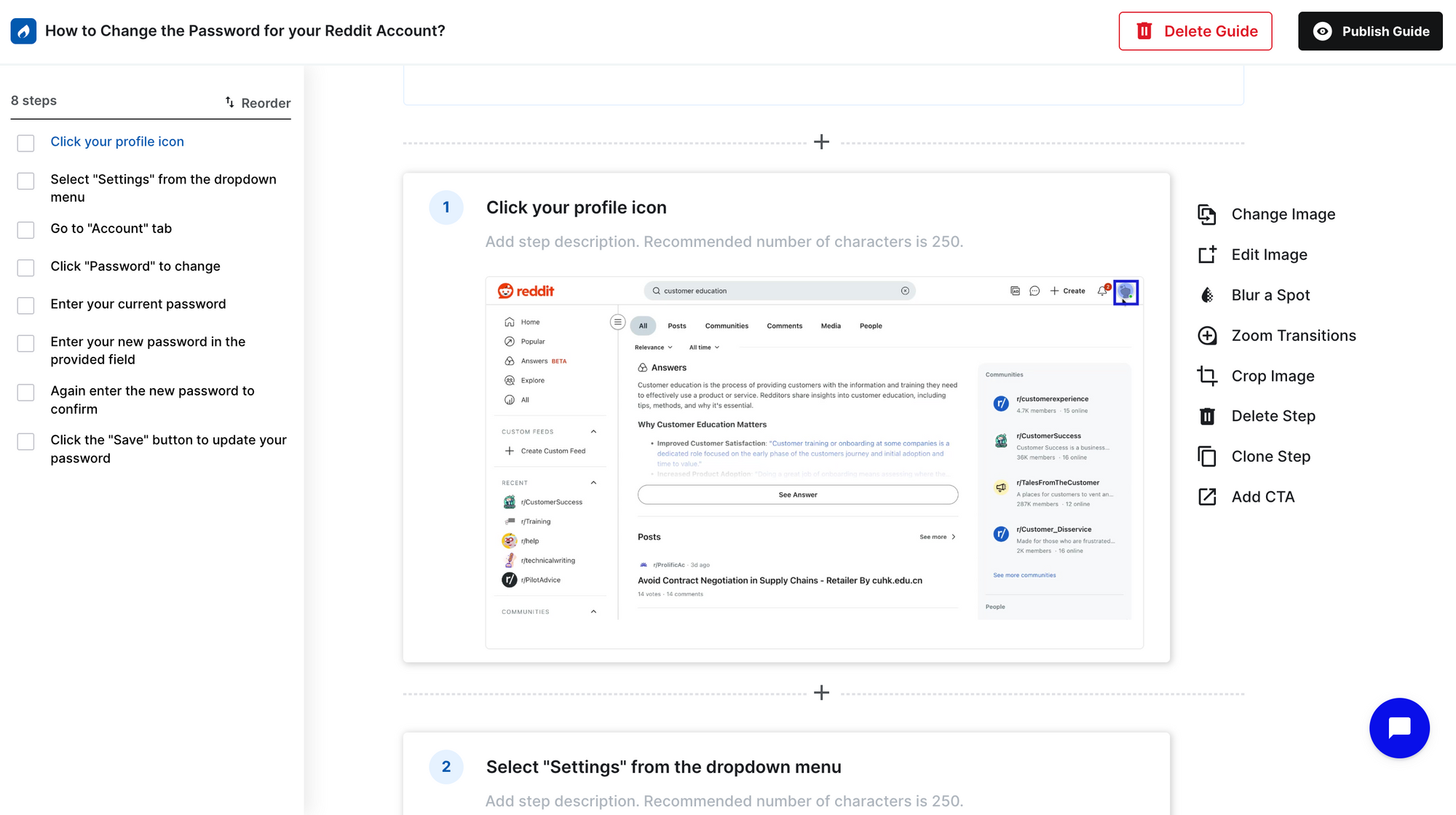
First up is Trainn. It begins with a Chrome extension. Trainn captures the actions and generates a step-by-step guide, each step with its contextual instructions and annotated screenshots, where zooms and spotlight are applied automatically based on the clicks made. You can fine-tune the guide as per your requirements by editing the screenshot, adjusting the zooms or spotlights, or you can add a CTA onto any step, and more. That single guide actually comes in two modes, an interactive guide and a step-by-step guide. This lets you choose whichever format fits, or let people choose how they'd rather learn. To serve your global audience, you can translate a guide into 30+ global languages with just one click. To keep your guide updated as UI changes, you just have to swap the outdated step with a new UI image, instead of re-recording from scratch. But here's what really sets Trainn apart. Trainn is a complete customer education platform where you can create multi-format training content like videos, interactive guides, and step-by-step guides with zero editing or design experience. Then deliver these contents directly with a built-in knowledge base, or structure them into academy courses, or as an in-app experience, as it's shown here. You can also measure your content performance and see which delivery channel drives more engagement. This helps you iterate your training accordingly.
2. Scribe — Internal Documentation and AI Agent Feeds
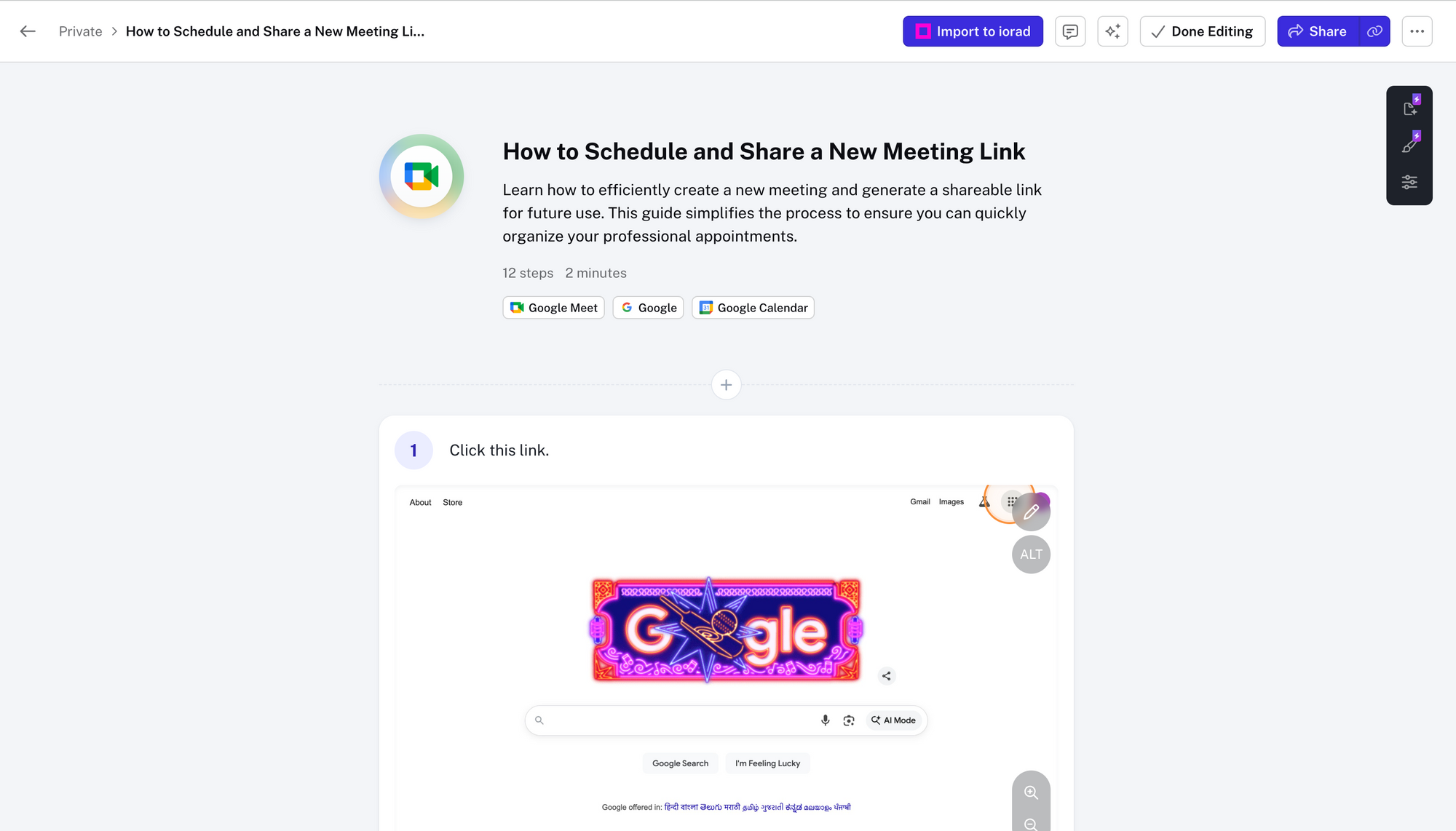
Second one is Scribe. Scribe is a step-by-step guide creation tool for internal documentation and can feed AI agents. With the help of Scribe's extension, you can just capture your workflow. After the capture, Scribe creates a step-by-step guide with instructions and annotated screenshots based on your clicks. Here, Guideme helps this guide appear in the actual workflow window to refer and learn, instead of learning from a different window. Scribe is really helpful for creating SOPs and documentation for internal teams.
3. Tango — Simple Guides for Internal Training
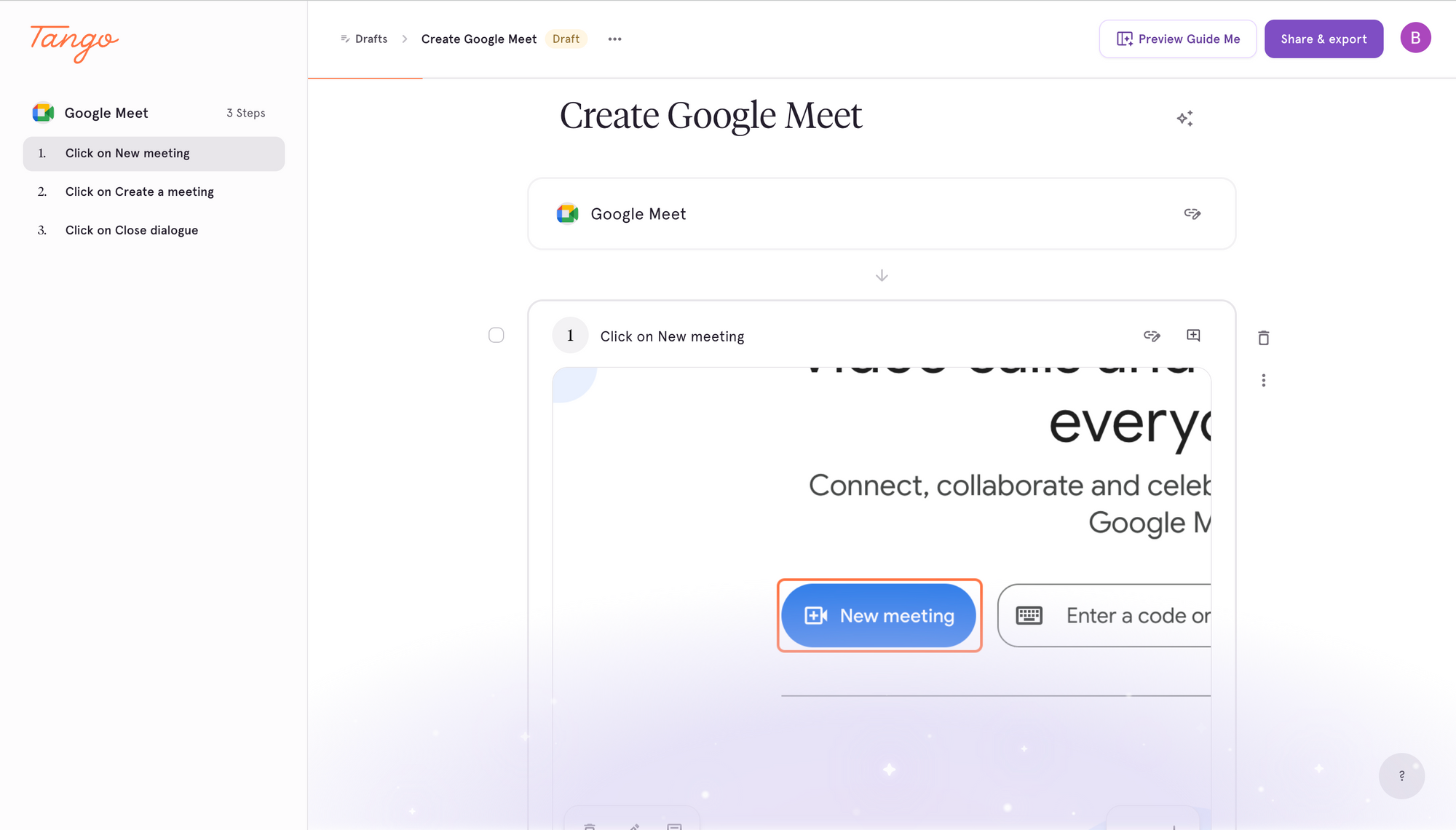
Third is Tango. Tango is a how-to guide creation tool where it helps to provide training guides for your team. As you start recording, Tango, through its extension, generates a step-by-step guide with a step instruction and an annotated screenshot. It's useful for teams creating internal training. Next, here is Guideme, which helps to take you to the actual workflow you're working, and where you can take this guide as reference when you are actually working on it. It's really helpful for creating clean SOPs and training guides for your teams.
4. Iorad — Multi-Mode Interactive Tutorials
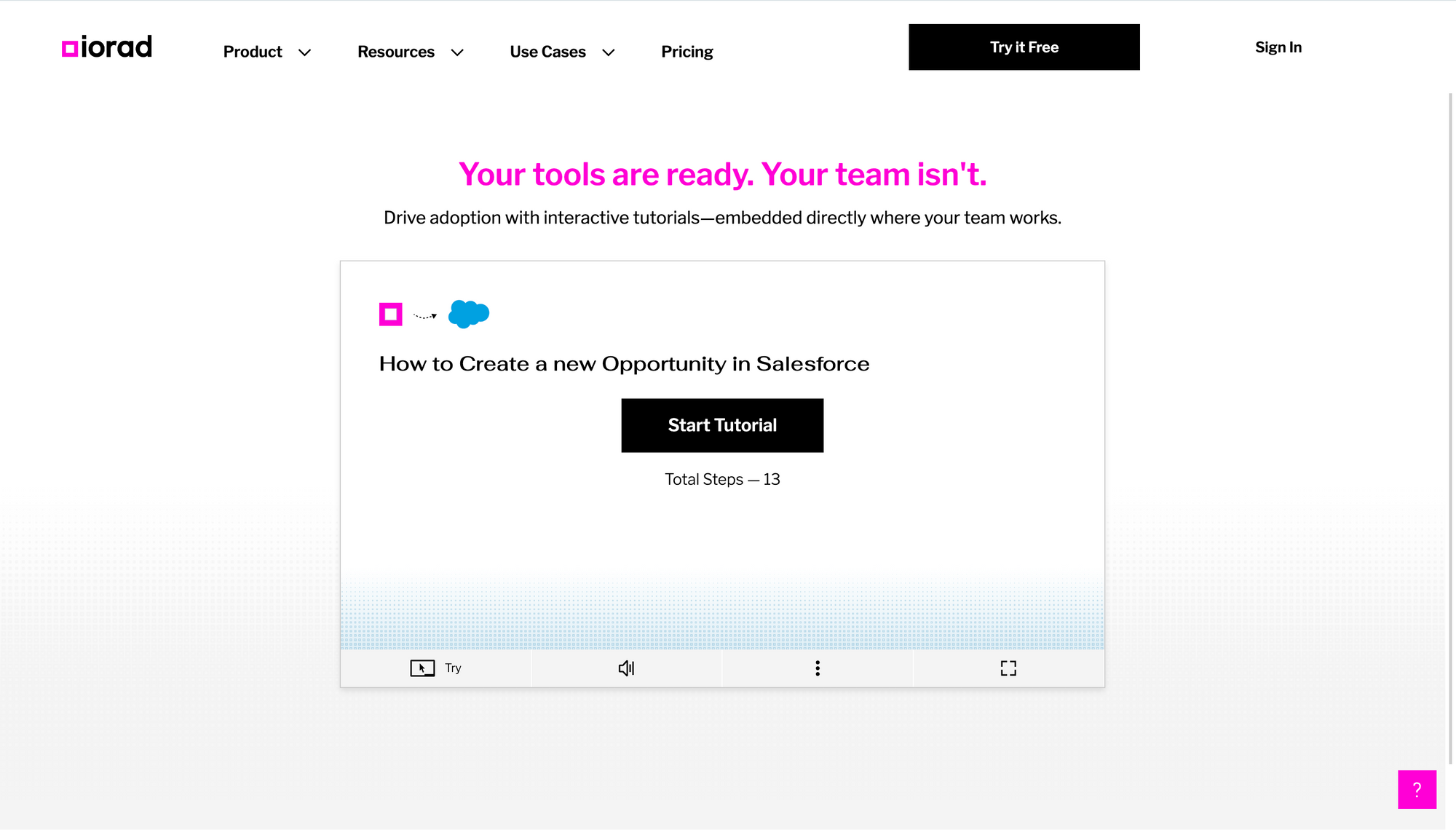
Fourth one is Iorad. If the workflow is captured, it generates interactive tutorials where users can click through the guide at their own pace. Here, it gives options over different modes, where you can watch this guide as a scroll, as slides, or as a video. Or you can also refer to this guide exactly at your workflow while actually doing it.
5. Dubble — Lightweight Tool for Small Teams
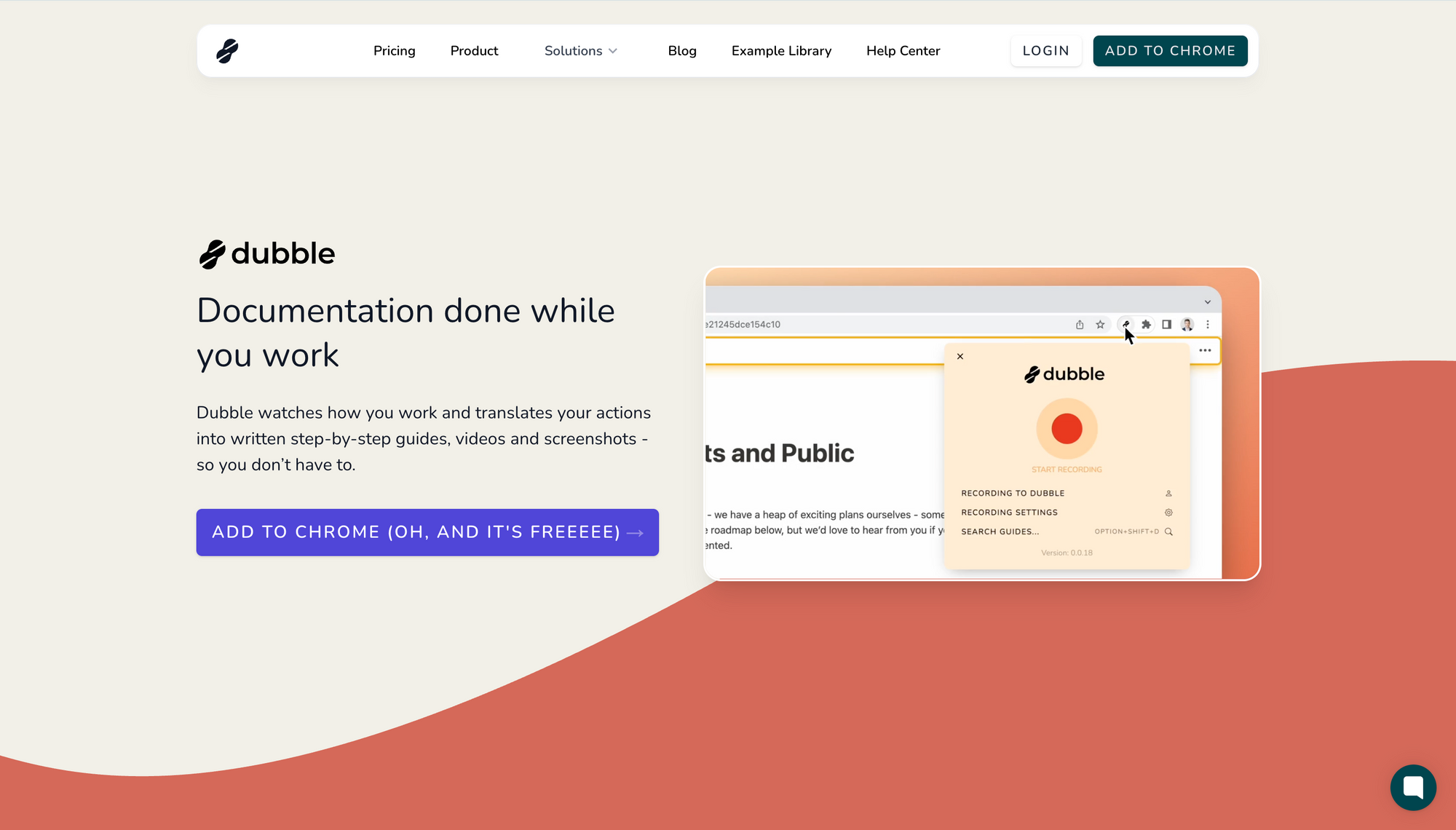
Last one is Dubble. With Dubble's extension, you can record the workflow, and it generates a video without AI voiceover and a step-by-step guide with annotated screenshots and step instructions. Dubble is a lighter-weight tool best suited for solo creators, leads ops, or small support teams within a budget.
Recap and Outro
So it all comes back to intent. Once you know what your guide needs to do, where it lives, who it reaches, whether it has to prove results, and so on, the right tool becomes obvious. Thanks for watching! Drop a comment with any questions if you have..
1. Trainn
Trainn is an AI-powered customer education platform built for SaaS companies that need to take customers from "just signed up" to "actually using the product" without throwing more people at the problem. The workflow starts with a Chrome extension. Record your screen walking through a product workflow, and Trainn's AI handles the rest - it generates polished screenshots, applies spotlights and zooms to places where you have clicked, writes contextual descriptions, and generates a branded step-by-step guide in less than 5 mins.
What makes Trainn genuinely different is that one recording doesn't produce one thing. It produces four. You get a studio-quality video, a clickable interactive guide, an annotated step-by-step written SOP, and an embeddable version ready for your knowledge base or product. All other tools on this list make you choose one format. Trainn makes one and converts it into the others, which means you don't have to decide upfront what format your customers prefer. You give them all of them and let them pick.
The other part that matters is what happens after the content is made. A finished video sitting in a shared folder doesn't do anything. Trainn ships the content into a branded Knowledge Hub for self-serve learning, an Academy with courses and certifications for structured training, in-app embeds for contextual help, and direct share links for one-off use. Analytics roll up across all four surfaces. When the product changes - and it will - you update one clip, and the change reflects everywhere the guide is shared. Translation into 30+ languages is one click, and teams using Trainn report shipping training content roughly 80% faster than with traditional workflows.
Key features
- AI-powered guide creation- record your screen and Trainn generates a polished step-by-step guide with screenshots, descriptions, zooms, and annotations
- Ability to blur sensitive on-screen data
- Custom branding with company logo and colours
- Sharing options including direct link, PDF, embed code
- Interactive guides - one-click conversion from video to clickable walkthrough
- AI-powered video creation - record your screen and Trainn generates voiceover, zooms, spotlights, and captions automatically
- In-app tutorials - embed videos and guides inside your product, no engineering
- Knowledge Hub - branded, searchable self-service portal customers can find their way around without help
- Academy / LMS - no-code academy with courses, quizzes, and certifications
- 30+ language one-click translation with ElevenLabs voices - useful if you're selling into EMEA or APAC
Best for: B2B SaaS teams building customer education content that has to scale.
Not ideal for: Solo founders who just need five internal SOPs - that's overkill. Teams that need tooltips and modals injected into a live product UI - that's a different kind of tool. Heavily regulated industries that need audit-grade compliance machinery beyond what an academy module provides.
A real example: BuildOps - the field service management software for commercial contractors - doubled its customer base in a year. Their CS team was running the same 30-minute product walkthrough on repeat and couldn't keep up. They moved to Trainn and built the BuildOps Learning Center with 100+ training videos and guides in 45 days. Customers now self-serve 24/7. The CS team is freed up for retention work instead of training.
"Our 1:1 training wasn't scaling with a growing customer base. With Trainn, we built the BuildOps Learning Center with 100+ training videos in 45 days. Now customers learn on their own, and our team is freed to support customers, instead of training them."
- Sabina Rana, Head of Customer Support, BuildOps
G2 rating:4.6 / 5
See Trainn in Action
2. Scribe
Scribe is a Workflow AI platform best known for its Capture product: a Chrome extension or desktop app that records your clicks, scrolls, and keystrokes, then automatically generates a step-by-step guide with screenshots and AI-written instructions. From workflow to shareable doc takes about five to ten minutes, which is why it's the default tool teams reach for when they need internal documentation fast. The platform reports use by 94% of the Fortune 500 across operations, IT, finance, HR, and customer-facing teams.
Where Scribe shows its limits is when the audience doesn't want to read. There's no voiceover, no video output, no one-click translation across languages, and no academy or LMS hosting. If your customers are the kind who'd rather watch a 3-minute video than read a 12-step screenshot doc, Scribe alone isn't enough.
Key features
- Automatic step capture via Chrome extension or desktop app
- AI-written step descriptions generated from the recorded workflow
- Smart redaction to blur sensitive on-screen data automatically
- Custom branding with company logo and colours on paid tiers
- Sharing options including direct link, PDF, embed code, and knowledge-base integrations
- Workflow AI features for analysing recurring processes across an organisation
Best for: Teams writing internal SOPs and process docs as fast as possible.
Not ideal for: Customer-facing guide and video training. Multilingual customer content at scale. Hosting a branded academy.
G2 rating: 4.8 / 5
3. Tango
Tango started as a workflow documentation tool in the same vein as Scribe - a browser extension captures a workflow click-by-click and turns it into a step-by-step guide with screenshots, annotations, and written instructions. Used by enterprises including Salesforce, Gusto, and Rockwell Automation.
Two things separate Tango today. The first is export flexibility - guides come out as PDF, HTML, or Markdown, which makes them easy to embed inside an existing knowledge base. The second is that Tango now also offers an interactive on-screen walkthrough mode, where the guide pops up inside the application itself instead of living as a static doc. That puts Tango in a slightly different position than the other click-capture tools on this list. It's not just static SOPs anymore. The usage analytics layer is also genuinely useful - you can see where people drop off mid-guide.
The limits are similar to Scribe. There's no AI-narrated video, no one-click multilingual dubbing, and no branded academy or LMS infrastructure. If those things matter for your customer education program, you're stitching Tango together with something else.
Key features
- Automatic step capture via Chrome extension
- Interactive on-screen walkthroughs that overlay guidance inside the application
- Multiple export formats including PDF, HTML, and Markdown for embedding in Notion, Confluence, and other knowledge bases
- Usage analytics showing where teammates engage and drop off
- Annotations, blurring, and sensitive-data masking
Best for: Teams whose documentation already lives in Notion or Confluence and needs to look clean inside it.
Not ideal for: Video and guide training. Multilingual customer content. Branded customer academies, courses, or certifications.
G2 rating: 4.8 / 5
4. Iorad
Iorad records what you do inside a capture frame and turns it into a step-by-step tutorial. The thing that makes it worth a separate mention is multi-mode learning - the same tutorial can be delivered as an interactive try-it simulation, a view-it list, a watch-it video, a printable document, or a do-it overlay. One capture, five formats. That's genuinely useful when you don't know upfront whether your audience prefers reading, watching, or doing. Built-in translation via Google Translate covers 25+ languages, and integrations with Slack, Notion, Jira, Zendesk, and Salesforce mean tutorials can live where your teams already work.
Where Iorad doesn't go is full AI-narrated video production with premium voiceover. The watch-it format is the captured workflow with on-screen text - not a narrated tutorial. There's also no branded academy with structured courses and certifications, which puts a ceiling on it for teams running formal training programs.
Key features
- Automatic step capture with screenshot generation and editable text instructions
- Multi-mode learning: interactive try-it, view-it list, watch-it video, print-it document, do-it overlay
- Built-in translation via Google Translate across 25+ languages
- Integrations with Slack, Notion, Jira, Zendesk, Salesforce, Workramp, and more
- Team workspaces for collaborative tutorial creation
Best for: Training programs where users learn by clicking through, not just reading.
Not ideal for: AI-narrated video training with premium voice. Structured academies with courses, quizzes, and certifications. One-click multilingual dubbing.
G2 rating: 4.8 / 5
5. Dubble
Dubble is a Chrome extension that records your workflow and turns it into a step-by-step guide with screenshots and AI-written instructions. Paid tiers add basic video and webcam audio. The pitch is essentially Scribe-style capture, lighter weight, cheaper - which suits solo creators, ops leads, or small support teams who just need to document a process today without paying for a heavier platform. Guides slot into Notion, Confluence, Google Docs, and Trainual in a few clicks.
The limits are what you'd expect from a lighter-weight tool. No AI-narrated video at the level of premium voices, no academy hosting, no learner-level analytics across delivery surfaces, no one-click multilingual dubbing. For solo creators those limits don't matter. For a mid-market customer education program, they do.
Key features
- Automatic step-by-step capture with AI-written descriptions
- Light video and webcam audio recording on paid plans
- Screenshot editing, annotation, and redaction
- Export to Notion, Confluence, Google Docs, and Trainual in a few clicks
- Real-time team editing for collaborative guide creation
Best for: Solo creators and small teams documenting their own processes on a budget.
Not ideal for: Customer education programs at mid-market or enterprise scale. AI-narrated video with premium multilingual voiceovers. Academy hosting.
G2 rating: No G2 listing
6. Appcues
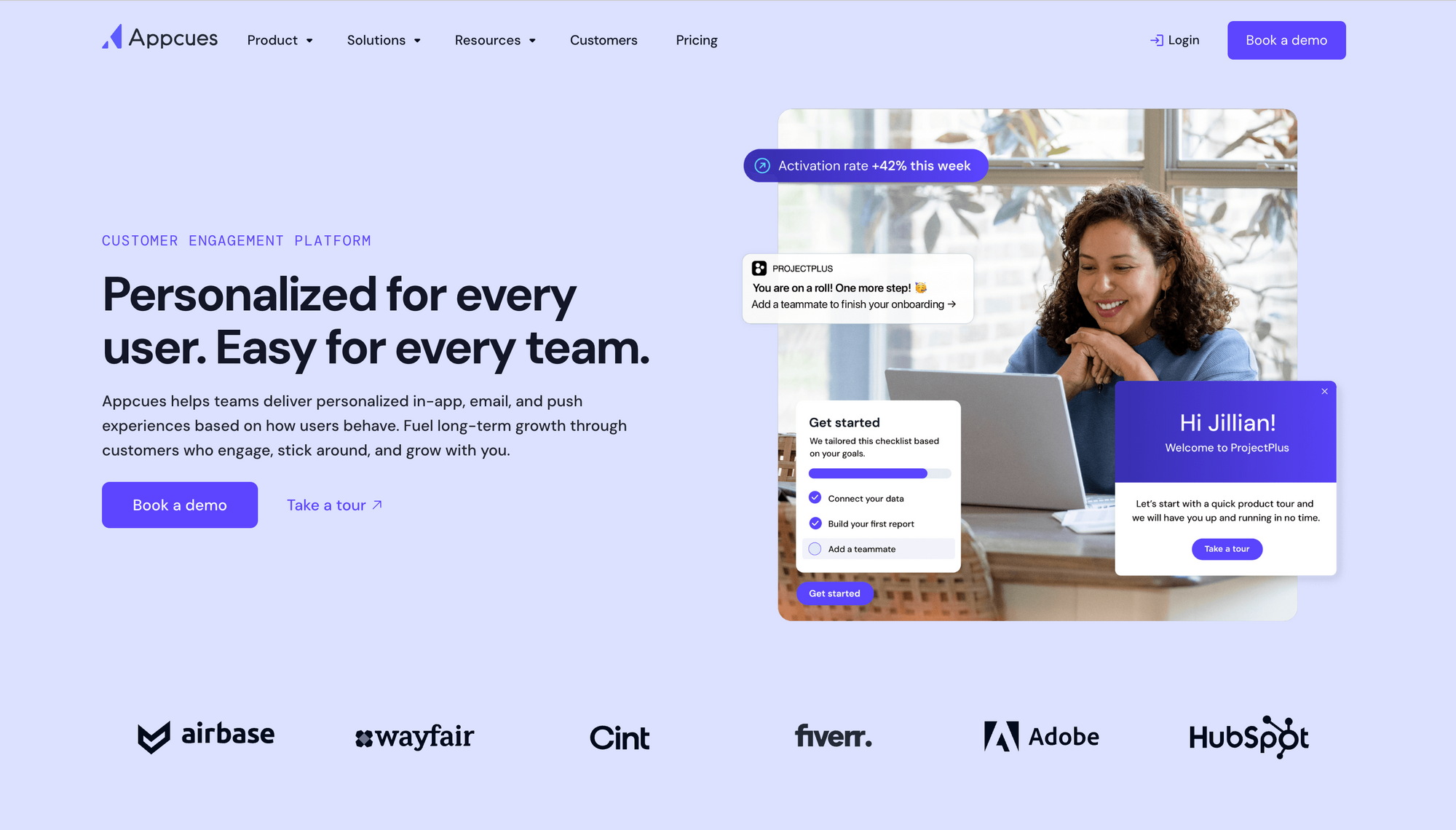
Appcues is a digital adoption platform used by companies like HubSpot, MongoDB, and Wayfair. The pitch is straightforward: build tooltips, modals, slideouts, checklists, hotspots, and banners inside your product without filing an engineering ticket every time. The visual builder is genuinely usable by people who don't write code, which is why product and growth teams keep landing here.
What Appcues does well is in-product orchestration. You can target specific user segments, A/B test onboarding flows, run NPS surveys, and measure flow completion - all without leaving the platform. The workflows feature ties in-app messages together with email and push, so you can build a coordinated onboarding sequence instead of just one-off modals.
The trade-off is real. Content lives inside the product UI, which means it only reaches users who are already logged in. That's perfect for product-led activation. It's not the right tool for asynchronous customer education - videos, courses, certifications, the kind of training a channel partner or enterprise customer would consume outside the app. You'll also need engineering involvement at minimum to install the snippet and approve CSP changes.
Key features
- No-code visual builder for tooltips, modals, slideouts, checklists, hotspots, and banners
- Workflows for orchestrating in-app messages with push and email channels
- Audience segmentation based on user attributes and behaviour
- A/B testing on onboarding flows
- NPS surveys and in-product feedback widgets
- Flow analytics on completion and drop-off
Best for: Product and growth teams running onboarding experiments inside their own product UI.
Not ideal for: Customer education content that lives outside the product. Asynchronous learners like channel partners or infrequent users. Narrated video, multilingual dubbing, or hosted academies.
G2 rating: 4.6 / 5
7. Userpilot
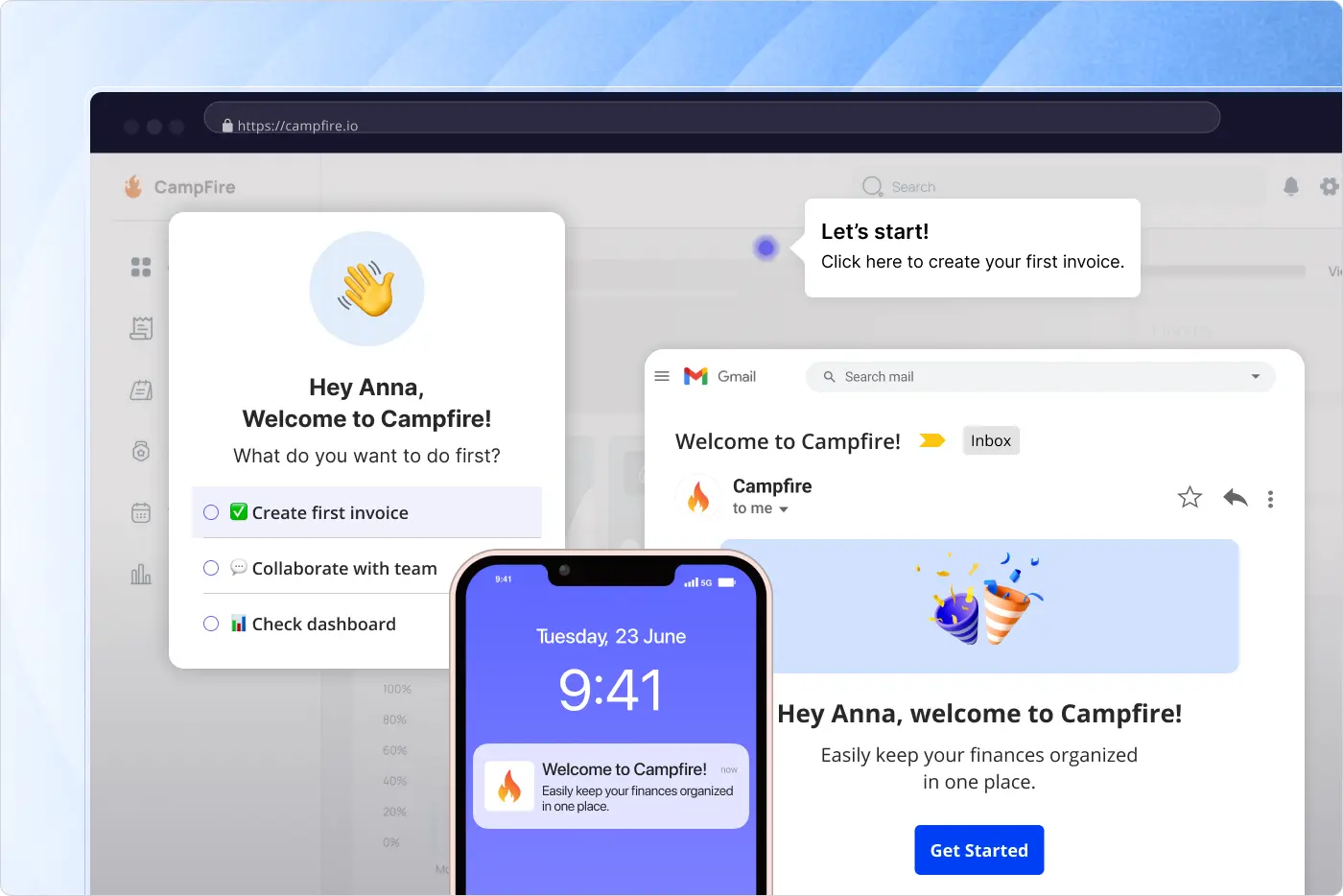
Userpilot bundles in-app guidance with product analytics in one platform, which is a different bet than Appcues makes. Where Appcues focuses on building the experience, Userpilot bets that you want to measure the experience inside the same tool that builds it - funnel analysis, session replay, NPS/CSAT/CES surveys, goal tracking tied to activation milestones. As of 2026, Userpilot added Lia, an AI agent that predicts which users are likely to activate, churn, or expand. If you're a product or growth team trying to move trial-to-paid numbers, this combination makes sense. Starter pricing begins at $299/month.
The limits look like Appcues's limits. In-app guidance reaches users who are inside the app. Customer education content that needs to live outside the app - narrated videos, courses, certifications, structured learning paths - isn't what Userpilot is built for. Multilingual customer education with premium AI dubbing also isn't a core strength.
Key features
- No-code in-app builder for tooltips, modals, banners, slideouts, and checklists
- Product analytics with funnels, paths, retention reports, and feature tagging
- Lia AI agent for predicting churn, activation, and expansion (2026 release)
- Workflows for multi-channel orchestration across in-app, email, and push
- Survey templates for NPS, CSAT, CES, and feature-specific questions
- Behaviour and attribute segmentation for targeted flows
Best for: PLG SaaS teams optimising trial-to-paid conversion with in-product nudges.
Not ideal for: Customer education programs centered on video, courses, or certifications. Enterprise customers trained through formal academy structures. Multilingual programs that need premium AI dubbing.
G2 rating: 4.6 / 5
8. Pendo
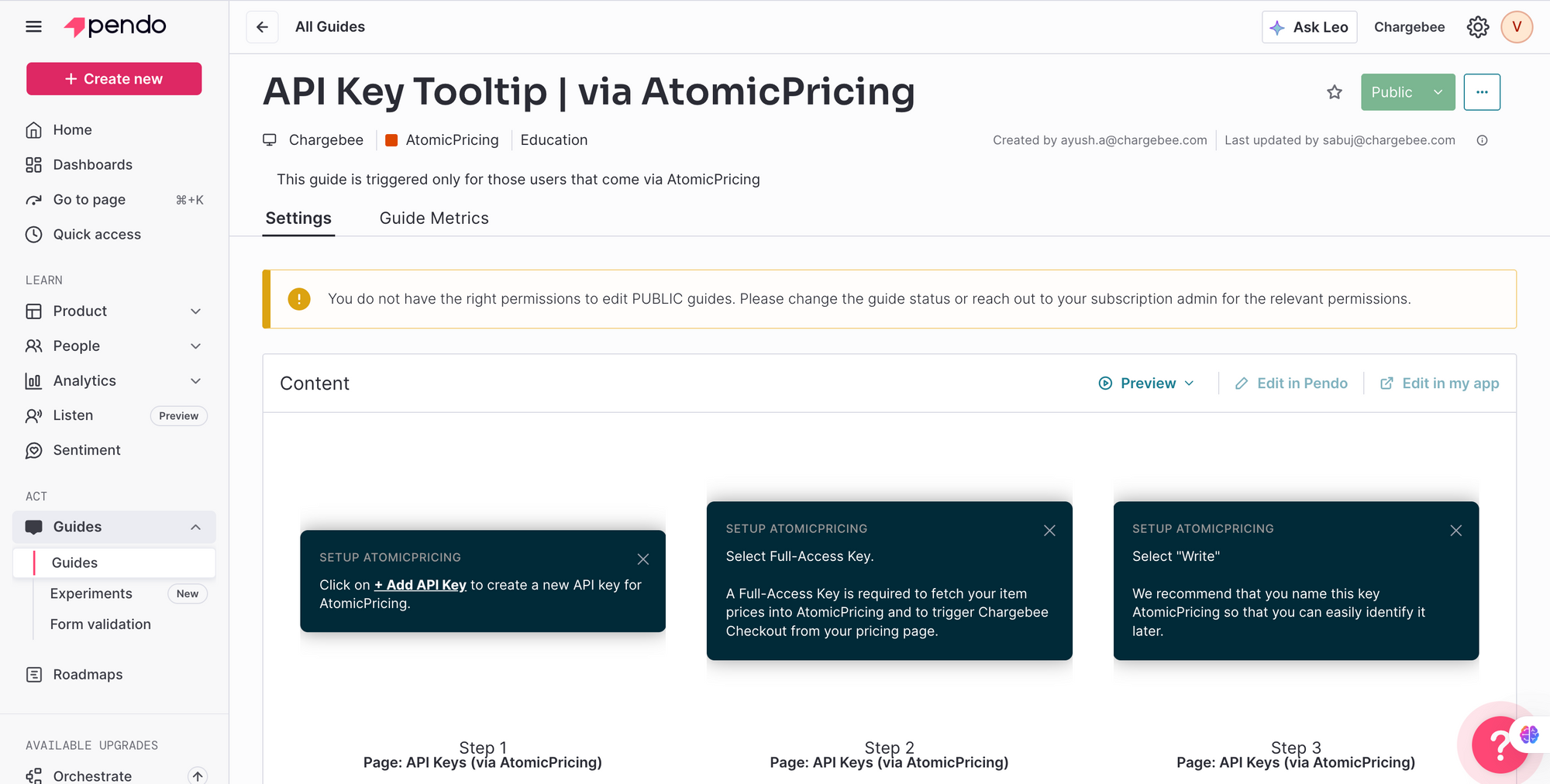
Pendo is the most analytics-heavy platform on this list. It started as a product analytics platform and grew into an integrated suite that combines analytics, in-app guides, session replay, user feedback, and roadmapping in one system. Over 14,000 customer organisations use it - mostly mid-market and enterprise SaaS, with significant adoption in fintech, healthcare, and enterprise IT.
Pendo installs through a single JavaScript snippet with no code changes per feature. What you get is deep visibility into how users move through your product - feature usage, retention cohorts, paths, funnels - alongside the ability to layer in tooltips, walkthroughs, and resource centres where the data tells you they're needed. Recent additions include Pendo Predict for churn and expansion modelling, and Agent Analytics for measuring AI agent interactions inside products.
If your team's centre of gravity is product management and you need analytics-first with guidance as a layer, Pendo fits. If your team's centre of gravity is customer education and you need video, multilingual content, and an academy, you're stitching Pendo together with other tools. It also tends to be heavy to implement - more engineering involvement than the lighter in-app tools, more strategic setup than a click-capture tool.
Key features
- Product analytics including feature usage, retention cohorts, paths, and funnels
- In-app guides with tooltips, walkthroughs, and resource centres
- Session replay for understanding user behaviour at the individual level
- Feedback and roadmap management through Pendo Feedback
- NPS and survey capabilities with in-product distribution
- Pendo Predict for AI-driven churn and expansion modelling
- Enterprise-grade SSO, compliance, and integrations
Best for: Product teams who need deep analytics first, with in-app guidance layered on top.
Not ideal for: Customer education programs centered on narrated video, multilingual content, and academy hosting. Customer Success teams without engineering bandwidth for setup. Small product teams looking for something lightweight.
G2 rating: 4.4 / 5
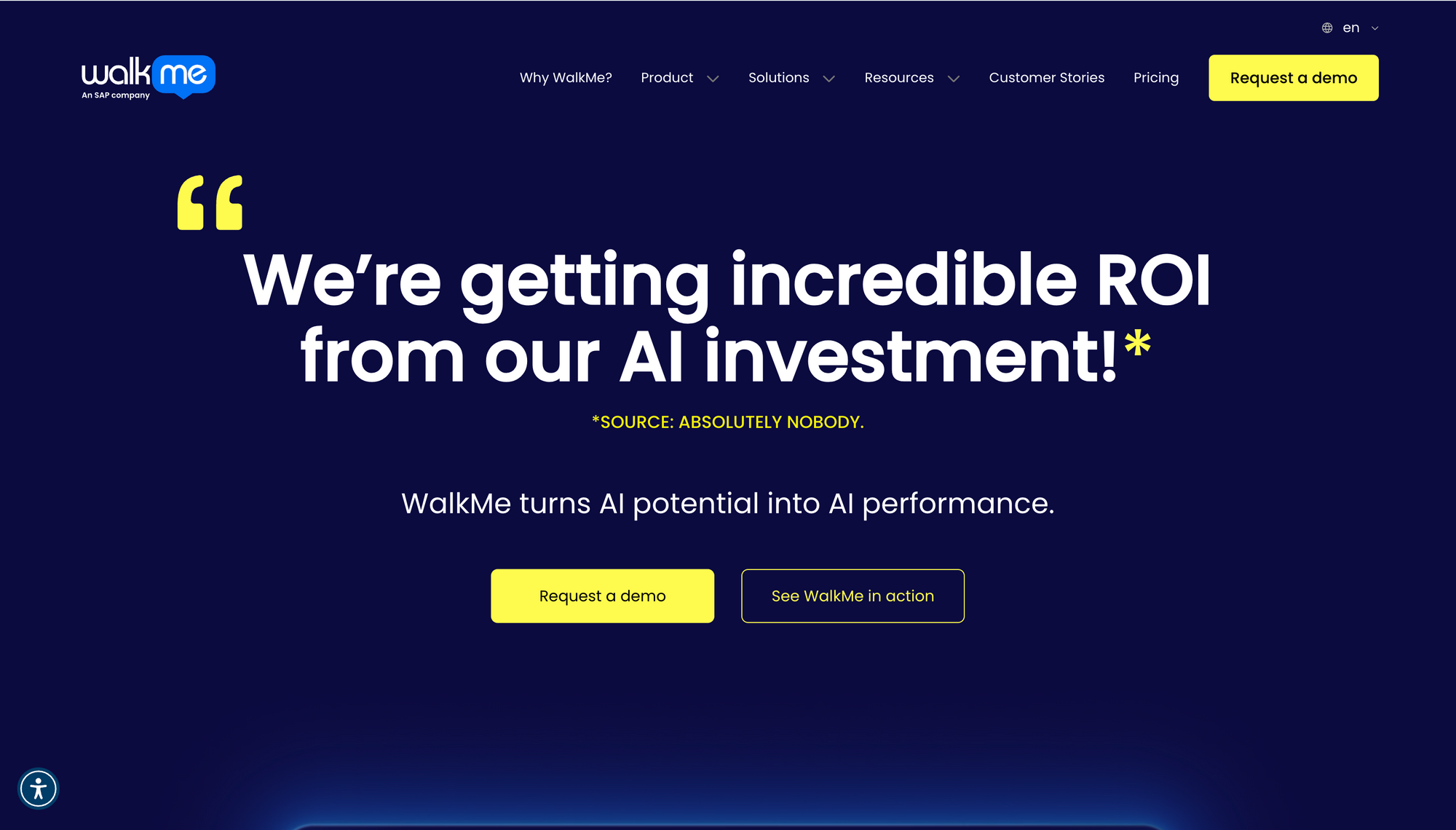
9. WalkMe
WalkMe is an enterprise digital adoption platform, now part of SAP, that overlays contextual guidance and automation across web, mobile, and desktop applications. IDC has calculated its three-year ROI at 494% across enterprise deployments - which gives you a sense of who's actually buying it.
What WalkMe is built for is large organisations rolling out adoption programs across internal enterprise software - SAP, Salesforce, Workday, Oracle. The platform supports cross-application walkthroughs, workstation-level deployment, action automation that reduces manual steps in legacy apps, and enterprise compliance including FedRAMP, SOC 2, GDPR, and HIPAA. Their DeepUI AI technology understands application context and adapts when UI changes happen.
The reason WalkMe shows up in customer education comparisons is that it can also overlay guidance on customer-facing SaaS products. The reason most SaaS teams reading this article won't buy it is that WalkMe is sized for enterprise budgets and enterprise deployment timelines. If you're a mid-market B2B SaaS team trying to scale customer training, you'll find lighter, faster, cheaper tools that fit better.
Key features
- Cross-application walkthroughs across web, mobile, and desktop applications
- Workstation-level deployment for IT and enterprise use cases
- DeepUI AI that understands application context and adapts to UI changes
- Action automation to reduce manual steps inside legacy enterprise applications
- Enterprise compliance including FedRAMP, SOC 2, GDPR, and HIPAA
- Adoption analytics across the enterprise application stack
Best for: Enterprise IT and L&D programs driving adoption of internal applications across thousands of seats.
Not ideal for: SMB and most mid-market B2B SaaS teams. Customer education programs that need narrated video, branded academies, or learner certifications. Anyone looking for a lightweight, no-code tool that ships in days.
G2 rating: 4.5 / 5
How to Choose the Right Step-by-Step Guide Creation Tool for Your Business
Once you've seen the tools, picking between them is mostly a matter of answering three questions honestly.
Where will the content actually live? If it lives inside your product UI as overlays, you're looking at Appcues, Userpilot, Pendo, or WalkMe. If it lives in a customer-facing portal, a knowledge base, or an academy, you're looking at Trainn. If it lives inside your internal docs tool like Notion or Confluence, you're looking at Scribe, Tango, Iorad, or Dubble.
Who's making the content? If it's your CS, Implementation, or Customer Education team, you're probably looking at Trainn for customer-facing guides and videos, with Scribe or Tango for fast internal docs on the side. If it's your Product or Growth team, you're looking at Appcues, Userpilot, or Pendo. If it's a solo founder or ops lead documenting internal processes, Scribe or Tango is the right kind of tool.
What's the actual failure mode you're trying to escape? If you're saying "my team is on too many 1:1 training calls" or "our content goes stale every time the product changes," that's Trainn territory. If you're saying "I'm rewriting the same Notion doc every week," that's Scribe or Tango. If you're saying "users sign up and never reach activation," that's Appcues or Userpilot. If you're saying "customers won't watch a video, they want to click through it," that's either Iorad or Trainn's interactive guides.
If you're sitting between two of those failure modes, you're probably not picking one tool. You're picking a primary plus a complement - and that's fine. Most mature customer education programs end up with a video and academy platform doing the heavy lifting, with a click-capture tool for fast internal docs and sometimes an in-app tool for activation flows on top.
The Bottom Line
For most B2B SaaS teams reading this in 2026, the question isn't really "which is the best step-by-step guide creation tool?" - it's "which platform can take us from a raw screen recording to trained, engaged customers, without needing three other tools to hold it all together?"
That's a shorter list.
If your primary need is fast internal SOPs or process documentation, Scribe, Tango, Iorad, and Dubble are solid within that scope. If you're optimising in-app activation for product-led growth, Appcues, Userpilot, and Pendo cover that use case well. If you're rolling out internal enterprise software adoption across thousands of seats, WalkMe is built for that scale.
But if you're building a customer training program that needs to scale - where the goal isn't just creating content but delivering it through a structured experience, tracking learner progress, and connecting training to retention and product adoption - Trainn is the platform designed for that full scope. The combination of one-recording-to-four-outputs, branded academy and knowledge hub delivery, in-app embeds, and per-learner analytics in one place makes it the most complete option in the category.
Trainn is an AI-powered customer education platform for B2B SaaS companies to create, manage, and scale training videos and guides. Learn more at trainn.co or explore the documentation at help.trainn.co.
FAQs
What is the best step-by-step guide creation tool?
There isn't one. It depends on what you actually need. For B2B SaaS customer education at scale, Trainn fits best because one recording becomes video, interactive guide, written SOP, and an academy module. For internal SOPs you need fast, Scribe or Tango is faster. For in-app activation flows inside your product UI, Appcues or Userpilot are stronger. The right answer is whichever tool matches the job you're actually doing.
Are AI-generated step-by-step guides accurate?
Yes for the workflow capture itself. Modern tools detect clicks and write step descriptions with 90%+ accuracy. AI voiceovers and translations crossed the "actually sounds human" threshold in 2025 with services like ElevenLabs. You'll still want to review brand-specific terminology and edit anything technical, but the days of robotic AI narration are mostly behind us.
How long does it take to create a step-by-step guide?
With modern AI video platforms, expect 8 to 15 minutes from recording to publish - including voiceover, captions, and an interactive guide version. Click-capture SOP tools land closer to 5 to 10 minutes for a static document. Manual screenshot-and-annotate workflows used to take 45 to 60 minutes for the same output. That's the time AI is saving.
Can I update a guide without re-recording it?
Most modern tools support clip-level edits. You can replace one screenshot or one video segment without re-recording the whole thing. With a tool like Trainn, the update then propagates everywhere the guide is embedded - your knowledge base, academy, in-app tutorial, or external share links. This is one of the largest hidden time-savers of the modern category, and it's also the thing that breaks if you're using older tools.
What's the difference between a step-by-step guide and an interactive product demo?
A step-by-step guide is asynchronous instruction - the learner reads, watches, or clicks through at their own pace. An interactive product demo is similar but tries to mimic the live product experience, usually with a sandbox environment and no real data. The tools overlap in capability. The use cases don't. Demos sell. Guides train.
Do I need engineering help to deploy a guide creation tool?
Depends on the kind. Video and academy platforms like Trainn, and click-capture tools like Scribe, are no-code - your CS or Implementation team owns the deployment end to end. In-app walkthrough tools like Appcues, Userpilot, Pendo, and WalkMe need a JavaScript snippet install at minimum, and often more engineering involvement for advanced element targeting and CSP changes.
Ready to Trainn your customers?
- Create videos & guides
- Setup Knowledge Base
- Launch an Academy

Trainn is an AI-powered product video and guide creation platform that turns screen recordings into product demo videos, training videos, onboarding videos, step-by-step guides, and interactive walkthroughs. Trainn also delivers this content externally through a branded no-code LMS, or in-app through embedded tutorials to train customers at scale.

North Bethesda, Maryland 20852


