
Product
Usecases
Resources
Case Studies
Company
- Customers
- Pricing
- Try Trainn's AI Video Agent
- Expert voices
- Book a demo
- Sign up →
How to Add a Checkbox in Google Sheets
Created with Trainn AI
Here's a step-by-step walkthrough on how to add a checkbox in Google Sheets
1. Select the cells where you want to add the checkbox
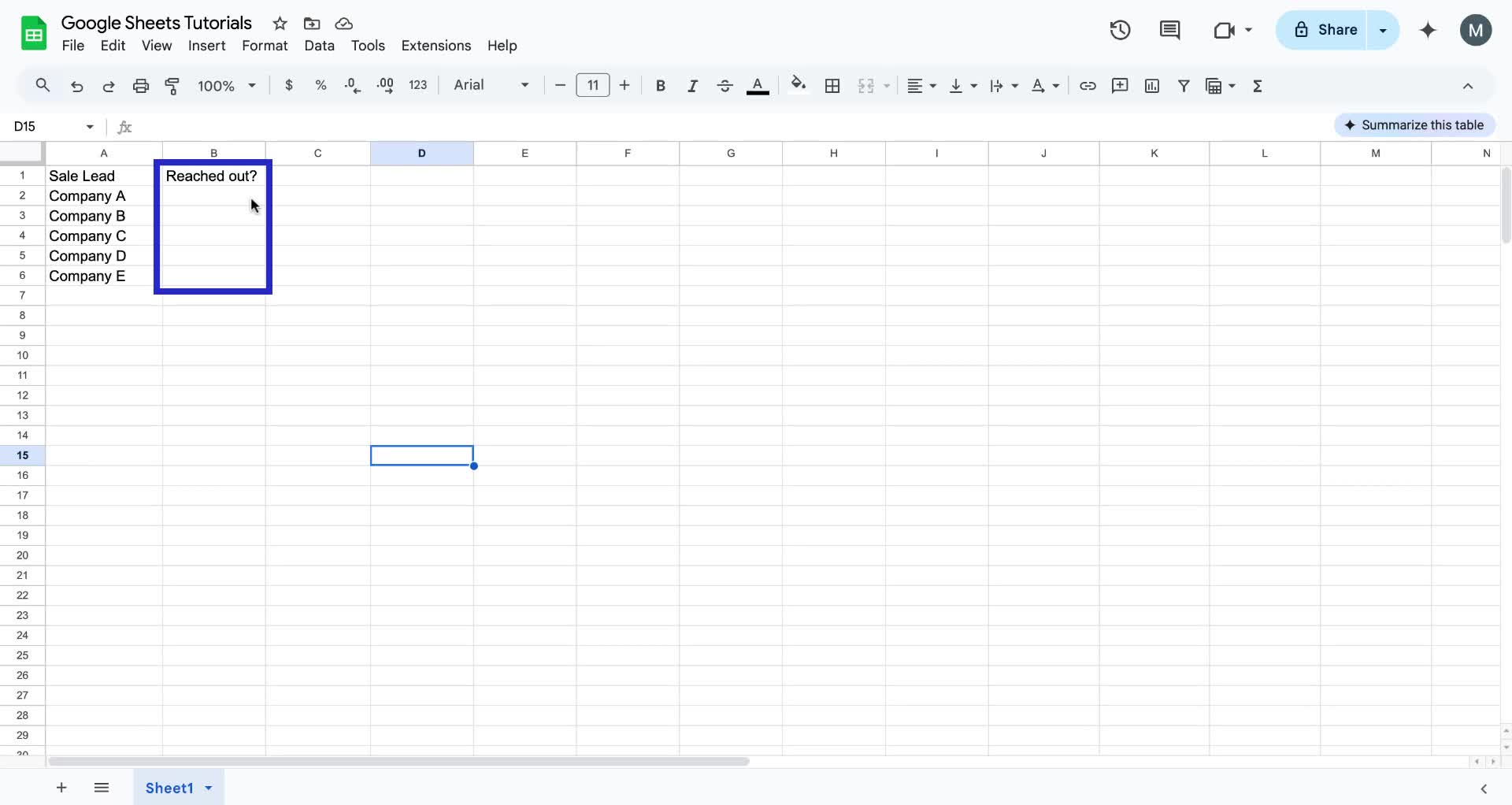
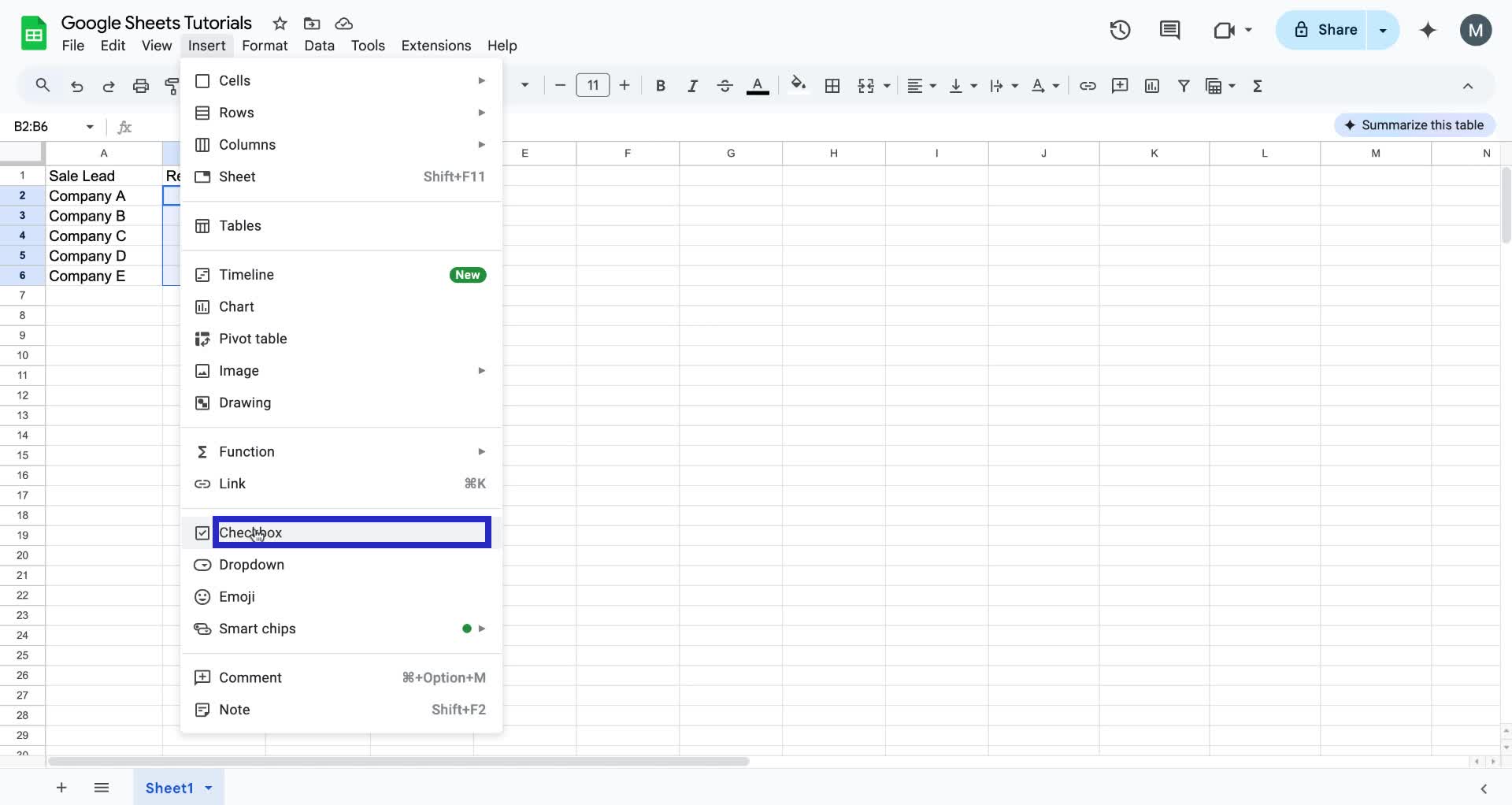
2. Then, click on the "Insert" option in the menu bar.

3. In the dropdown menu, select "Checkbox".
4. Checkboxes are now added to the selected cells.
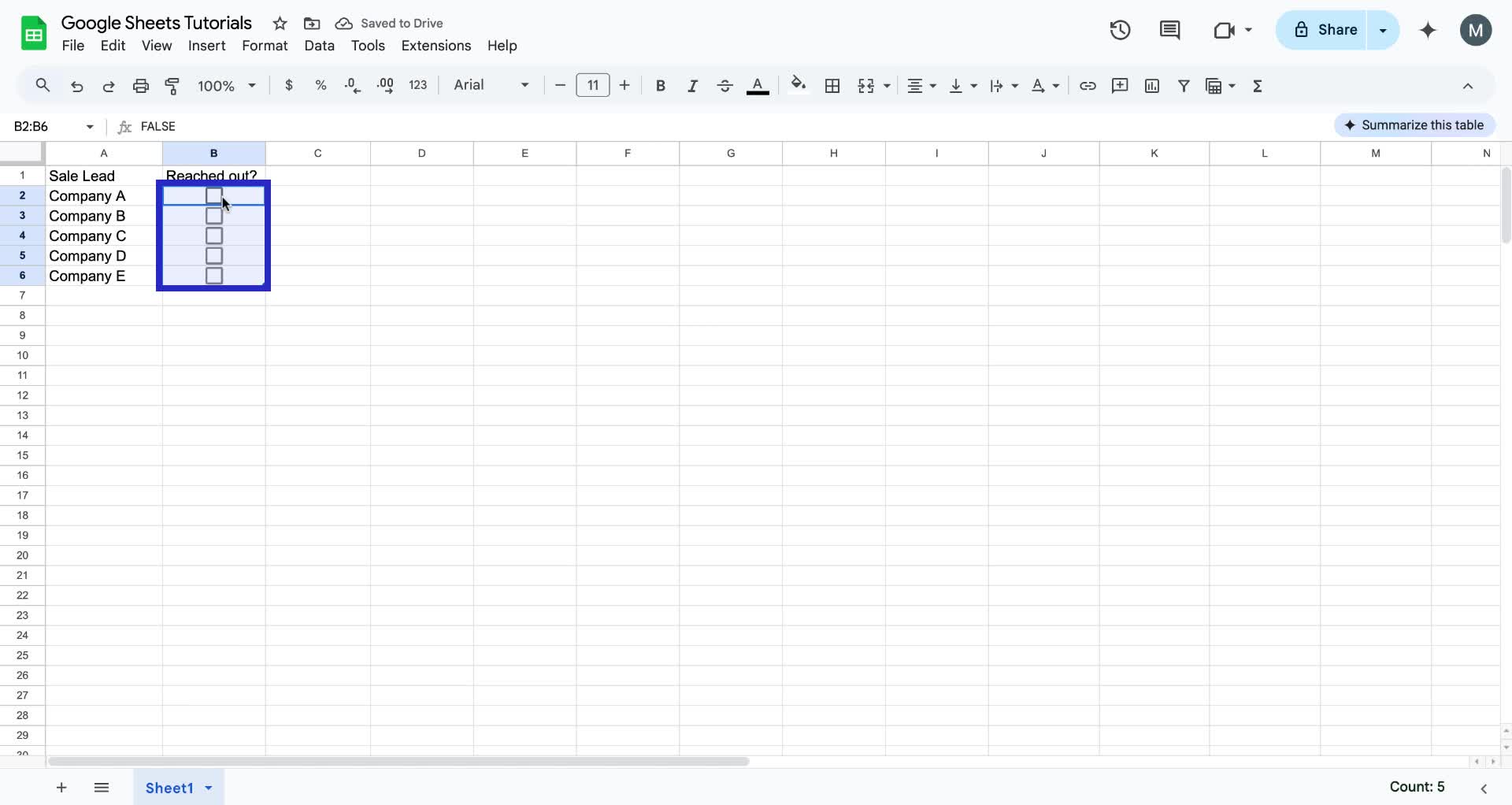
Congrats! You have successfully added checkboxes in Google Sheets!
Trainn is an AI-powered product video and guide creation platform that turns screen recordings into product demo videos, training videos, onboarding videos, step-by-step guides, and interactive walkthroughs. Trainn also delivers this content externally through a branded no-code LMS, or in-app through embedded tutorials to train customers at scale.

North Bethesda, Maryland 20852


