
Product
Usecases
Resources
Case Studies
Company
- Customers
- Pricing
- Try Trainn's AI Video Agent
- Expert voices
- Book a demo
- Sign up →
How to Add a Text Box in Canva
Created with Trainn AI
Here's a step-by-step walkthrough on how to add a text box in Canva
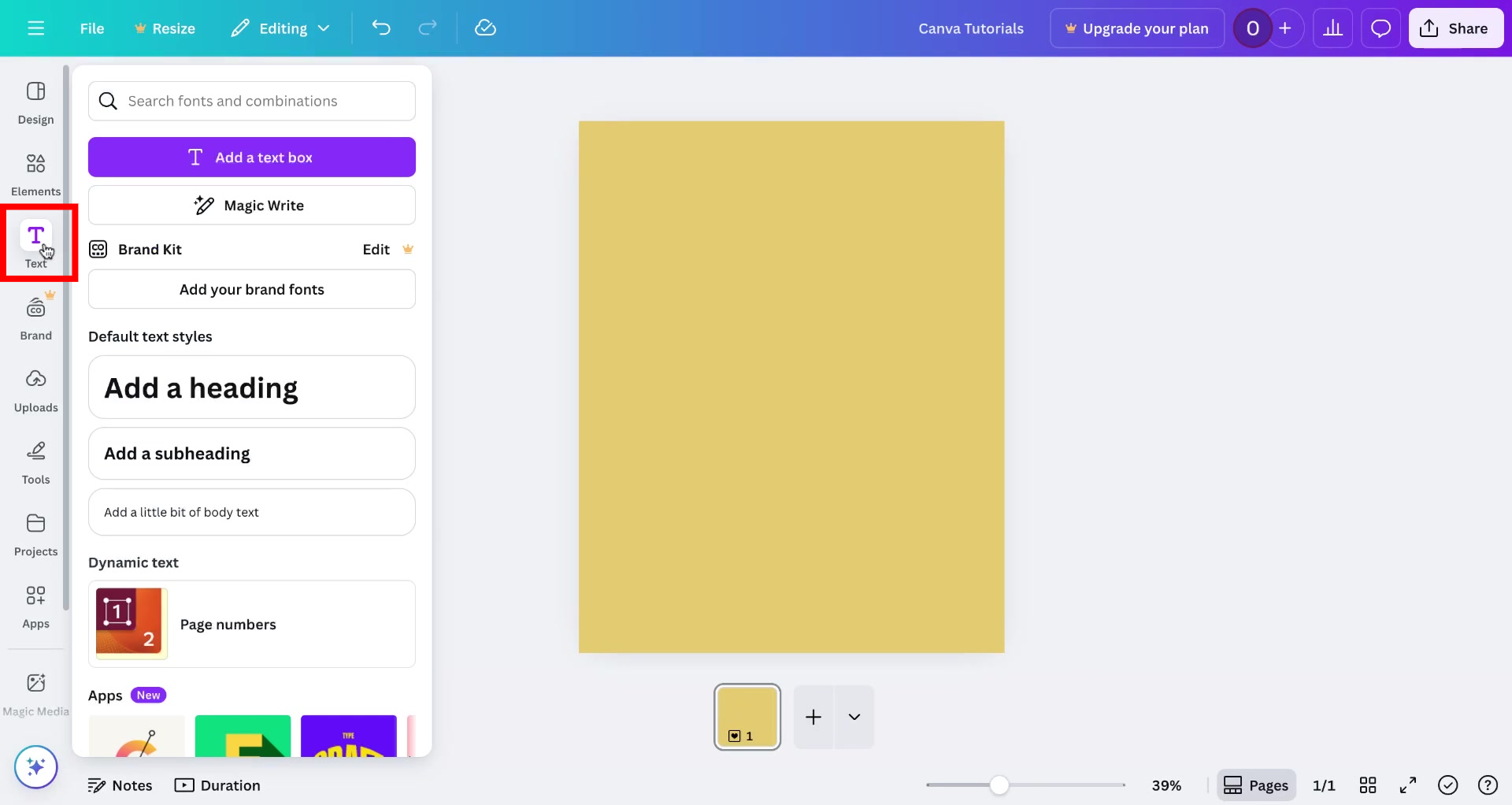
1. Open a project and click on the "Text" option in the left sidebar.
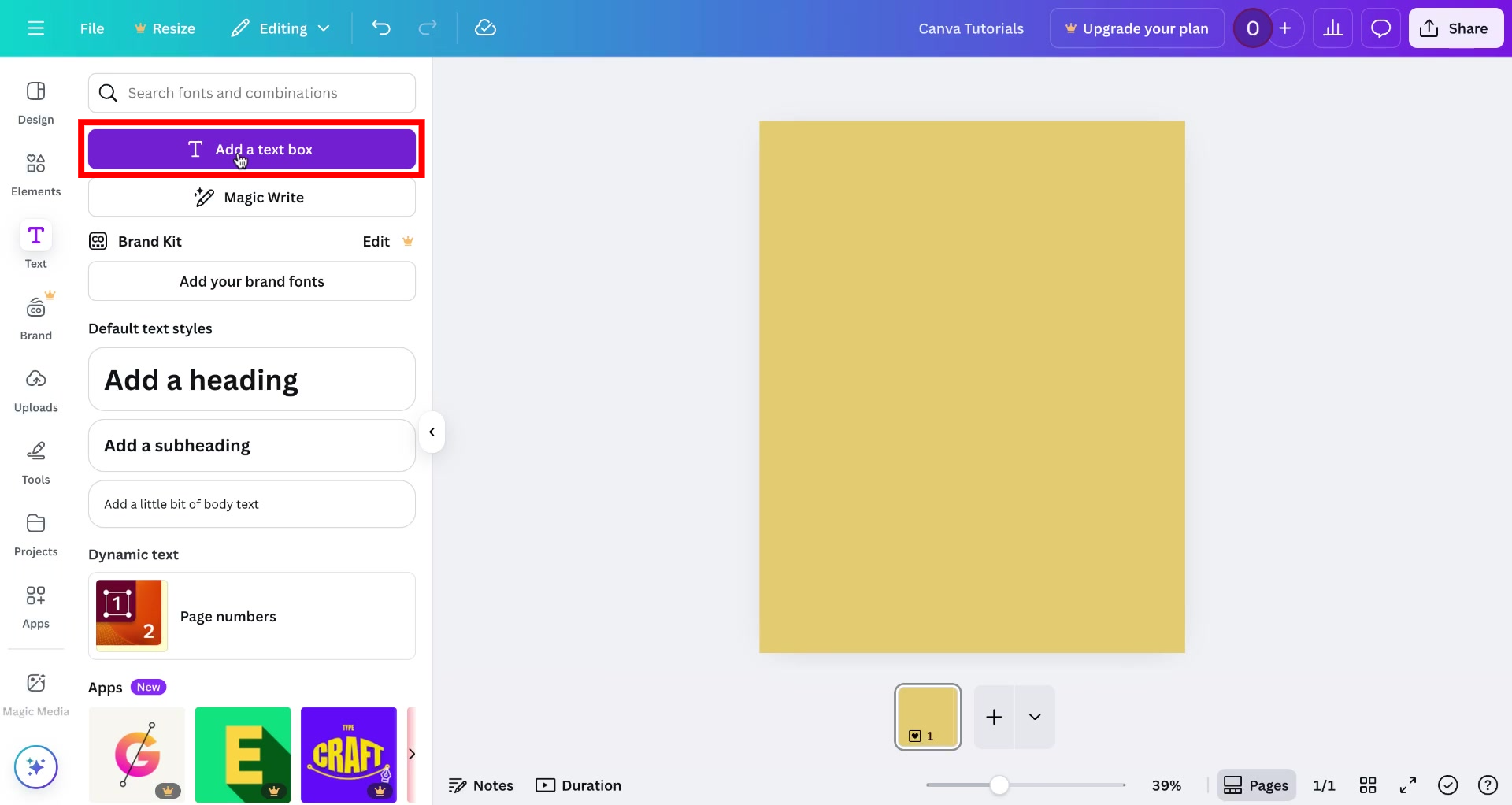
2. Click on "Add a text box".
3. A text box will appear in the page and you can add your text in it.
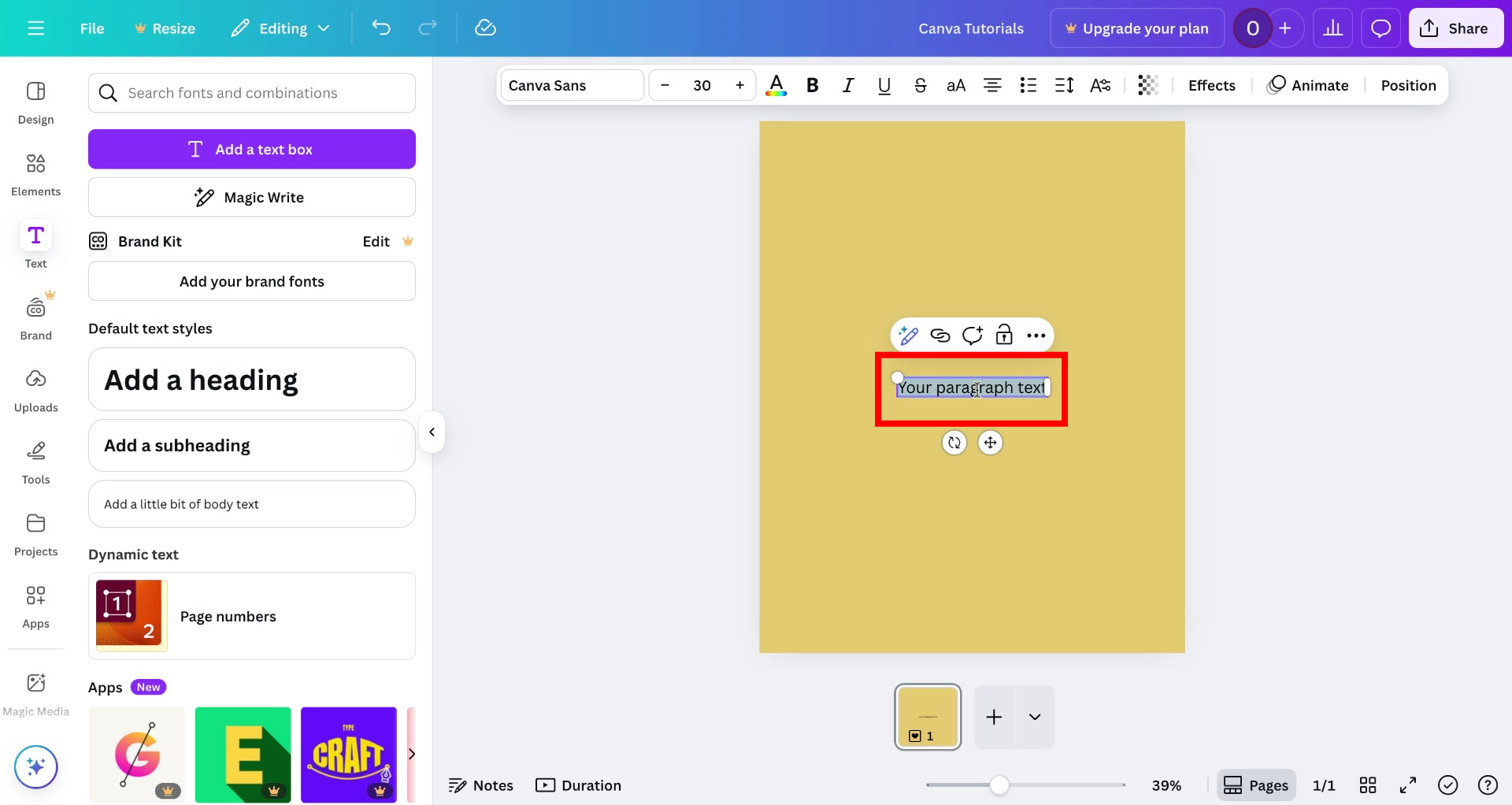
That's it! You have successfully created a text box in Canva
Trainn is an AI-powered product video and guide creation platform that turns screen recordings into product demo videos, training videos, onboarding videos, step-by-step guides, and interactive walkthroughs. Trainn also delivers this content externally through a branded no-code LMS, or in-app through embedded tutorials to train customers at scale.

North Bethesda, Maryland 20852


