
Product
Usecases
Resources
Case Studies
Company
- Customers
- Pricing
- Try Trainn's AI Video Agent
- Expert voices
- Book a demo
- Sign up →
How to Contact Support for ChatGPT
Created with Trainn AI
Here's a step-by-step walkthrough on how to contact support for ChatGPT
1. Click on the profile menu and click on "Help".
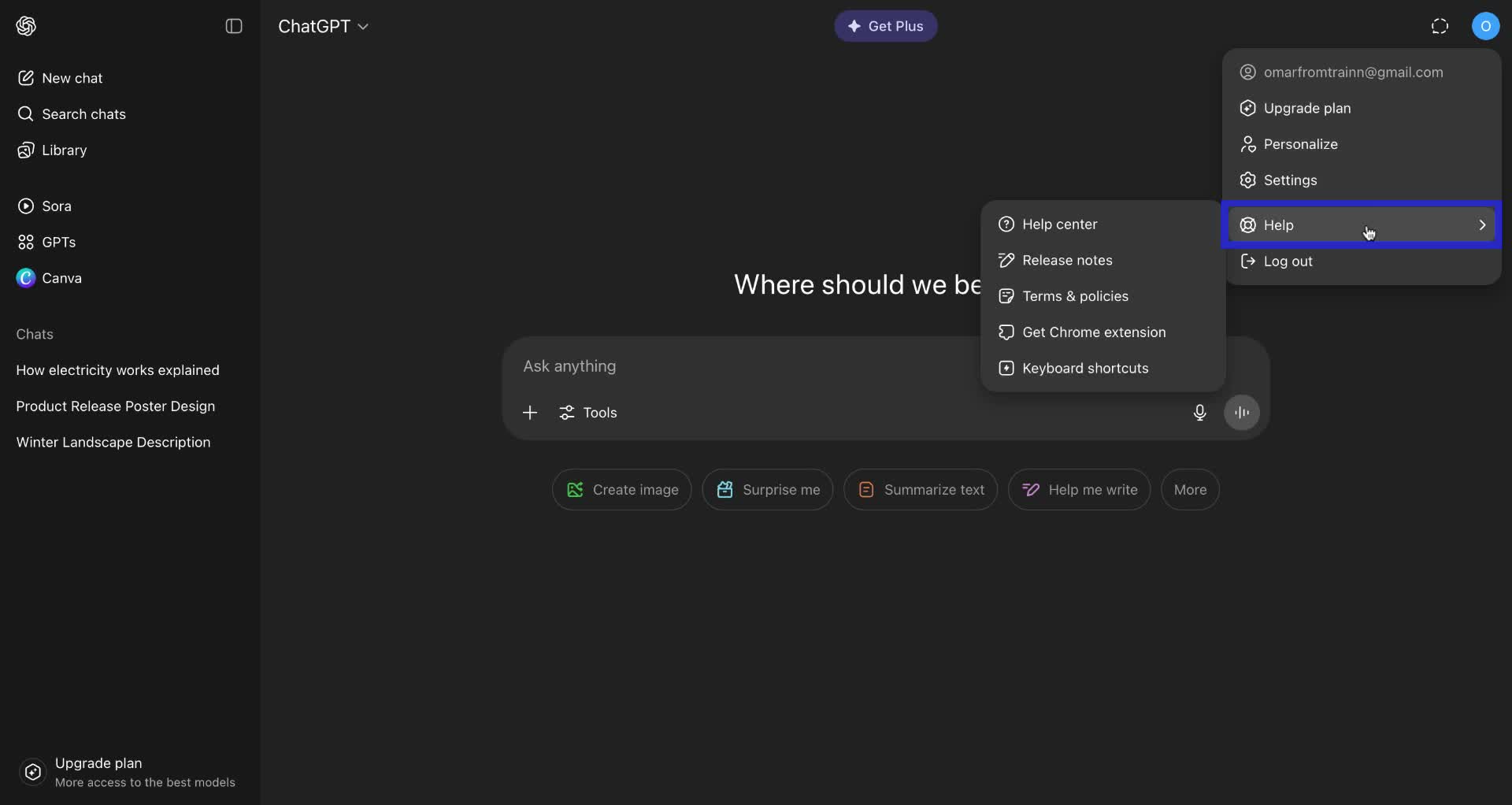
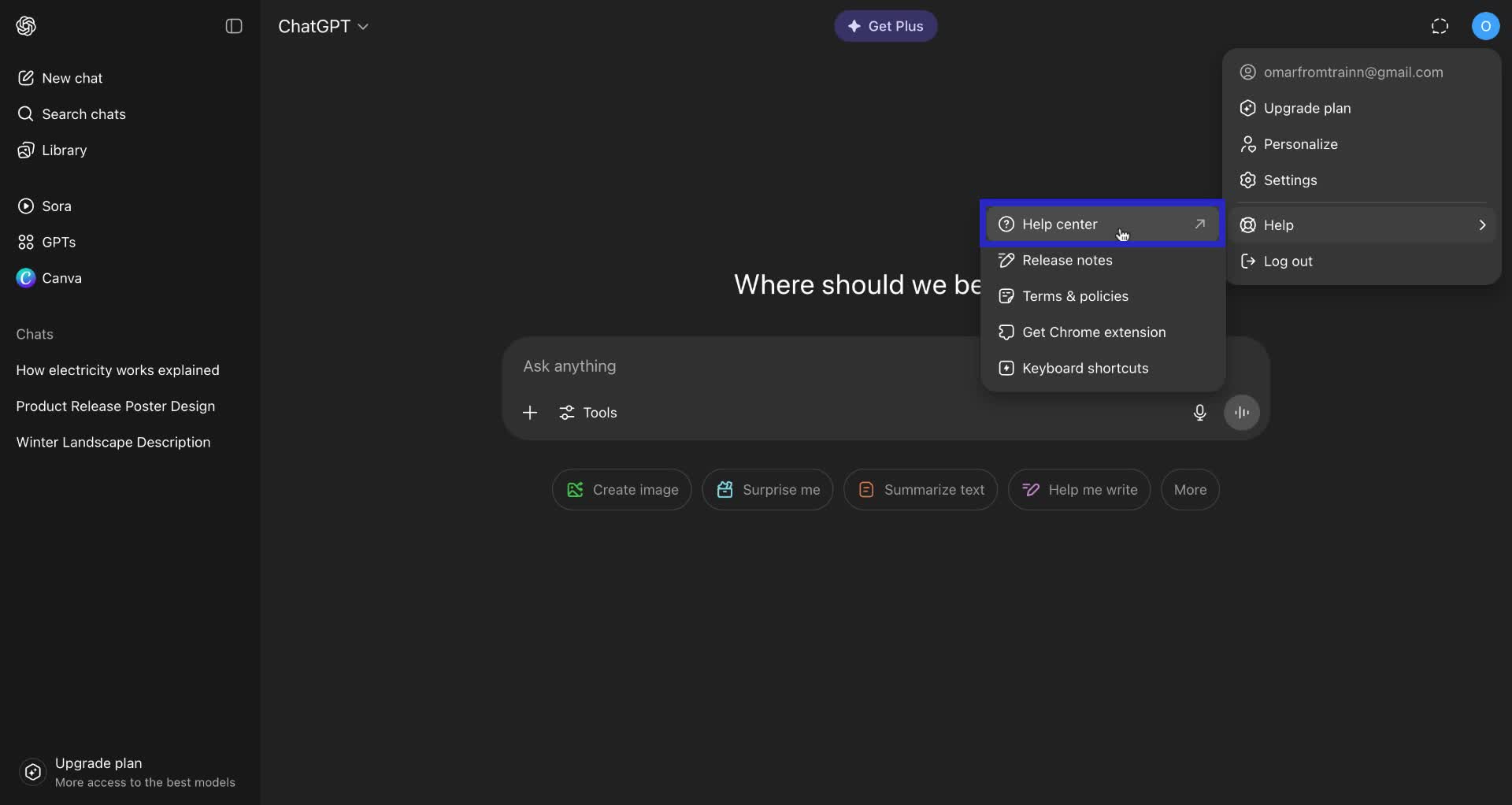
2. In the help menu, select "Help center".
This will take you to OpenAI's help center website.
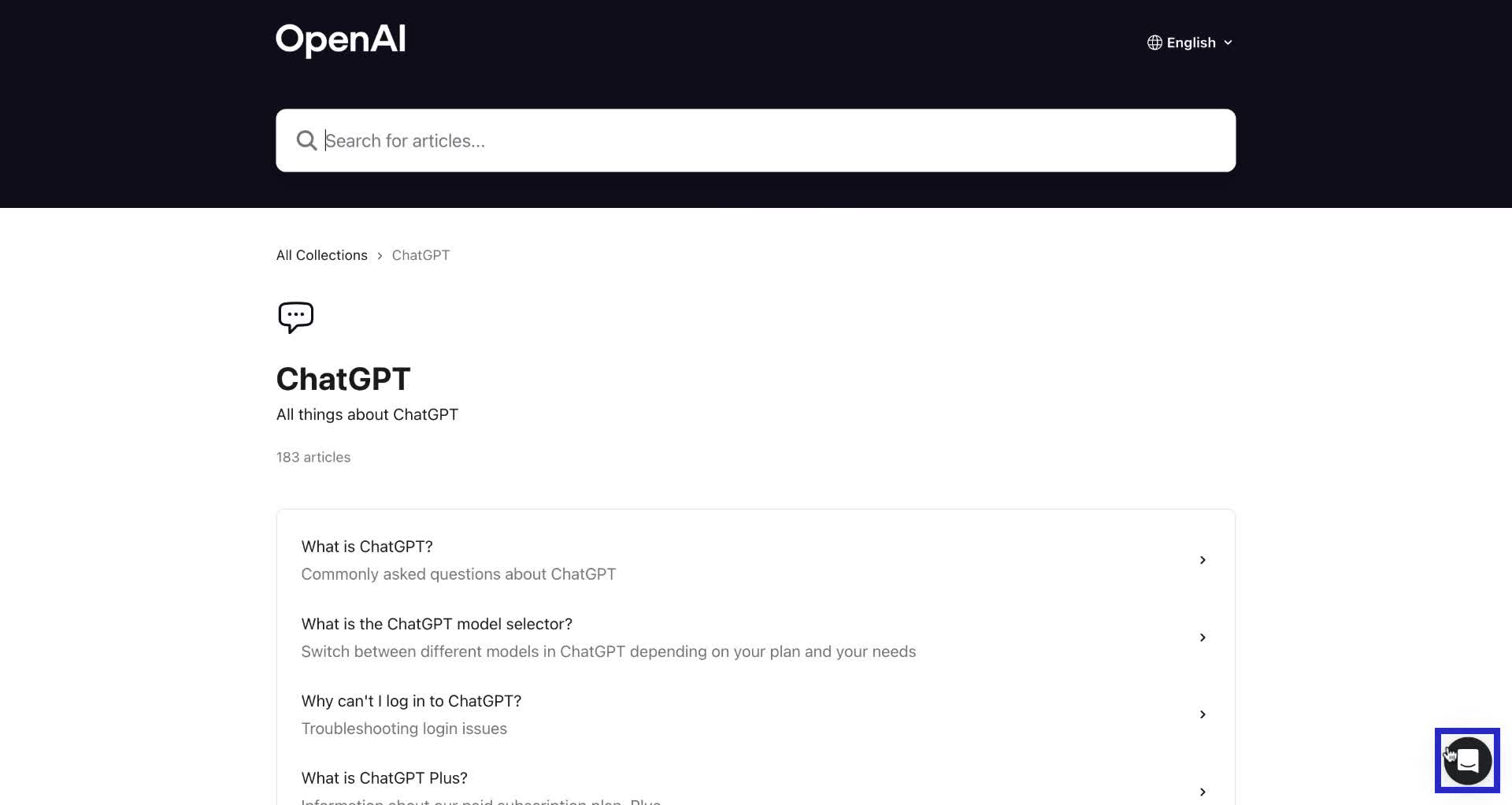
3. Or open the AI Chatbox on the bottom right corner of the page.
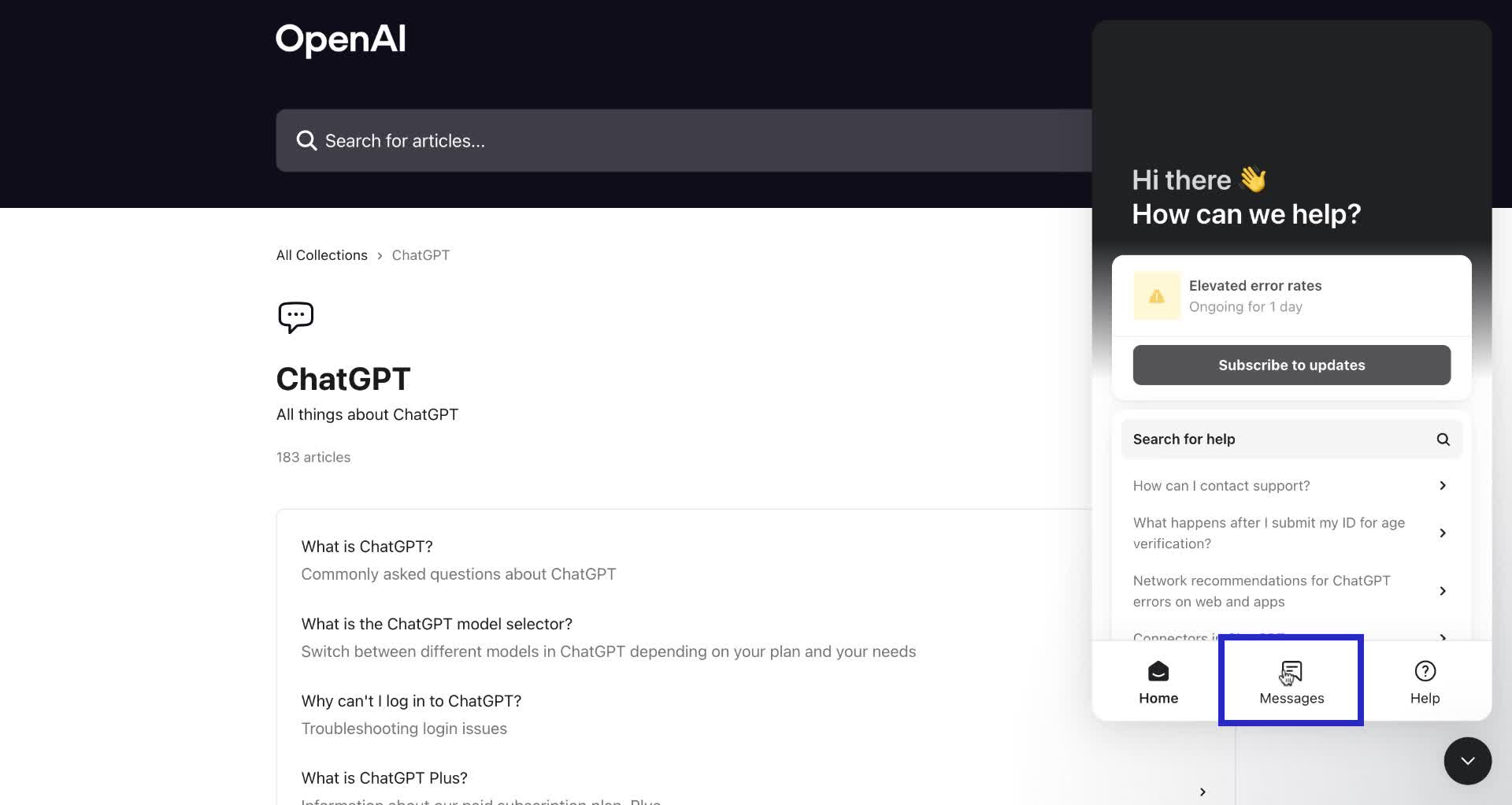
4. In the chatbox, click on "Messages".
5. Click on "Send us a message".
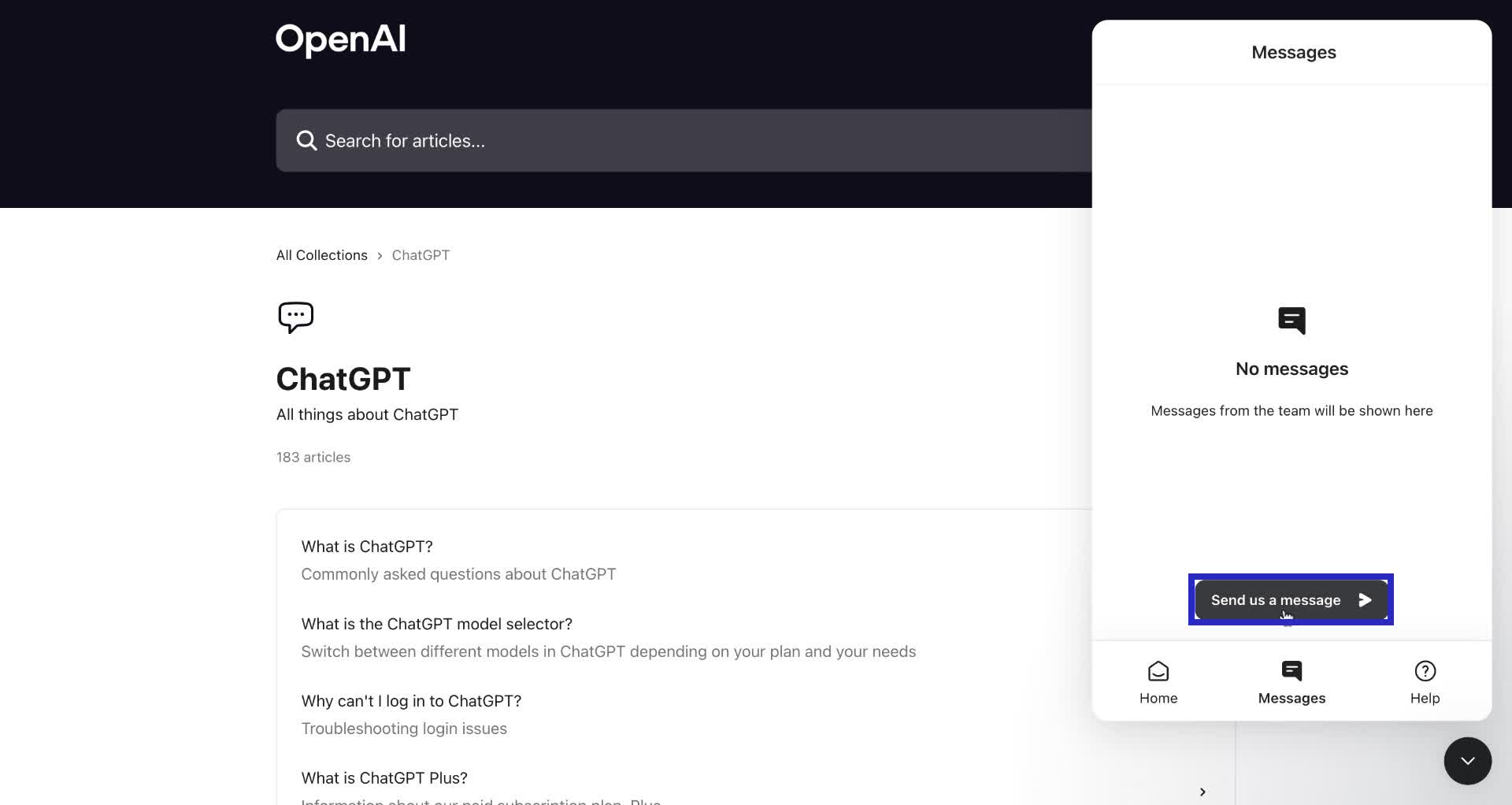
6. In the chat window, click on "Get started" to begin the conversation.

7. You can type out your issue in this chat.
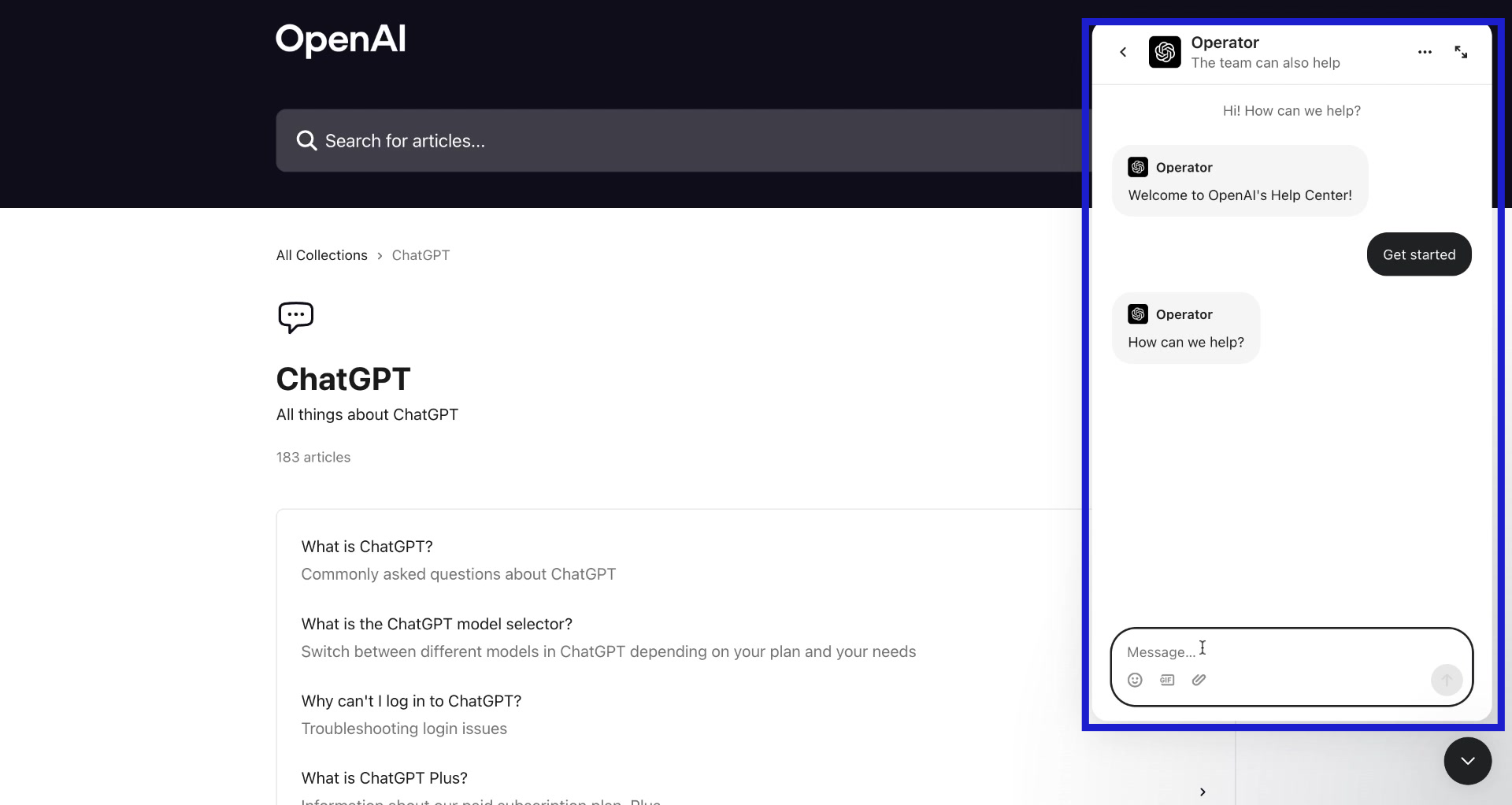
Congrats! You have successfully contacted support for ChatGPT!
Trainn is an AI-powered product video and guide creation platform that turns screen recordings into product demo videos, training videos, onboarding videos, step-by-step guides, and interactive walkthroughs. Trainn also delivers this content externally through a branded no-code LMS, or in-app through embedded tutorials to train customers at scale.

North Bethesda, Maryland 20852


