
Product
Usecases
Resources
Case Studies
Company
- Customers
- Pricing
- Try Trainn's AI Video Agent
- Expert voices
- Book a demo
- Sign up →
How to Type in Subscript and Superscript in Notion
Created with Trainn AI
Here's a step-by-step walkthrough on how to type in subscript and superscript in Notion
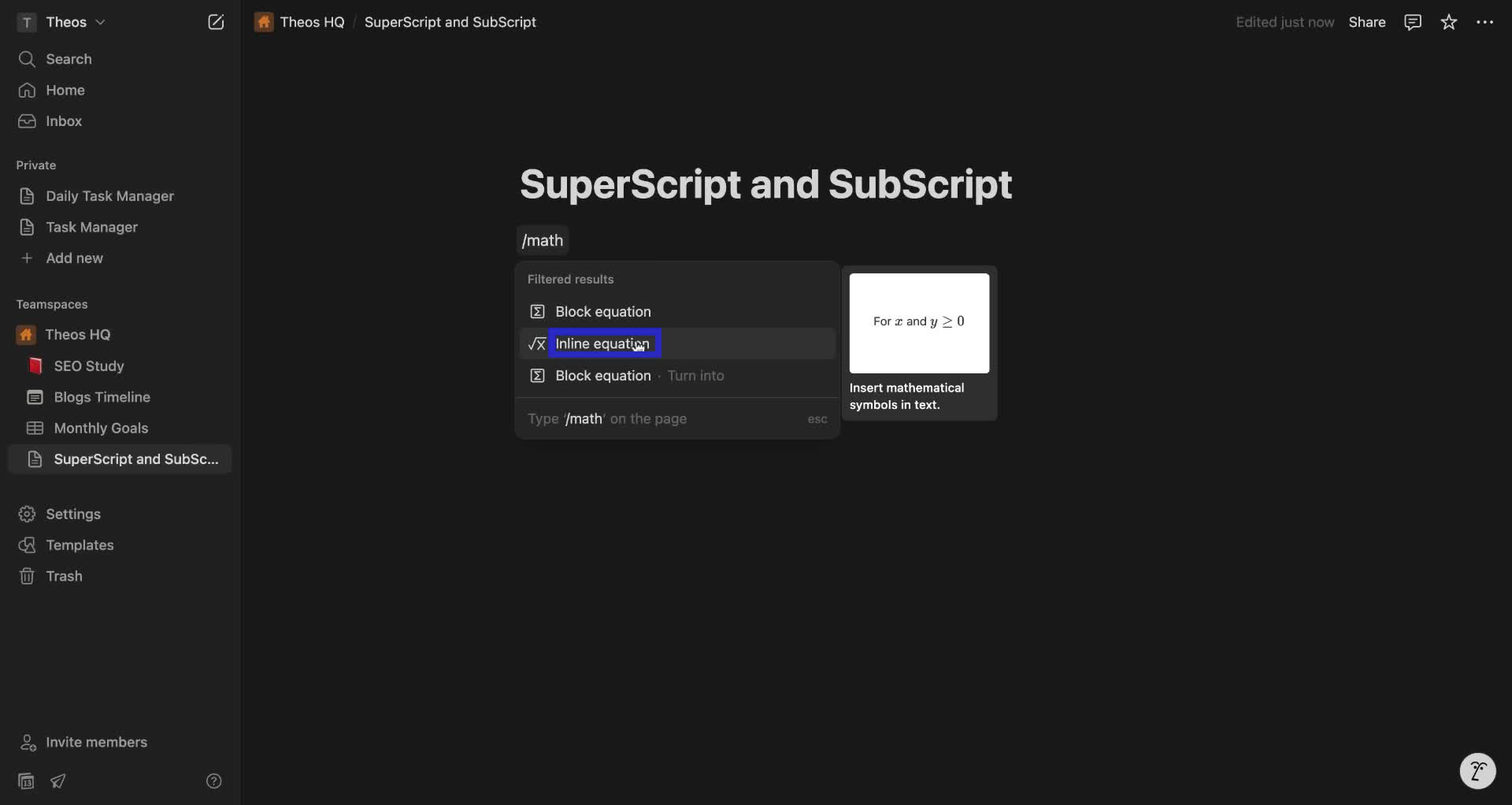
1. Type "/math" in the text area.

2. Choose "Inline equation" from the popup menu.
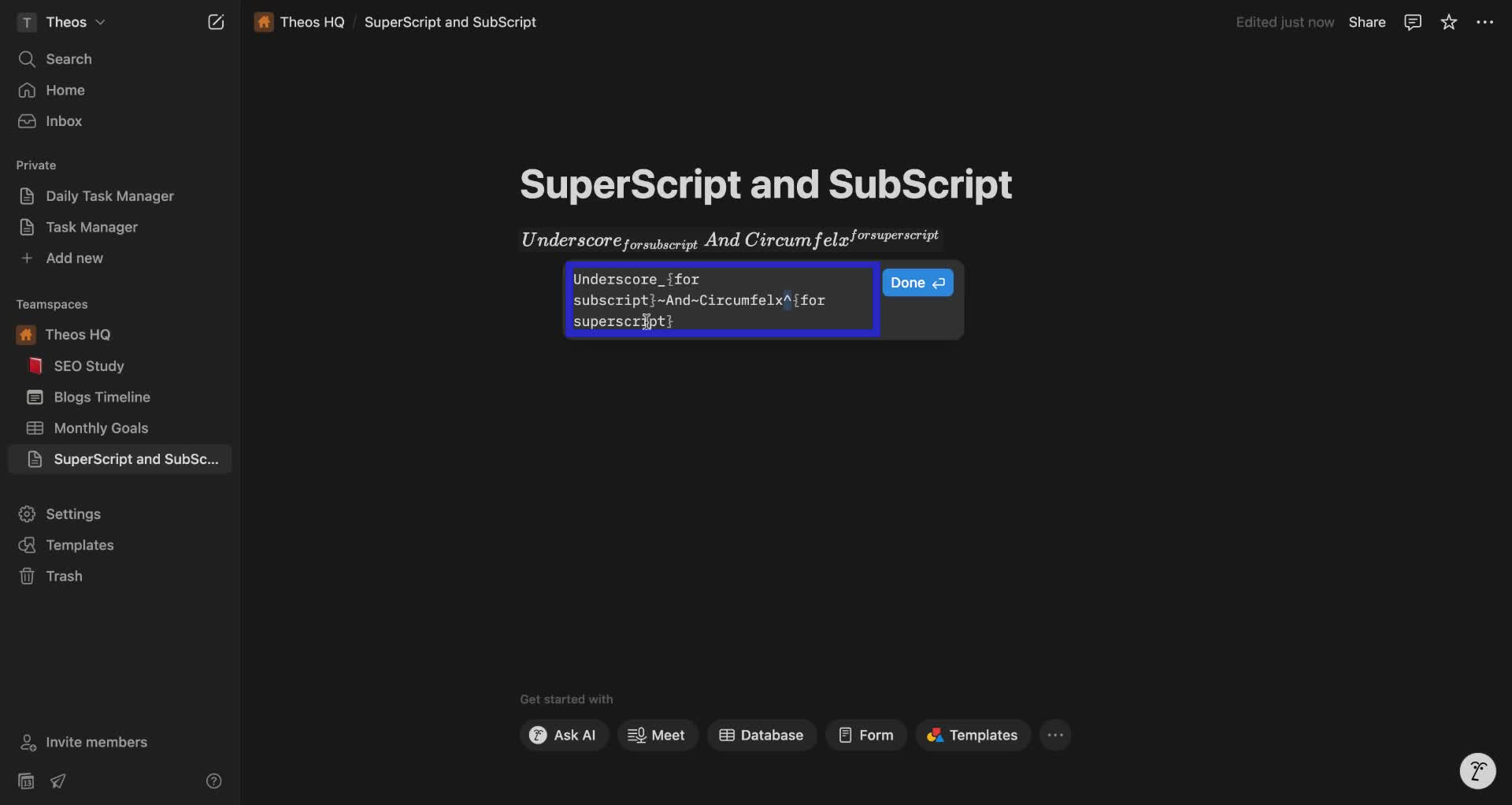
3. In the equation box, use underscores (_) for subscripts and circumflexes (^) for superscripts. Use parentheses ({})for the characters you want in superscript or subscript. Use Tilde (~) as your spacebar.
4. Click "Done".
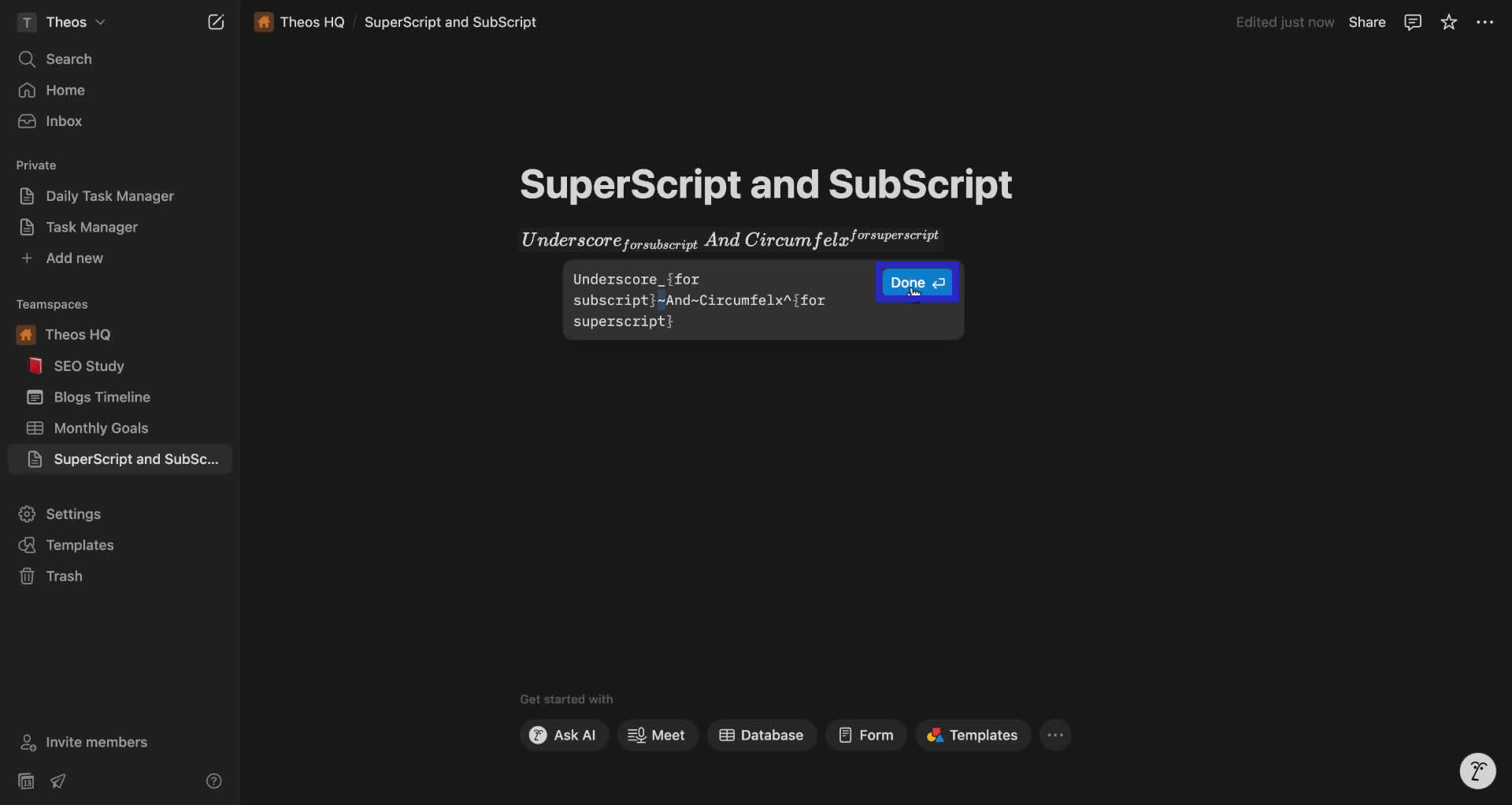
Congrats! You have successfully typed in subscript and superscript in Notion!
Trainn is an AI-powered product video and guide creation platform that turns screen recordings into product demo videos, training videos, onboarding videos, step-by-step guides, and interactive walkthroughs. Trainn also delivers this content externally through a branded no-code LMS, or in-app through embedded tutorials to train customers at scale.

North Bethesda, Maryland 20852


