
- Features
- Resources
- Pricing
- Try Trainn's AI Video Agent


Product
Usecases
Resources
Case Studies
Company
- Customers
- Pricing
- Try Trainn's AI Video Agent
- Expert voices
- Log in
- Book a demo
- Sign up →
Published on: 05 Oct , 2026
The Best Customer Service Training Videos for 2026 (and How to Make Your Own)
On this page
Customer service training videos are one of the most effective ways to prepare a support team for real conversations. A two-minute video can show a rep how to handle a refund, calm an angry caller, or work the phone more clearly than a written policy ever will.
Teams use them across onboarding, ongoing coaching, and self-serve help centers. Compared with live sessions, video scales to every new hire, keeps the training consistent, and can be rewatched the moment a rep gets stuck.
The hard part is two things: finding videos that fit your team, and making your own for the product questions no public video answers. This guide covers the best customer service training videos by scenario, what separates a good one from a forgettable one, and how to make your own, with a free template to plan one and the two numbers that show it worked.
- A good customer service training video teaches one skill, runs under five minutes, and shows the behaviour on screen.
- Free videos are strong for soft skills: de-escalation, empathy, phone handling, and service mindset.
- No off-the-shelf video teaches your product, stays current when your interface changes, or reports who watched.
- Record one screen capture and an AI video agent turns it into a finished video in minutes. BuildOps built 100+ this way in 45 days.
What Makes a Customer Service Training Video Work
A good customer service training video teaches one skill, shows the behaviour instead of describing it, and is short enough to finish between tickets. Five things decide whether a video trains a rep or wastes a shift.
- One skill per video. The moment a video reaches for a second topic, completion drops. One video, one job.
- Shows, not tells. A rep demonstrating the move beats a talking head explaining it. People copy what they watch.
- Short. One to five minutes, nearer two for a single task. Reps watch between tickets, not in a training block.
- Current. A clip that references a policy you changed last quarter teaches the wrong thing with confidence.
- Specific. Built on a real situation your team hits, not generic advice about "being helpful."
Length is the one teams get wrong most. Wistia's 2026 State of Video Report, drawn from more than 13 million videos, found that videos under a minute average a 52% engagement rate, and that viewers still watch over half of a one-to-five-minute video before drop-off sets in.
Scott Philbrick, who runs customer training at Synergist, holds his team to the same bar: "I want them to be short, one to two minutes in length. A video where one of our solution experts is clicking through a workflow, talking through what they're doing."
The lesson underneath all five: staying current beats production value. A polished video showing last quarter's interface teaches the wrong steps. A plain screen recording that matches today's product teaches the right ones.
The Best Customer Service Training Videos, by Scenario
Build training around the skill a rep needs, not a ranking. Every video here is made by someone else and free to watch. Here is the full set at a glance, then each one with the skill it teaches and how to run it with your team.
| Video | Source | Skill it teaches | Best for |
|---|---|---|---|
| Do These 3 Things to De-escalate | Myra Golden | Calming an angry customer | New reps, escalation handlers |
| 20 Empathy Phrases for Customer Service | Myra Golden | Specific empathy language | Onboarding, tone resets |
| Phone Skills for Customer Service | Canity | Greetings, holds, call control | Phone and reception teams |
| Give 'Em the Pickle | Bob Farrell | Service mindset | Team kickoffs, culture resets |
| Disney's Secret to Customer Experience | Shep Hyken | Consistent service standards | Leaders setting the bar |
| Customers From Hell | John Cleese, Video Arts | Spotting bad service | Group sessions and debriefs |
1. De-escalation: calm the customer before you fix the problem
Most reps escalate a call without meaning to. They jump to a fix or defend the company, the customer does not feel heard, and the customer pushes harder. The move that works is the opposite: name the emotion first, reflect the customer's own words back, then offer a next step. Myra Golden trains contact-center teams, and her de-escalation video gives reps one repeatable version of that move.

Run it before a rep takes their first escalation, then debrief one real angry-customer ticket against the technique in your next team meeting.
2. Empathy: say the one sentence that proves you listened
Empathy in support is specific language, not a feeling reps are told to summon. "I understand" reads as a script. "I can see why waiting three days for a refund is frustrating" names the exact problem and proves you were listening. Golden's empathy video shows what that sounds like in a real reply.

Pair it with the de-escalation clip during onboarding, and pull one line from it into your reply templates.
3. Phone skills: the small habits that carry a call
Good phone support is a handful of trainable habits. A warm greeting with the caller's name. Asking before you place someone on hold. Saying what you are doing during silence so the line never goes dead. Closing by confirming the fix. Canity teaches each as its own short clip, which makes them easy to assign one at a time.
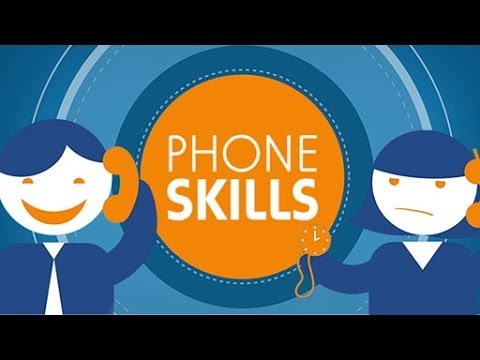
Drip one clip a week to a phone team, and have each rep try that habit on live calls before the next. The full Phone Skills for Customer Service playlist runs through the rest.
4. Service mindset: the videos that set the standard
Two classics teach attitude rather than a task, and attitude is what makes the task training stick. "Give 'Em the Pickle" is the service-mindset film teams have shown for decades. The "pickle" is Bob Farrell's name for the small signature extra you do for every customer, every time. It reframes service from following policy to looking for that extra.

Shep Hyken, a customer service and experience speaker, makes the case that a written standard beats the occasional heroic save. Disney trains every person to the same bar, so the experience never depends on who the customer gets.

Play either at a team kickoff, then ask each rep to name their own "pickle," or the one standard they will hold on every ticket.
5. Funny but useful: show the wrong way first
Comedy earns attention a straight lecture never gets. The sharpest training films use an exaggerated bad example to make the right behaviour obvious and memorable. John Cleese's "Customers From Hell," from the Video Arts library, is the best known of the genre.

Play it in a group session, let people laugh, then debrief what the sketch got wrong and what good would have looked like.
Free Customer Service Training Videos (and What They Can't Teach)
Free is the right place to start. The universal skills do not change, and strong free videos already cover them. Myra Golden, Canity, and the Video Arts classics are all free, so for empathy, de-escalation, phone handling, and mindset you do not need to produce anything.
Free runs out the moment training has to be about your product.
| Free videos cover this well | Free videos cannot do this |
|---|---|
| Empathy, tone, active listening | Teach your product, UI, or policies |
| De-escalation and angry customers | Stay current when your product changes |
| Phone and communication habits | Report who watched or finished |
| Service mindset and standards | Connect training to your ticket volume |
A rep can watch every de-escalation clip and still freeze when a customer asks why their export failed, because no public video has seen your export screen. That gap is the training that moves your numbers, and it is the half no free roundup can hand you. You make it yourself.
How to Make Your Own Customer Service Training Videos: The Old Way vs. the AI Way
Both ways start with a screen recording. What happens after the recording is where they split, and it is the difference between half a day and a few minutes.
| Step | The old way | The AI way |
|---|---|---|
| Script | Write and rehearse a full script | Jot rough notes, or narrate live |
| Narration | Record voiceover, redo the flubs | Generate an AI voiceover, or convert yours |
| Editing | Cut, zoom, and caption by hand | Zooms, captions, and cuts generated for you |
| Updates | Reopen the project and re-edit | Swap the changed clip, republish |
| Time per video | Half a day or more | Minutes |
Whichever way you record, the narration carries the video, and a plan keeps it short. Open with the outcome in the first five seconds, say what the viewer needs before they start, narrate one action per step, then show the finished state so they can check their screen against yours.
📌 Training videos run long because no one plans the shots before recording. This free Customer Service Training Video Template keeps one video to a single task: a six-part script on one tab, a shot list on the next, with the cells to fill marked in yellow. Make your own copy, fill it in, and record straight down the list.
Get the free template ›Here is the script half at a glance, so you can see the shape before you open it.
| Part | Target length | What to say |
|---|---|---|
| Hook | 5 sec | "By the end of this, you'll be able to [task]." |
| Context | 10 sec | What the viewer needs first: a permission, a setting, a screen open. |
| Steps | the body | One action per step, narrated as you click. Say what you do and why. |
| Result | 10 sec | Show the finished state so they can check their screen against yours. |
| Recap | 10 sec | Restate what they just did in one line. |
| Next step | 5 sec | Point to the next action, or where to get help. |
Tools to Help You Create Customer Service Training Videos
Making one video by hand is doable. Making a library of them is where it falls apart, because every product change means re-recording. Past a one-off, a good tool should turn a raw recording into a finished video with no editing skills, let you update a single clip instead of the whole video, and host your videos where you can see who finished them.
Trainn is an AI-powered product video and guide creation platform that turns a single screen recording into training videos, step-by-step guides, and interactive walkthroughs. Teams use it specifically to create customer service training videos from one recording, then deliver them through a branded knowledge base or in-app.
Turn a raw recording into a finished video
Finishing is the part that eats the day: trimming the ums, cutting misclicks, adding zooms, recording a voiceover. Trainn's AI video agent watches the recording, understands the context, and only then edits. It cuts the fumbles, narrates the steps you skipped, adds zooms and spotlights, and reviews its own cut before handing it back in minutes. It never publishes for you. You review, fix a line, and publish.
Get a video, a guide, and a walkthrough from one recording
Customers do not all learn the same way, so teams end up documenting the same workflow twice. Trainn makes three formats from one capture: the narrated video, a step-by-step guide with annotated screenshots, and an interactive walkthrough the customer clicks through, with no second production pass.
Update one clip when your product changes
Libraries go stale because fixing them usually means re-recording them. Trainn's clip-based editor breaks each recording into one clip per screen interaction. When a step changes, you swap that clip and republish, and the embed link stays the same everywhere it lives.
Publish where customers learn, and see what works
Trainn publishes the same content to a branded Knowledge Hub, into Academy courses with quizzes and certifications, or in-app at the moment a user is stuck. Then learner-level analytics show who watched, who finished, and where they dropped off.
What matters more than any shortlist is whether you can keep the library current at volume. ServiceNow's technical writing team is the proof.
Our technical writers now create 15-20 videos per week for ServiceNow's documentation portal. With Trainn, we have cut video production time by 50%.

The pattern holds for support teams. BuildOps built 100+ customer service training videos in 45 days: "It took exactly 45 days to create over 100 customer service training videos, review, and publish the Learning Center on Trainn," says Sabina Rana, Head of Support at BuildOps. AVEVA cut the time to create its microlearning content by 80 to 90% after switching.
How to Measure Customer Service Training Videos
A customer service training video is working only if you can see who finished it and whether tickets on that topic dropped. Views are not completion, and a YouTube link reports neither.
| Measure | How to track it | What good looks like |
|---|---|---|
| Completion | Learner-level reporting on who started and finished | Most of the assigned team finishes within a week |
| Ticket deflection | Ticket volume on the topic, before and after | Fewer repeat tickets on the covered question |
To get either number, publish where learners are tracked instead of behind a loose link. A Knowledge Hub or an Academy course reports completion per learner, so you can tie one video to one drop in tickets, then fix the videos no one finishes.
Make Your Next Customer Service Training Video With Trainn
Use the free videos for the universal skills: de-escalation, empathy, phone handling, and mindset. Build your own for everything specific to your product, because that is the training no public video covers and the only kind you can measure.
The hard part was never recording it. It was the finishing and the upkeep, and that is the work Trainn's AI video agent takes off your plate: one screen recording becomes a finished video, a guide, and a walkthrough, ready to publish and to translate without a reshoot.
Start a free trial and turn your most-asked support question into a training video your team actually finishes.
Frequently Asked Questions
What are customer service training videos?
Customer service training videos are short videos that teach support reps a specific skill, such as handling an angry customer, showing empathy, or working the phone. They range from free YouTube clips on universal soft skills to product-specific videos a company records itself to train reps on its own tools and policies.
Where can I find free customer service training videos?
Free customer service training videos are on YouTube from trainers like Myra Golden and Canity, and in classics like Bob Farrell's "Give 'Em the Pickle." Free works well for universal soft skills. For training on your own product, you record and publish your own, which you can do at no cost with a screen recorder.
What makes a good customer service training video?
A good customer service training video is short, usually two to five minutes, built around one real scenario, and specific enough to act on. It shows the behaviour on screen instead of describing it, and it stays current when your product or policy changes, so reps are never trained on steps that no longer exist.
How long should a customer service training video be?
Keep most customer service training videos to one to five minutes, and nearer two for a single task. Viewers watch over half of a one-to-five-minute video before dropping off, so a focused clip on one skill beats a long session. Split a broad topic into several short videos.
How do you create your own customer service training videos?
Record the workflow once on screen, the way a rep would show a customer, then use an AI video tool to generate the narration, zooms, and captions. Review the result, fix any line that needs it, and publish. Tools like Trainn turn a single recording into a finished video in minutes, plus a matching guide and walkthrough.
How do you measure if customer service training videos work?
Track completion at the individual learner level, and whether tickets on the covered topic dropped after publishing. A plain video link shows neither. Publishing to a knowledge hub or an academy course gives you learner-level analytics, so you can connect a specific video to a change in ticket volume.
Ready to Trainn your customers?
- Create videos & guides
- Setup Knowledge Base
- Launch an Academy

Trainn is an AI-powered product video and guide creation platform that turns screen recordings into product demo videos, training videos, onboarding videos, step-by-step guides, and interactive walkthroughs. Trainn also delivers this content externally through a branded no-code LMS, or in-app through embedded tutorials to train customers at scale.

North Bethesda, Maryland 20852


