
- Features
- Resources
- Pricing
- Try Trainn's AI Video Agent


Product
Usecases
Resources
Case Studies
Company
- Customers
- Pricing
- Try Trainn's AI Video Agent
- Expert voices
- Log in
- Book a demo
- Sign up →
Published on: 15 Sep , 2026
The 7 Best Training Video Software Tools in 2026
On this page
A training video has one job: teach someone to do something in your product or process clearly enough that they can do it without asking. The tools that make one take a few different approaches, and picking the wrong kind is a common reason training video projects stal. Some record your screen and turn that capture into a narrated video for you. Some build the video from a script, with an AI presenter or animation. Some are recorders and editors you finish by hand.
So the seven tools in this guide start from different places, and several now overlap. The useful question is what each workflow is built to produce, and which one fits what you are teaching. Teaching people to use your software means showing the real product, which is a screen-recording job. Teaching a policy or a concept can be a scripted presenter or an animation.
This guide covers the seven best training video software tools in 2026, sorted by the job each one is built for, with real pricing, verified G2 ratings, and an honest read on where each tool stops.
TL;DR
- Training video software works in three ways: screen-workflow tools built around a recording (Trainn, Trupeer), presenter and animation tools built around a script (Synthesia, Vyond), and recorders or editors you finish yourself (Camtasia, Loom), with course authoring suites (iSpring) alongside for structured L&D.
- For software and product training, where the video has to show the real product, a screen-workflow tool is the fastest route from a recording to a finished, narrated video.
- Pricing ranges from $15 a creator a month for a recorder to $970 an author a year for a course authoring suite, with free plans and trials to test first.
- Use the at-a-glance table to scan pricing and ratings, then match a tool to what you actually need to teach.
What Went Into Making This Guide
To make this an objective, useful guide to training video software, the Trainn team researched every tool in depth, tested workflows hands-on where we could, and leaned on real user experience rather than vendor claims. Here are some details on the approach we took in making this guide:
- We examined each tool's features and how it positions itself, cross-referencing G2, Capterra, and other review platforms instead of trusting any single source.
- We reviewed how each tool's creation process runs, from recording or scripting through editing, narration, and sharing, and noted where each fits a quick clip versus a training video you publish and reuse.
- We read verified reviews and community discussion closely, both what users praise and what they struggle with, and kept every reviewer's role and company size intact.
- We factored in what customer education, support, and L&D teams at B2B SaaS companies look for in these tools, and what they wish they had known before buying.
- We checked every price, rating, and company fact against primary sources, and cross-checked public case studies and customer outcomes.
Training Video Software at a Glance
| Tool | Best For | Starting Price | Free Trial | Rating |
|---|---|---|---|---|
| Trainn | AI software and product training videos, guides, and walkthroughs from one recording | $19/mo | 14-day free trial | 4.6/5 on G2 |
| Synthesia | AI presenter videos for scripted, policy, and concept training | $29/mo | Free plan | 4.6/5 on G2 |
| Camtasia | Full desktop screen recording and hands-on editing | $179.88/yr | Free trial | 4.6/5 on G2 |
| iSpring Suite | PowerPoint-based course and video authoring for L&D | $970/author/yr | 14-day trial | 4.6/5 on G2 |
| Vyond | Animated, character-based training videos | $58/mo | 14-day trial | 4.7/5 on G2 |
| Loom | Fast async screen recording for quick internal clips | $15/creator/mo | Free plan | 4.7/5 on G2 |
| Trupeer | Polished AI voiceover on short walkthroughs, plus a doc | $40/mo | 10-day trial | 4.8/5 on G2 |
Training Video Software Splits by How Each Tool Builds the Video
Before the list, sort these seven by how they work, because they start from different inputs and are built around different outputs. Most overlap at the edges now, so what matters is what each tool is built to do well. Match that to what you are teaching.
The threads on r/instructionaldesign and r/elearning are full of people who bought an avatar tool to teach software, or a screen recorder to teach a policy, and then fought it.
- Screen-workflow tools are built around a screen recording: you capture your product, and the tool turns it into a finished, narrated walkthrough. This is the shortest path for software and product training, feature walkthroughs, and how-to content, where the point is to show the real interface. Trainn and Trupeer sit here.
- Presenter and animation tools start from a script. Synthesia generates an avatar-led video from your words, and Vyond builds animated, character-driven scenes. Both have added screen recording, but their core output is a presenter or an animation, so they fit compliance, onboarding, and concept training more than a step-by-step tour of your live product.
- Recorders and editors capture your screen and hand you the editing controls. Camtasia is a full manual timeline for hands-on production. Loom is a fast recorder with AI-assisted editing, captions, summaries, and hosting, built for quick async clips more than a produced training library. Course authoring suites like iSpring sit alongside this group, turning slides into structured lessons for a formal L&D program.
What Makes a Good Training Video Tool
The differences that matter are not the ones feature tables show. We compared each tool on five dimensions. Which one matters most depends on your use case, so treat these as the axes to weigh, not a fixed ranking.
| # | Criterion | What to look for | Why it matters |
|---|---|---|---|
| 1 | Fit to what you teach | Does it show your real product, or build from a script? | Teaching software needs your real interface on screen. A script-first tool centers on a presenter or animation instead. |
| 2 | Speed to a finished video | How far from raw recording or script to a narrated, watchable video, and how much is automated? | The gap between capture and a finished video is where projects often stall. |
| 3 | Editing after the fact | When one step changes, can you swap a clip, or re-record the whole video? | Products and processes change constantly, and re-recording every video is the hidden cost. |
| 4 | Delivery and measurement | Can you host, embed, and see who finished the training, or only send a file? | A training video only works if people watch it, and you can prove they did. |
| 5 | Pricing model | Does cost stay predictable as creators and content grow, or climb per seat, author, or minute? | Per-seat, per-author, and per-minute caps multiply quietly once you build a library. |
How to weight these by team:
- Teaching software or a product: weight fit to what you teach and speed first. A screen-workflow tool wins here.
- Teaching policy or concepts with no product to show: weight the presenter or animation quality.
- A team that ships often: weight editing after the fact, so a UI change is not a full re-record.
- A formal L&D program: weight delivery and measurement, since completion data is the point.
The 7 Best Training Video Software Tools Reviewed
Here are the seven, reviewed on the five factors above. Start from what you need to teach.
1. Trainn
Trainn is an AI-powered customer education platform that turns a screen recording into a training video, a step-by-step guide, and an interactive walkthrough, without editing or design skills. It also gives you a branded Knowledge Hub and Academy to host, share, and track that training, so one recording becomes your onboarding, your product training, and your ongoing customer education.
The biggest advantage for training videos is how little you have to do. Trainn's AI Video Agent takes your screen recording and builds the finished video itself: it writes and voices the narration, cuts the filler, and adds the zooms and captions, then hands you a video to approve. And because it reads the recording as a real product workflow, the video shows your actual screen, not a presenter talking about it. You get a training video in minutes, and you update it later without recording it again.
Best for: SaaS product, customer success, support, and product marketing teams that want the people who know the product to make software training and feature-adoption videos themselves, from a screen recording, then deliver and measure them as real training.
Key features:
- Agentic video creation. Record your screen, and it comes back as a professional training video. No manual editing, ever. The AI Video Agent writes the narration, adds the zooms and captions, and voices it in 100+ AI voices or your own, and it can even narrate from your screen actions alone, so there is no script to write. You get a finished training video to review in about a minute.
- One recording, three formats. The same screen recording also becomes a step-by-step guide and a clickable interactive walkthrough, so people can watch or read, whichever they prefer.
- Easy to keep updated. When your product changes, replace just the clip that changed instead of re-recording the whole video, and the new version shows up everywhere you have shared it.
- Ready for every market. Translate a video into 30+ languages with natural AI voices, without recording it again.
- Publish and measure. Publish videos to a branded Knowledge Hub or Academy, and see who watched and who finished with learner analytics.
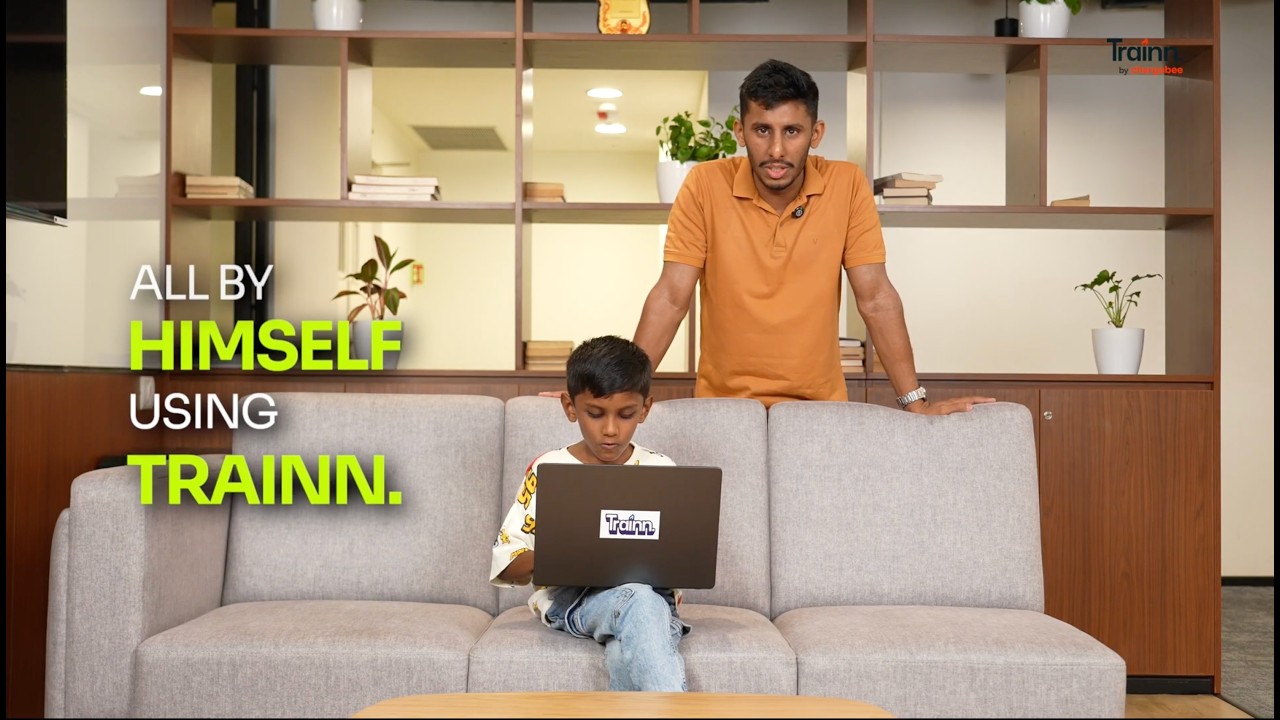
Watch how a five-year-old makes a complete training video with Trainn in about a minute. He records the screen, and the AI Video Agent does everything else. No editing skills needed.
Trainn strengths
- Shows the real product and finishes the video for you, the two things software training needs most.
- One recording turns into a video, a written guide, and a clickable walkthrough, so you maintain one source, not four.
- A clip-by-clip editor, where every click is its own clip, so when the UI changes you swap one clip instead of re-recording the whole video.
- Built-in delivery, not just creation: publish to a branded knowledge base, embed in-app, or build an Academy course, without buying a separate tool.
- Learner-level analytics show who actually watched and completed the training.
- Public pricing that starts at $19 a month.
Trainn limitations
- The agent does the editing for you, so if you want frame-by-frame manual control over every cut, a dedicated timeline editor gives you more of it.
- It is built for software and product training, so it is not the tool for avatar-led talking-head video or fully animated pieces.
Pricing: Trainn has public pricing, which most enterprise training platforms do not.
- Creator: $19 a month for solo use, with a 3-day free trial
- Launch: $2,400 a year for teams creating content regularly, with a 14-day free trial
- Scale and Enterprise: add the LMS, custom branding, and SSO
You can start a free trial or compare plans.
Ratings: 4.6/5 on G2
What are real users saying about Trainn?
ServiceNow scaled its product training on Trainn, and the numbers show it:
Our technical writers now create 15-20 videos per week for ServiceNow's documentation portal. With Trainn, we have cut video production time by 50%.

Verdict: Choose Trainn when the training video has to show your product and you want that recording turned into a finished, narrated video, a guide, and a walkthrough you can host and measure. Make it once, keep it current, and reuse it everywhere.
2. Synthesia
Synthesia builds a training video from a script by putting an AI avatar on screen to read it, in more than 140 languages. It is the strongest option when there is no product to show, so it suits compliance and HR training more than software how-to content. You type a script, pick an avatar and voice, and it renders a presenter-led video.
Best for: L&D and HR teams making scripted policy, compliance, and concept training where an on-screen presenter fits better than a screen recording.
Key features:
- AI avatars and voiceover in 140+ languages from a typed script
- Templates for onboarding, compliance, and course content
- A screen-recording add-on, though the product is built around avatars
- Brand kit and team workspace on higher tiers
Synthesia strengths
- The fastest route to a presenter-led video, with no camera or studio
- Strong multilingual coverage for global L&D
- One of the most recognized names in AI video, with a deep template library
Synthesia limitations
- Its core workflow centers on an AI presenter reading a script; the newer screen recorder lets it bring in product footage, but the tool is built around presenter-led video more than a step-by-step product walkthrough
- The Starter plan caps output at 10 minutes of video a month, and Creator at 30 minutes, so a real library needs Enterprise
- Reviewers flag collaboration gaps on the lower tiers
Pricing:
- Free plan: 10 minutes of video a month
- Starter: $29 a month, or $18 a month billed annually
- Creator: $89 a month
- Enterprise: custom pricing
Ratings: 4.6/5 on G2
What are real users saying about Synthesia?
My biggest issue is that I have to do all of the work. Synthesia doesn't offer Teams plans that would allow me to collaborate with my staff.
Verdict: Choose Synthesia for scripted, presenter-led training such as compliance, HR, and concept courses. For a step-by-step walkthrough of your live product, a screen-workflow tool fits better, since Synthesia centers on a scripted avatar.
3. Camtasia
Camtasia, from TechSmith, is a desktop screen recorder and full timeline editor, and for years it has been the default for hand-made training videos. It gives you effects, annotations, and an asset library, so you can build a video exactly the way you want, at the cost of a learning curve and the hours to do it.
Best for: Teams that want full, timeline-level control over a training video on the desktop.
Key features:
- Full timeline video editor with effects and annotations
- Screen recorder and editor in one desktop app
- Asset and template library
- A one-time annual license, no per-seat creep
Camtasia strengths
- Deep, hands-on editing control
- A one-time annual license instead of per-seat billing
- Mature and widely used, with a large tutorial community
Camtasia limitations
- A steeper learning curve than any AI tool here, and every video is built by hand
- Desktop-only, with no hosting, delivery, or completion analytics
- The finishing, narration and cuts, is all manual work
Pricing:
- One license: $179.88 a year
- Free trial available
Ratings: 4.6/5 on G2
What are real users saying about Camtasia?
It took a while to get used to the interface. There were a lot of buttons and it was just hard to find what all the functions were.
Verdict: Choose Camtasia when a training video needs real, hands-on editing and you would rather buy a license than a subscription. It gives you no hosting or measurement, so the finishing stays your job.
4. iSpring Suite
iSpring Suite is a course authoring toolkit that works as a PowerPoint add-in, turning slides into structured lessons, quizzes, and screencasts for corporate L&D. It is less a video tool and more an eLearning builder, so it fits teams that publish SCORM courses to an LMS rather than teams shipping quick how-to videos.
Best for: L&D teams building structured, SCORM-based courses and assessments from PowerPoint.
Key features:
- PowerPoint-based course and slide authoring
- Screencast and video lecture recording
- Quizzes, assessments, and interactions
- SCORM and xAPI output for any LMS
iSpring Suite strengths
- Familiar for anyone who already builds in PowerPoint
- Strong for structured courses, quizzes, and assessments
- Publishes to standard LMS formats
iSpring Suite limitations
- It is a course authoring suite, not a screen-workflow video tool, so software how-to videos are not its strength
- Tied to the PowerPoint and Microsoft ecosystem
- Priced per author per year, the highest entry point on this list
Pricing:
- iSpring Suite: $970 an author a year
- iSpring Suite AI: $1,290 an author a year
- iSpring Cloud AI: $720 an author a year
- 14-day free trial
Ratings: 4.6/5 on G2
What are real users saying about iSpring Suite?
iSpring Suite does not work reliably with OneDrive, which is particularly frustrating given that it is a PowerPoint add-on within the Microsoft Office ecosystem.
Verdict: Choose iSpring Suite when the goal is structured SCORM courseware built in PowerPoint, not standalone training videos. Its price climbs per author, and it leans on the Microsoft ecosystem to run.
5. Vyond
Vyond is an animation studio for training video, building character-and-scene videos from a script, with screen and webcam recording available too. Its strength is animation, so it suits soft-skills, scenario, and concept training where an illustrated story lands better than a screen capture, and it is a common pick for L&D teams that want a produced, illustrated feel.
Best for: L&D teams making animated, scenario-based training where characters and storytelling matter more than showing a product.
Key features:
- Drag-and-drop character and scene animation
- Templates for scenarios and explainers
- AI script-to-video and text-to-speech
- Brand assets and team collaboration
Vyond strengths
- Produced, animated output without a motion designer
- Strong for scenarios, soft skills, and concept training
- Large template and asset library
Vyond limitations
- Its strength is animation, so it is built for illustrated scenarios rather than a walkthrough of your live product, even though it includes screen and webcam recording
- Reviewers find the character and scene libraries limiting for specialized topics
- Per-seat pricing that starts well above a plain recorder
Pricing:
- Starter: $58 a month billed annually, or $99 month to month
- Professional: $100 a month billed annually
- Enterprise and Agency tiers above that
- 14-day free trial
Ratings: 4.7/5 on G2
What are real users saying about Vyond?
The character and scene libraries still feel too limited for the kind of work I do in learning and development.
Verdict: Choose Vyond for animated, scenario-based training where a story teaches better than a screen. Its focus is animation rather than live-product walkthroughs, so a screen-workflow tool fits software how-to content better.
6. Loom
Loom, from Atlassian, is an async screen recorder: record your screen and camera, and share a link in seconds. It is the fastest way to a quick spoken walkthrough, built for internal messaging more than for a produced training video, and it is easy for a whole team to adopt.
Best for: Teams that want a fast async recorder for quick internal walkthroughs and one-off training clips.
Key features:
- Screen and camera recording
- Instant shareable links
- Basic trimming and AI titles
- Viewer reactions and comments
Loom strengths
- The fastest route to a quick spoken walkthrough
- Familiar and easy for a whole team to adopt
- A free plan to start
Loom limitations
- Editing covers quick trims, captions, and AI cleanup, but it is built for short clips more than a long, produced training video
- The free plan caps recordings at five minutes
- Since the Atlassian acquisition, users report higher bills and stricter renewals
Pricing:
- Free plan, with a five-minute recording cap
- Business: $15 a creator a month
- Enterprise: custom pricing
Ratings: 4.7/5 on G2
What are real users saying about Loom?
The price of Loom is nearly doubling for my small business and there are no more Creator Lite seats. Based on our seats today, that's a 10x increase. Loom has been a tool I use daily for years!
Verdict: Choose Loom for fast async walkthroughs and instant sharing. Its thin editing and five-minute free cap make it a quick-clip tool more than a training-production one.
7. Trupeer
Trupeer turns a screen recording into an AI-edited training video and a matching document, and its strongest card is AI voiceover quality. It aims at a quick, finished-looking video from a rough take, so it fits a short walkthrough with a polished voice more than a training library you host, keep current, and measure over time.
Best for: Teams that want a polished AI voiceover on a short screen walkthrough, plus a matching doc, more than a full platform to deliver and measure training.
Key features:
- AI-edited video and a document from one recording
- AI voiceover and avatars
- Translation into many languages
- Brand styling
Trupeer strengths
- Strong AI voiceover quality
- Turns a rough take into a polished, finished-looking video quickly
- A companion doc generated alongside the video
Trupeer limitations
- On the current plans, there is no way to re-record a single step, so a change means redoing more of the video
- Base-tier AI-minute caps run out on longer walkthroughs
- A smaller delivery and analytics layer than a full training platform
Pricing:
- Paid plans start at $40 a month
- 10-day free trial
Ratings: 4.8/5 on G2
What are real users saying about Trupeer?
In the current plan that I'm part of there's no option to just re-record one part of the video if I want to make any changes.
Verdict: Choose Trupeer when a polished AI voiceover on a short walkthrough is what you want, with a companion doc as a bonus. Longer work hits minute caps, an edit means redoing more of the video than one step, and its delivery and analytics are thin, so it suits quick pieces more than a hosted, measured training library.
Why Trainn Is the Best Tool for Software and Product Training Videos
Every tool here can produce a video. What separates them is whether that video shows your product, and how much work stands between your recording and something people will actually watch. For software and product training, we built Trainn to close both gaps.
1. You show the real product, and we finish the video for you
A presenter tool can only describe your product, and a plain recorder hands you raw footage to clean up yourself. Record your product in Trainn and the AI Video Agent takes it from there: it strips the filler, zooms and spotlights each click, adds captions, and narrates the whole thing in one of 100+ AI voices, in about five minutes. The finishing that stalls most training video projects is already done when you open it.
2. One recording becomes every format, in every language
Because Trainn reads your recording as a workflow, that single capture also gives you a step-by-step guide and an interactive walkthrough, and translates into 30+ languages without a second take. When your product changes, you swap the clip that changed instead of re-shooting, and the update ships everywhere the video is embedded. That is how your training library stays current instead of quietly going stale, which is where every hand-made video tool eventually lands.
3. One library that stays current as you scale
Software and product training only pays off if it keeps up. As your product changes and your team ships more, Trainn keeps the whole library current and every learner tracked, so training scales with the product instead of turning into rework.
AVEVA cut the time it takes to create its microlearning content by 80-90% after moving to Trainn, and two more customers show what that looks like day to day:
“We didn’t have a resource for customers to go and see training videos in one place. Now, we have Trainn.”

“When a new feature is out, you can just update a couple of slides on the video, push the video live in 10 minutes.”

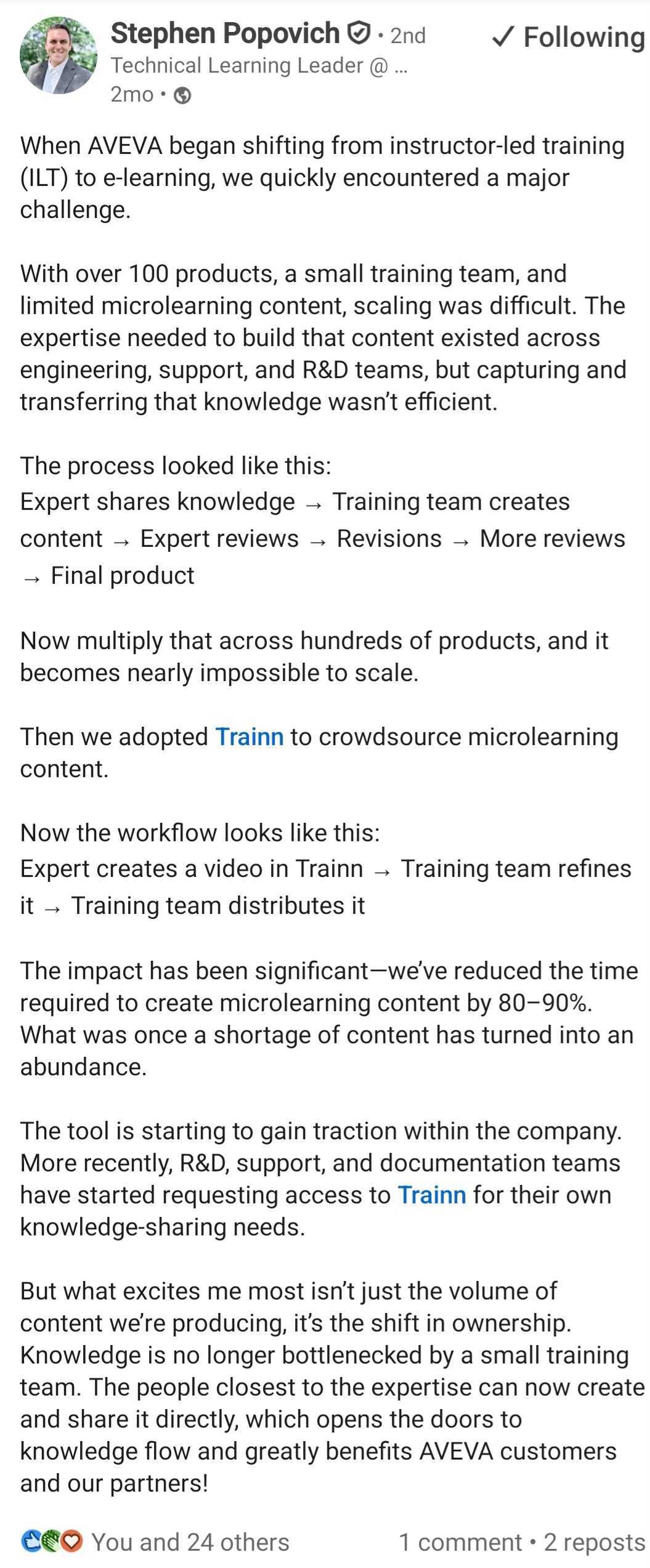
A training video only earns its keep if the library stays current and you can see who finished it, and that is what Trainn is built to do at scale.
Which Training Video Tool Is Right for You?
- Choose Trainn to create a software or product training video from one screen recording, with zooms, captions, and an AI voiceover added for you, plus a guide, a walkthrough, and learner analytics.
- Choose Synthesia for scripted, presenter-led training where there is no product to show.
- Choose Camtasia for full, hands-on editing control on the desktop.
- Choose iSpring Suite for structured SCORM courseware built in PowerPoint.
- Choose Vyond for animated, scenario-based training.
- Choose Loom for fast async walkthroughs and quick internal clips.
- Choose Trupeer for a polished AI voiceover on a short walkthrough, with a companion doc.
Get started with Trainn for free.
Frequently Asked Questions
What is the best training video software?
The best training video software depends on what you teach. For software and product training, where the video has to show your real product, Trainn is the strongest pick, because it turns a screen recording into a finished, narrated video. For scripted policy or concept training, choose Synthesia; for hands-on editing, Camtasia; for SCORM courses, iSpring Suite.
How do you make a training video?
Record the workflow or write a short script, then narrate it, add zooms and captions, and publish where people can watch. A screen-workflow tool like Trainn collapses those steps into one: record your screen, and its AI Video Agent writes the narration and edits the video for you, in about a minute, with no editing skills.
Can AI create a training video?
Yes. Screen-workflow tools like Trainn turn a screen recording into a narrated video automatically, and presenter tools like Synthesia build one from a typed script. Trainn is made for software training: its AI Video Agent adds narration, zooms, spotlights, and captions from one recording, and produces a matching guide and interactive walkthrough too.
What is the best software for software or product training videos?
Use a screen-workflow tool that records your real interface and finishes the video for you, such as Trainn. Avatar tools like Synthesia and animation tools like Vyond build from a script, so they center on a presenter or animation rather than your live product, which fits policy and concept training more than software how-to videos.
How much does training video software cost?
Pricing ranges widely. Loom starts at $15 a creator a month and Trainn at $19 a month; Synthesia is $29, Trupeer $40, and Vyond $58 a month billed annually. Camtasia is a $179.88 annual license, and iSpring Suite is $970 an author a year. Most offer a free plan or trial first.
How do you make a training video more engaging?
Show the real task instead of talking about it, keep each video to one job, and use narration and well-timed zooms to guide the viewer's eye. Short, specific videos beat long overviews. Hosting them where you can see completion tells you what actually landed, so you can fix what does not.
Ready to Trainn your customers?
- Create videos & guides
- Setup Knowledge Base
- Launch an Academy

Trainn is an AI-powered product video and guide creation platform that turns screen recordings into product demo videos, training videos, onboarding videos, step-by-step guides, and interactive walkthroughs. Trainn also delivers this content externally through a branded no-code LMS, or in-app through embedded tutorials to train customers at scale.

North Bethesda, Maryland 20852


