


AI videos
Generate AI Product Demos From a Real Screen Recording
Buyers want to see the real product, not an avatar. Trainn's AI turns your screen recording into a narrated demo you can edit line by line.
The problem
Stop Slow Edits From Undoing Fast AI Demos
AI can make a demo video in minutes, and viewers still want to see the real thing. TechSmith's Video Viewer Trends research found 87% of people prefer a real person over AI avatars or animated characters in instructional video.
Avatar-led demo tools have another cost: every change means another render. One team using an AI-avatar tool described it directly: "you're having to regenerate each time... that's mostly like a bottleneck for us." A demo that needs a new product name, a corrected step, or an updated screen goes back through the generator from the top.
That is editing dependency inside AI video: the first draft is fast, and every edit after it is slow.
The Solution
Trainn's AI Video Agent Builds Product Demos You Can Edit Line by Line
Trainn's AI video agent builds a product demo from a real screen recording of your product. Every clip and every line of narration stays editable on its own. When something changes, you fix only the part that changed instead of generating the whole demo again. This keeps an AI-generated demo as easy to update as a document.
The features
Three Trainn Features That Help You Create AI Product Demo Videos
Upload Video
Upload an existing demo recording, with or without narration. Trainn splits it into clips, turns spoken narration into a clean AI voiceover, or writes a script for silent footage. A demo you recorded last quarter becomes editable without starting over.
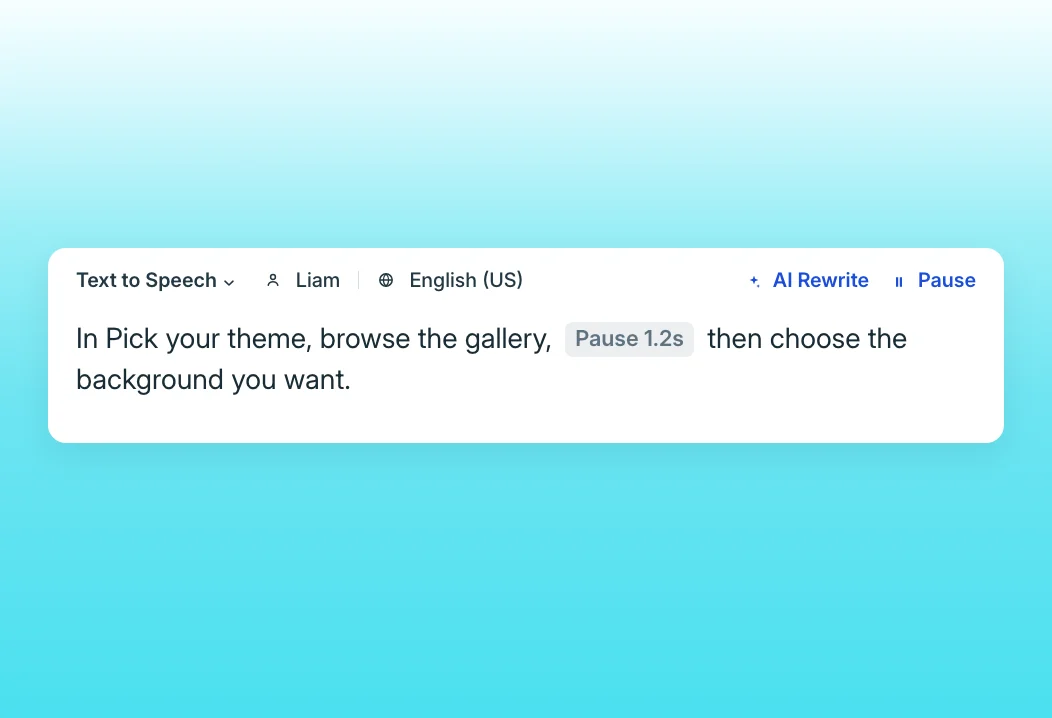
Text-to-speech editor
Change a product name, a number, or a sentence by editing the text. Trainn regenerates only that clip's voiceover, with 100+ voice styles and custom pronunciations. Non-translatable product terms can be protected so they are never mispronounced.
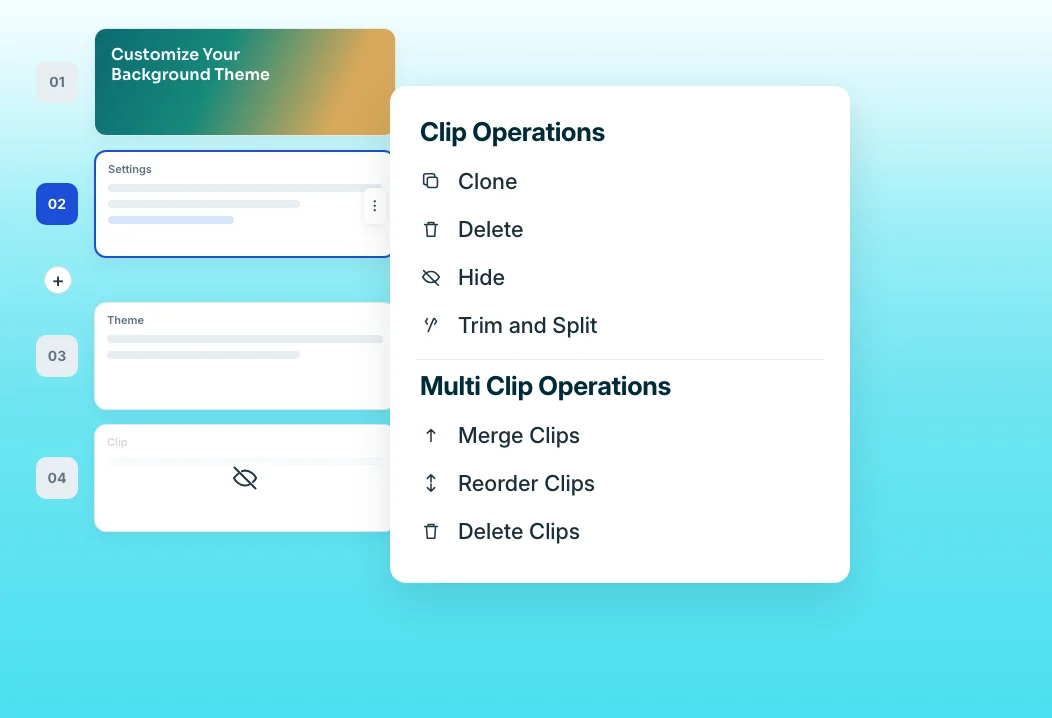
Clip-by-clip editor
When a screen changes, replace the one clip that shows it. The rest of the demo, narration included, stays untouched. You can also hide, merge, or reorder clips to tighten the demo for a specific audience.
“You write down your script, and Trainn automatically converts your script into a voice-over in any language you want.”
SpotDraft standardized every video to one voice and format after months of re-recording narration in Loom. A script edit now becomes a new voiceover, which is how an AI demo stays editable line by line.
Who this is for

Product marketing managers
Generate demo videos that show the real product and update them line by line as messaging changes.

Sales engineers
Keep a library of AI-narrated demos current as the product ships, without regenerating each one.

Founders
Produce a credible product demo without filming yourself, hiring a studio, or learning an editor.
FAQ


