


Product demo videos
Send Buyers a Product Demo They Will Actually Watch
Buyers research alone before they ever talk to a rep. Trainn turns a rep's screen recording into a short, polished demo they can send in minutes.
The problem
Stop Editing From Stalling Your Sales Demos
Most B2B buyers now want to evaluate software without a rep in the room. Gartner's survey of 646 B2B buyers, run in August and September 2025, found 67% prefer a rep-free buying experience. The demo video is what does the selling when the seller is not there.
The trouble is what those videos look like. Sales teams record long, unedited walkthroughs, upload them to a hosting site, and send a link prospects may never open. Sales engineers end up re-recording the same three demos for every account because cutting a clean version takes longer than recording a new one.
The real problem is editing dependency. A raw recording is easy to make and hard to make watchable, and the editing step is where sales demos stall.
The Solution
Trainn Turns a Sales Rep's Screen Recording Into a Buyer-Ready Product Demo
Trainn's AI video agent turns a sales rep's or sales engineer's screen recording into a short, focused product demo. Trainn cuts the recording into clips, adds narration, and zooms into the steps the buyer cares about. These are the edits that usually make a demo watchable. Trainn's product demo video maker lets the person closest to the deal send a finished demo on the same day the buyer asks for it.
The features
Three Trainn Features That Help You Create Product Demo Videos for Sales Enablement
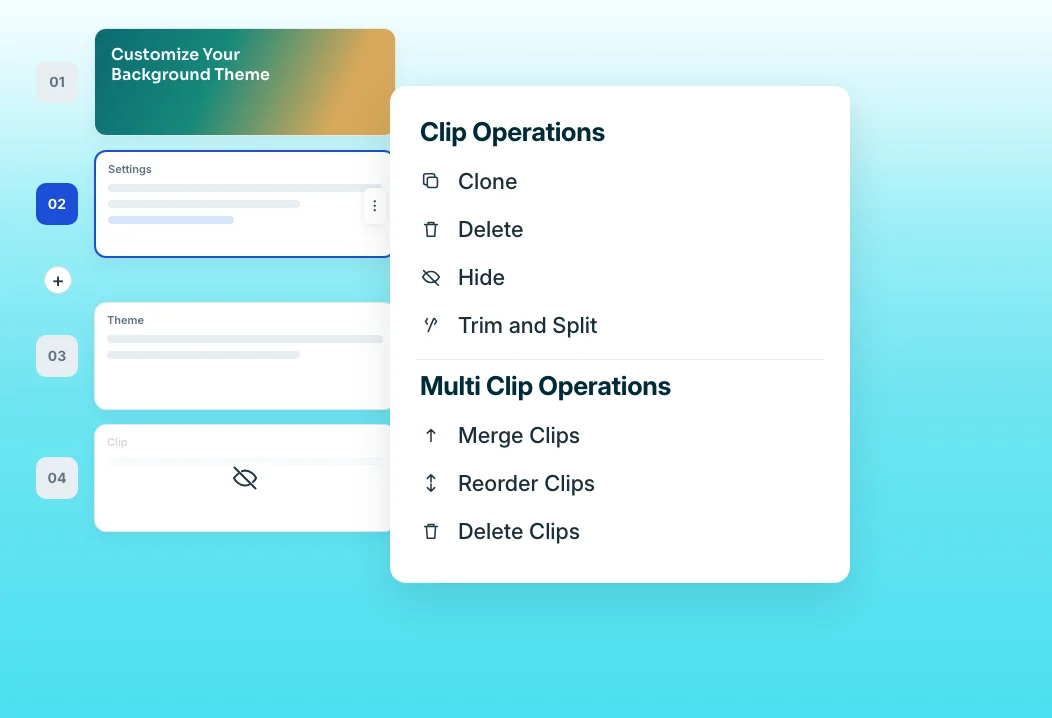
Clip-by-clip editor
Trainn splits every recording into clips, one action and its narration per clip. A sales engineer hides the setup steps a buyer does not care about, reorders the strongest workflow to the front, and sends a two-minute demo instead of a 20-minute recording. Because narration stays bound to each clip, trimming never knocks the audio out of sync.
Auto-Spotlight & Zoom
Every meaningful click gets spotlighted and zoomed automatically. A buyer watching alone sees exactly where the value is, without the rep narrating which corner of the screen to look at. Effects can be repositioned if one lands in the wrong place, without opening a separate editor.
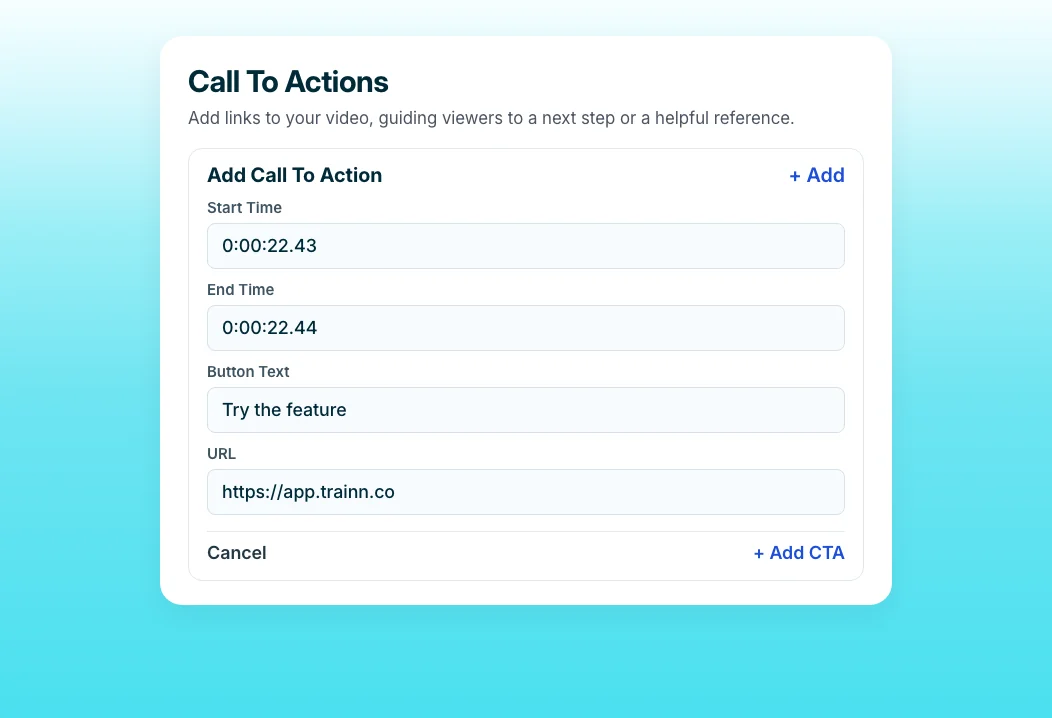
Call-to-Action
Place a clickable button inside the player at the exact moment the demo shows the payoff, such as booking a call or starting a trial. The next step sits in the video, not in an email signature the buyer skips. Several buttons can sit on one video without pausing playback, so the demo keeps selling while the buyer decides.
“Our output tripled on the specific type of video we use Trainn for.”
ServiceNow's multimedia team cut video production time from 10 days to five, and output tripled from about five videos a week to 15 to 20. When the editing step disappears, the person closest to the workflow can produce video at the pace the work demands.
Who this is for

Sales engineers
Stop re-recording the same three demos for every account, and send buyers a clean, focused version of each one the same day they ask a technical question.

Sales enablement managers
Build a library of polished demos reps can send on their own, without routing every request through the presales team for a custom recording.

Account executives
Answer a buyer's feature question with a short narrated video the same afternoon, so the deal keeps moving between meetings instead of waiting for the next call.
FAQ


