


Product demo videos
Create Feature Launch Demo Videos the Same Day You Ship
Launch videos should not wait on an editor. Trainn turns the recording you already have into a polished demo automatically, with no editing skills required.
The problem
Stop Editing From Delaying Your Launch Videos
A feature launch demo is only useful if it ships with the feature. Most launch demos ship late because the recording is the easy part and the editing after it is not. The 2025 DORA report, built on responses from roughly 5,000 engineering professionals, found 16% of organizations already deploy on demand several times a day, and AI coding tools keep pushing that cadence up.
Product marketers feel this every sprint: a shareable demo is needed nearly every time a feature or product ships. A raw screen recording is not that demo. Someone still has to add a voiceover, zoom into the right clicks, and make it look finished.
The real problem is editing dependency. When the fix is stitching a recorder, a voiceover tool, and an editor together, the launch video becomes the checklist item that never reaches the top of the backlog.
The Solution
Trainn Turns Your Screen Recording Into a Feature Launch Demo Without an Editor
Trainn's AI video agent turns a screen recording into a finished product demo video. You can record a new video in Trainn or upload one you already have. Trainn writes and adds the voiceover, zooms into the important clicks, and highlights each step, which is the work a video editor would normally do. Because there is no editing step, the product manager who built the feature can publish the demo with Trainn's product demo video maker on the day it ships.
The features
Three Trainn Features That Help You Create Feature Launch Demo Videos
Record a Video or Upload One
Start from a fresh recording or upload a clip you captured before standup. Both get the same automatic treatment: narration, clean teaching steps, zooms, and spotlights. A product manager who already recorded something rough does not start over, so the existing file becomes launch content without a re-record. It also means the demo can start from whatever the product manager captured first, instead of waiting for a clean take.
Auto-Spotlight & Zoom
Trainn spotlights every meaningful click and zooms into the action being shown, handling timing and framing on its own. It skips misclicks and never zooms mid-scroll. That is the manual step an editor used to own, done before anyone opens a timeline. Every effect can still be nudged or retimed afterward, so control stays with the person who knows which click matters.
Generate AI Voiceover
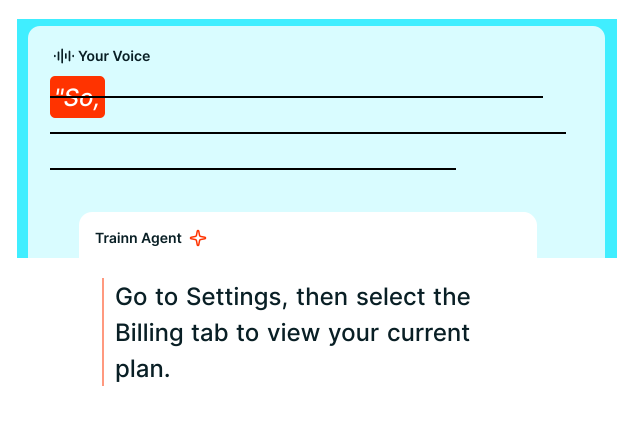
A silent recording does not explain a new feature. Trainn writes a contextual script from your on-screen actions and generates the voiceover, so nobody narrates while demonstrating. If the feature changes at the last minute, the narration update is a text edit, not a new recording. The voice, accent, and language are your choice, so a launch demo sounds the same across every release.
“When we create a video on Trainn, voice-overs and narrations are included. When I use another software, I have to record the screen, and then manually record my voice. The most painful process is the multiple retakes for recording my voice.”
Posist's team cut video production time by 70 percent. Before Trainn, one video took seven days. After, the team produces roughly seven videos in a day. The bottleneck Shambhavi describes is the one a launch demo hits: the recording is ready long before the narration is.
Who this is for
Who gets the most from same-day launch demos

Product managers
Publish the launch demo yourself on ship day, from the recording you already made, without waiting on a video team, filing a design request, or learning a timeline editor.

Product marketing managers
Pull one finished demo into the changelog, the in-app announcement, the newsletter, and the sales deck without recording it again for each channel.

Customer success leads
Brief customer success managers and support with the same launch video before the first tickets about the new feature arrive, so every customer conversation starts from the same explanation.
FAQ


