


Screen recording
Record and Share Async Updates Without Juggling Four Tools
An async update should take two minutes. Trainn handles recording, narration, summary, and sharing in one place, so it does.
The problem
Stop Juggling Four Tools for One Async Update
Async updates exist to save time in a workday already full of interruptions. Microsoft's 2025 Work Trend Index found employees are interrupted every two minutes during core hours, about 275 times a day. A recorded update should cut through that.
In practice, a short update often runs through a stack of tools. Teams describe recording in Zoom, uploading to Loom, and pasting the transcript into ChatGPT to summarize it. Every update becomes a relay between three products before a teammate can watch it.
The real problem is tool fragmentation. No single tool in that stack handles recording, polish, summary, and sharing together, so the update that was meant to save time costs more than a quick call.
The Solution
Trainn Handles an Async Update From Recording to Shared Link in One Tool
Trainn's AI video agent turns a screen recording into a finished async update. You record your screen, Trainn cleans up the narration and writes a summary, and you share one link. Nothing has to move into a second tool between recording and the teammate pressing play. Trainn's screen recording tool replaces the recorder, editor, and summarizing tool that async updates usually need.
The features
Three Trainn Features That Help You Create Async Update Videos
Record a Video
Record your screen and Trainn groups the walkthrough into clear steps with zooms on what matters. The raw capture is already a watchable update. No separate editor is needed before sharing.
Turn Narration to AI Voiceover
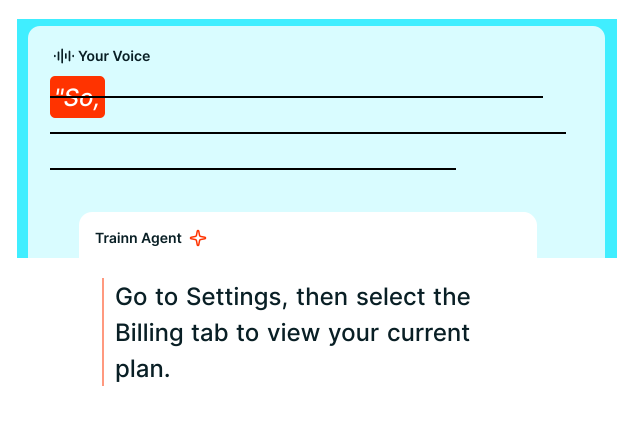
Talk naturally while you record. Trainn removes filler words and background noise and returns a clean voiceover, so you do not re-record for a cleaner take. The voice, accent, and language are your choice.
Video Description
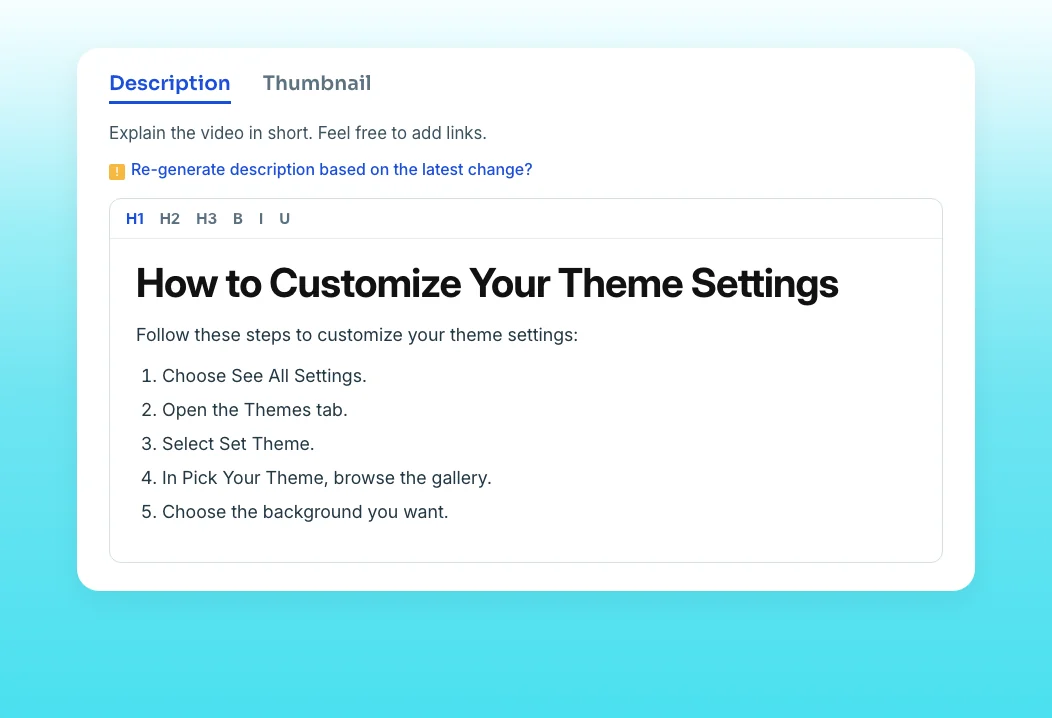
Trainn writes a summary of what the update covers. Teammates who will not press play still get the point, and you skip pasting a transcript into a separate AI tool. The summary updates with one click if the video changes, and supports images and GIFs.
“So we actually don't have to do a lot of work on the way out, we don't have to correct that many things.”
ServiceNow's writers get videos that are 80 to 85 percent complete straight from recording. For an async update, that means the recording is already close to the finished, shareable version, with no second or third tool in the workflow.
Who this is for

Product managers
Share sprint demos and decisions with distributed teams without booking a meeting or stitching tools together.

Customer success leads
Send account updates with a written summary in the same link, so stakeholders who will not watch still get the point.

Team leads across time zones
Replace recurring status calls with recorded updates people actually finish, made in one product.
FAQ


