


Screen recording
Document Any Workflow by Recording It Once
Writing documentation by hand means screenshot, caption, repeat. Trainn turns one screen recording into a video and a written guide.
The problem
Stop Spending Hours Documenting a Quick Workflow
Documentation work is where productive hours quietly disappear. Atlassian's State of Developer Experience 2025, based on 3,500 developers and managers, found finding information is now the top source of friction, and half of developers lose more than 10 hours a week to organizational inefficiencies.
Good documentation fixes that, but producing it is slow. Teams describe the goal simply: guides that let colleagues follow a process without tracking down the person who knows it. Getting there means taking a screenshot for every step, writing a caption, assembling it in a document, and doing it again when the process changes.
That is the editing dependency in documentation: the workflow takes minutes to perform and hours to document.
The Solution
Trainn Turns One Screen Recording Into a Video and a Written Guide
Trainn's AI video agent turns a screen recording of a workflow into documentation in two formats. Trainn produces a narrated video and a written guide with a screenshot and description for each step. The person who knows the process performs it once and gets both formats back. Trainn's screen recording tool replaces writing each step by hand.
The features
Three Trainn Features That Help You Create Documentation From Screen Recordings
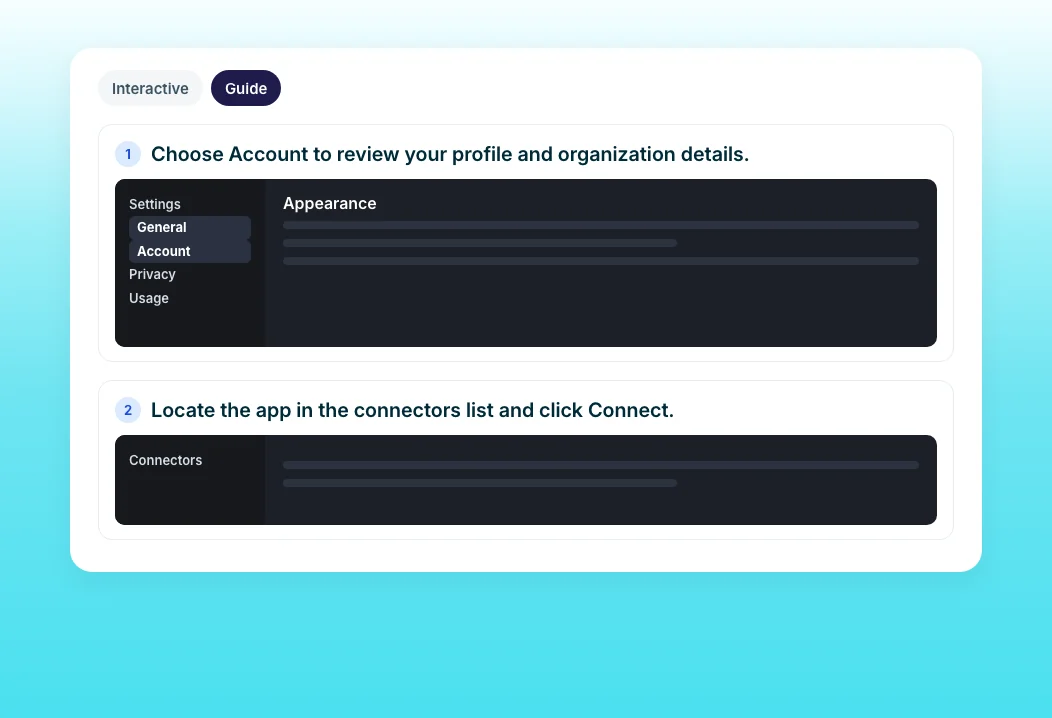
Create a Guide
Record the workflow and Trainn detects each action, captures a screenshot per step, and writes a title and description for it. You get a numbered guide without taking or captioning screenshots by hand. You can also build a guide from uploaded screenshots when there is nothing to record.

Turn Video into a Guide
Already recorded a video of the workflow? Convert it into a step-by-step guide with one click. The video and the guide are separate, editable outputs from one recording. One recording session produces two documentation formats.
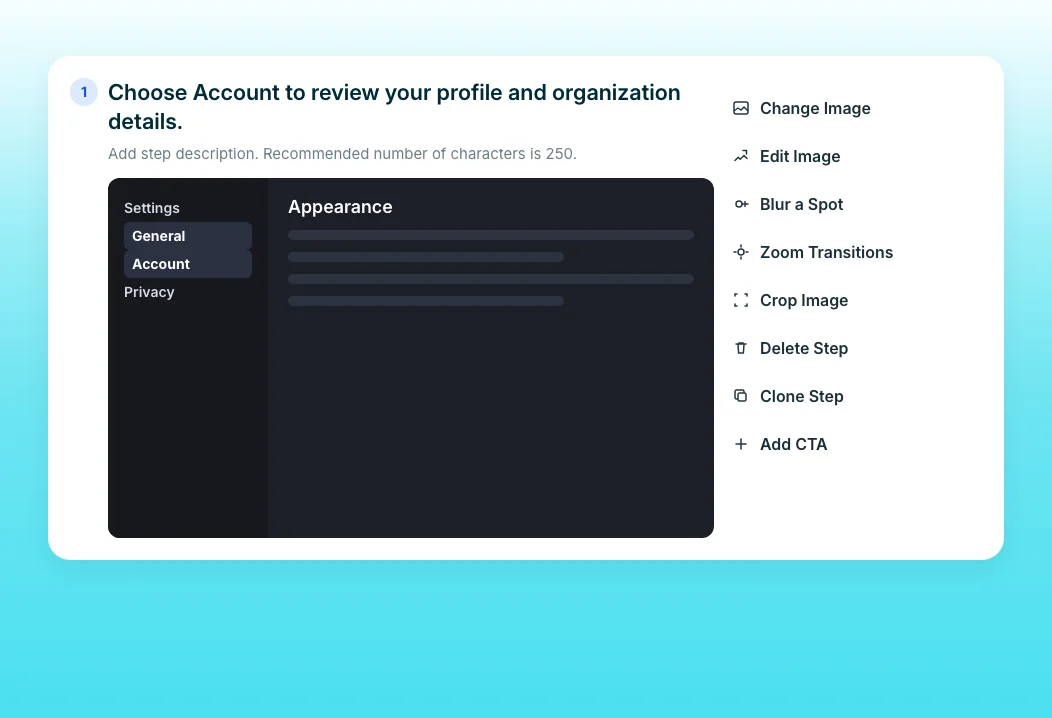
Guide Step Editor
When one step of the process changes, swap that screenshot and edit its text. The rest of the guide stays as it is, and every shared copy updates. Blur sensitive data in any screenshot from the same editor.
“We ran comparisons of how long it used to take last year versus this year. We saw a 50% reduction in production time.”
ServiceNow cut video production time from 10 days to five. Its 200-plus technical writers document thousands of pages on a monthly release cycle, and one recording session now produces a video, a guide, and draft documentation.
Who this is for

Technical writers
Produce a video and a guide for each procedure from one recording instead of writing and screenshotting each step.

Operations and process owners
Document internal workflows once and stop answering the same process questions.

Support and knowledge base managers
Keep procedural articles current by editing steps, not rewriting pages.
FAQ


