


Screen recording
Turn Screen Recordings Into Training Videos Without Post-Production
A screen recorder captures the lesson. Trainn finishes it, adding narration, zooms, and clean steps so the recording is ready to train with.
The problem
Make Every Screen Recording Usable as Training
Training time per employee is shrinking, so every minute of training content has to count. Training magazine's 2025 Training Industry Report found the average employee received 40 hours of training, down from 47 the year before.
Screen recording is the fastest way to capture a training lesson, and it is where most training videos stop. One content team put it this way: "if we have an internal call that's, you know, a knowledge sharing showing us how something works, my team's then responsible for taking that and building a new video based on it." The raw recording exists, and turning it into training means rebuilding it.
That is the editing dependency: screen recorders capture the screen, and everything that makes it a usable training video still happens somewhere else, by hand.
The Solution
Trainn Turns a Screen Recording Into a Finished Training Video
Trainn's AI video agent turns a screen recording into a finished training video. You can record a new session or upload one you already have. Trainn adds the narration, splits the recording into steps, and zooms into the important clicks, which is the post-production work an editor would normally do. With Trainn's screen recording tool, the recording becomes the training video instead of its raw material.
The features
Three Trainn Features That Help You Create Training Videos From Screen Recordings
Upload Video
Upload an existing screen recording or a recorded Zoom call. Trainn splits it into clips, adds AI voiceover, and applies zooms, so knowledge-sharing sessions become training without rebuilding them. Videos without narration get a script written from the on-screen actions.

Auto-Spotlight & Zoom
Trainn spotlights each meaningful click and zooms into the action, the emphasis a screen recorder never adds and a manual editor takes hours to place. Any effect can be adjusted afterward if it lands in the wrong place.
Clip-by-clip editor
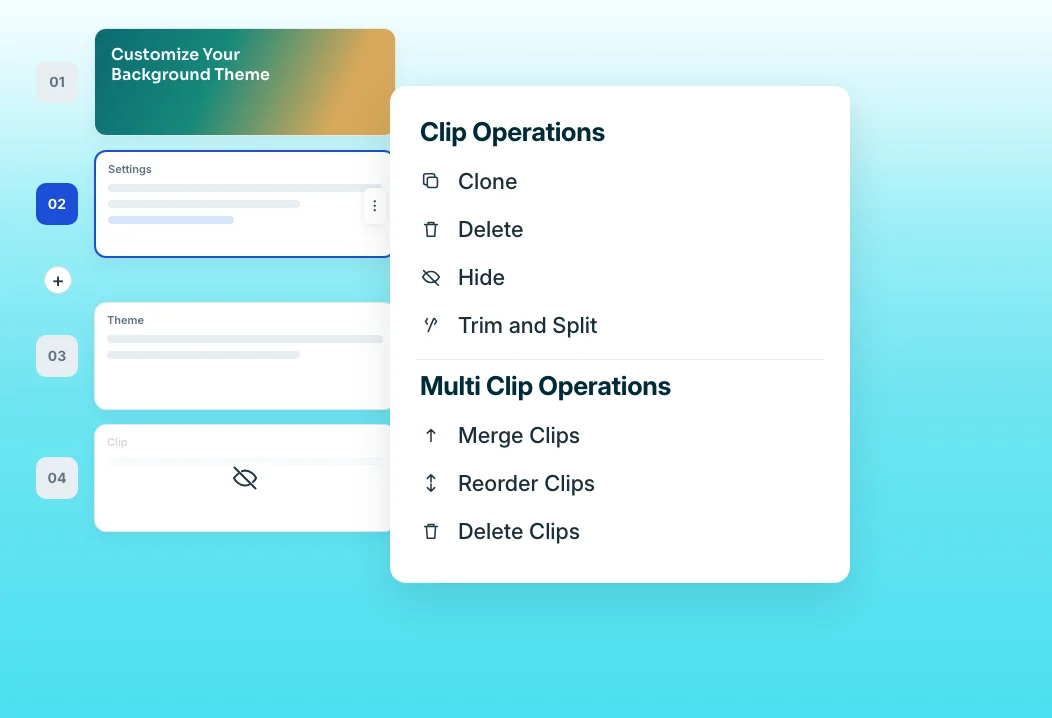
Cut the off-topic minutes from a long recording by hiding clips. Narration stays attached to each step, so trimming never breaks audio sync. Record a new sequence into the same video to replace a weak section.
“Creating a Loom video was a pain. With Loom, you have to record your screen, then record your voice. And if you make a mistake, you delete the whole thing and have to create it from scratch.”
SpotDraft's team spent four months working around Loom's limits before switching to Trainn. With clip-level editing, a recording mistake is one clip to replace, not a video to delete, and every training video now shares one voice and format.
Who this is for

Customer education managers
Turn recorded sessions and webinars into short training videos without rebuilding them from scratch.

Support leads
Record a resolution once and publish it as training for the whole team and for customers.

Trainers and enablement managers
Stop re-recording a full lesson because of one mistake, and replace just the clip instead.
FAQ


