


Customer onboarding videos
Get More New Users to Their First Win
Most new users never reach the moment your product clicks. Trainn lets the team that knows that moment make the video that gets them there.
The problem
Get Activation Videos Out Before New Users Leave
Most new users never activate. Userpilot's product metrics benchmark, drawn from first-party data across 62 B2B SaaS companies, puts average activation at 38%. Six in 10 new signups leave before they experience the value they signed up for.
The people who could fix this, product managers and customer success managers who know exactly where users stall, rarely own the content that would fix it. Teams describe the relief of no longer depending on developers to ship walkthroughs, and the same dependency applies to video: if a polished activation video needs an editor, it waits in someone else's queue.
That is the skills gap: the person who understands the activation moment is not the person with the skills to produce the video, so the video arrives late or not at all.
The Solution
Trainn Lets the Person Who Knows Activation Create the Activation Video
Trainn's AI video agent turns a screen recording of the path to a user's first win into a finished onboarding video. The product manager or customer success manager who understands activation records that path once. Trainn adds the narration, zooms, and highlights a video producer would normally add. With Trainn's onboarding video creator, activation videos ship on the product team's schedule instead of waiting for an editor.
The features
Three Trainn Features That Help You Create Onboarding Videos for User Activation
Record a Video
Record the path from signup to first value once. Trainn writes the narration, cleans up the steps, and adds zooms and spotlights, returning a finished video with no editing on your end. The person who knows the activation moment owns the video from recording to publish.
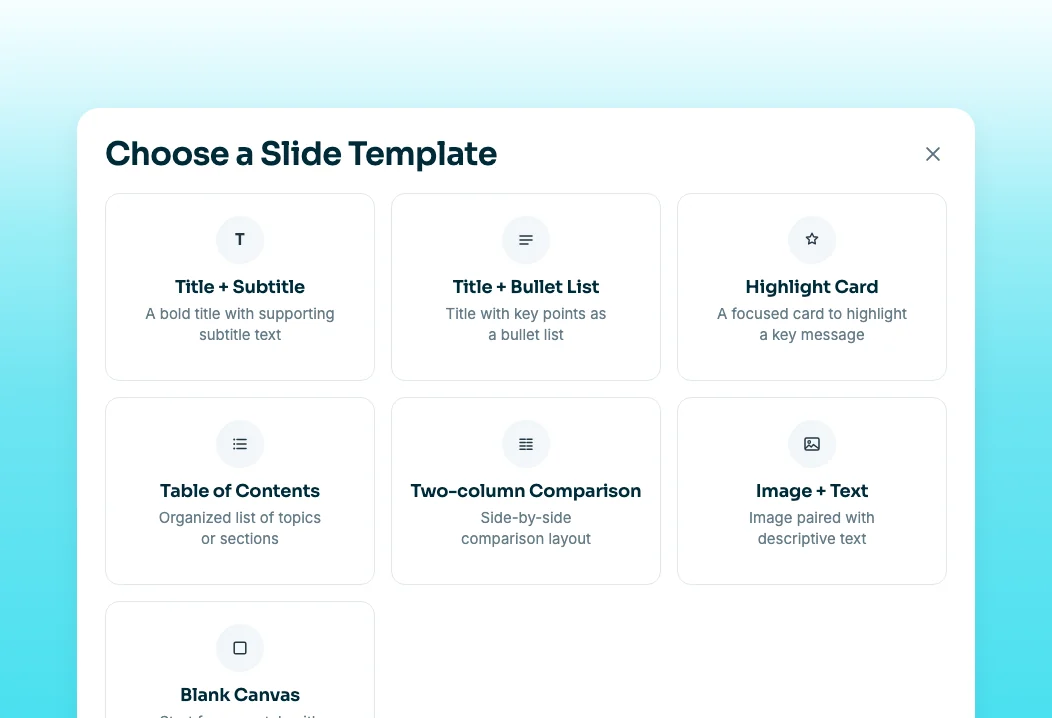
Create Slide
Add a short slide before the walkthrough that explains why this step matters, such as the outcome the user unlocks. Slides are voiced too, so context and demonstration live in one video. Slides can include custom fonts, images, and two-column comparisons, so context looks as polished as the walkthrough.
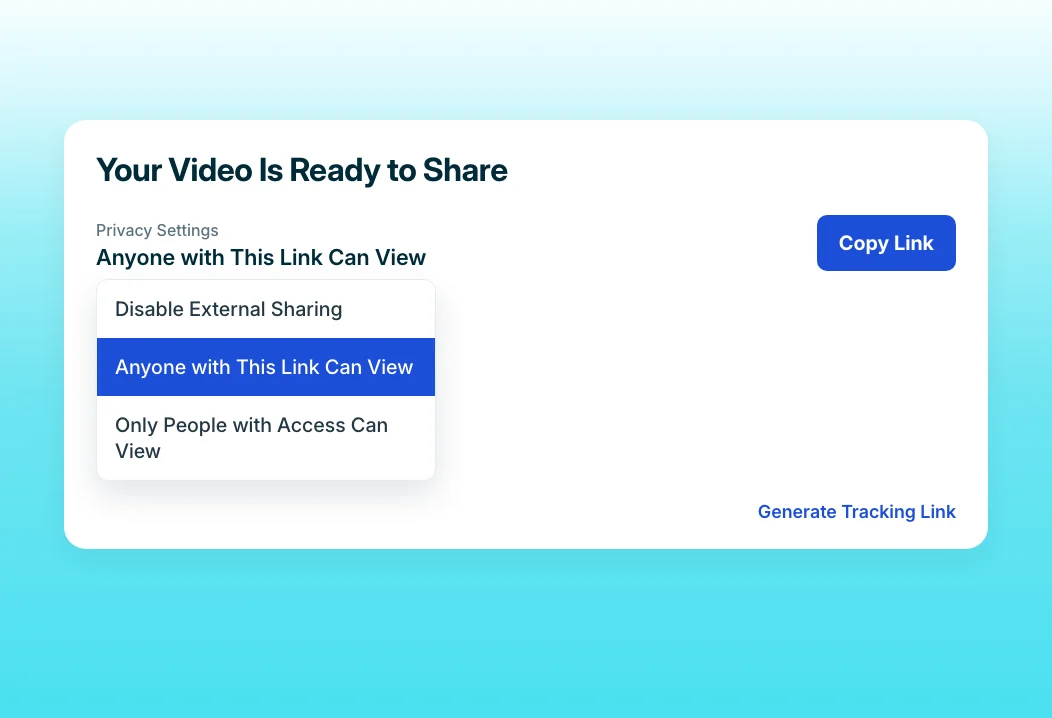
Share Links
Drop the same video link into the welcome email, the empty state, and the onboarding checklist. When you improve it, every placement updates automatically. Tracking links can also notify you when a specific user engages with the video.
“I'm not dependent on any delivery team or platform team to train someone anymore.”
Neutrinos launched its first course in two weeks, and Eldho produced the content himself with no video editing background. The team faced the activation problem directly: users were not adopting the platform features it had built.
Who this is for

Product managers
Ship a narrated video for every activation milestone you track, the same week you identify the drop-off, without filing a request with another team.

Growth and onboarding managers
Test a new activation video in an afternoon, measure it, and replace it if new users skip it, all without an editor.

Customer success managers for scaled accounts
Send stuck users the exact video for the step they missed, so activation does not depend on whether they book a call.
FAQ


