


Customer onboarding videos
Let New Customers Finish Account Setup Without a Call
Setup is where new accounts stall. Trainn turns your implementation team's setup walkthrough into videos customers follow on their own.
The problem
Get Setup Knowledge Out of Repeated Calls
Account setup is the first place onboarding breaks. OnRamp's State of Customer Onboarding 2025, based on a survey of 161 customer success and onboarding leaders, found 48% of customers abandon onboarding if they do not see value quickly. Configuration, integrations, and permissions sit between signup and that value.
Implementation specialists know every setup step by heart, and they walk each new customer through it live. Leaders describe complex onboarding where the real need is seeing exactly where customers get stuck. The fix is a video for each setup step, but the specialist who could make it has no video background and no time to learn editing.
That is the skills gap at the setup stage: the knowledge exists, and it stays trapped in repeated calls.
The Solution
Trainn Turns Each Setup Step Into a Video Customers Can Follow on Their Own
Trainn's AI video agent turns a screen recording of each account setup step into a finished video. The implementation specialist records each step once, the same way they show it on a setup call. Trainn adds the narration and highlights. With Trainn's onboarding video creator, customers complete setup on their own schedule, and the specialist saves live calls for the exceptions.
The features
Three Trainn Features That Help You Create Account Setup Videos
Record a Video
Record each setup task, such as connecting an integration or configuring roles, as its own walkthrough. Trainn writes the narration and adds zooms on every field and button, so customers see exactly what to click. Each setup task stays a separate, short video, so customers can complete setup in any order.
Video Chapters
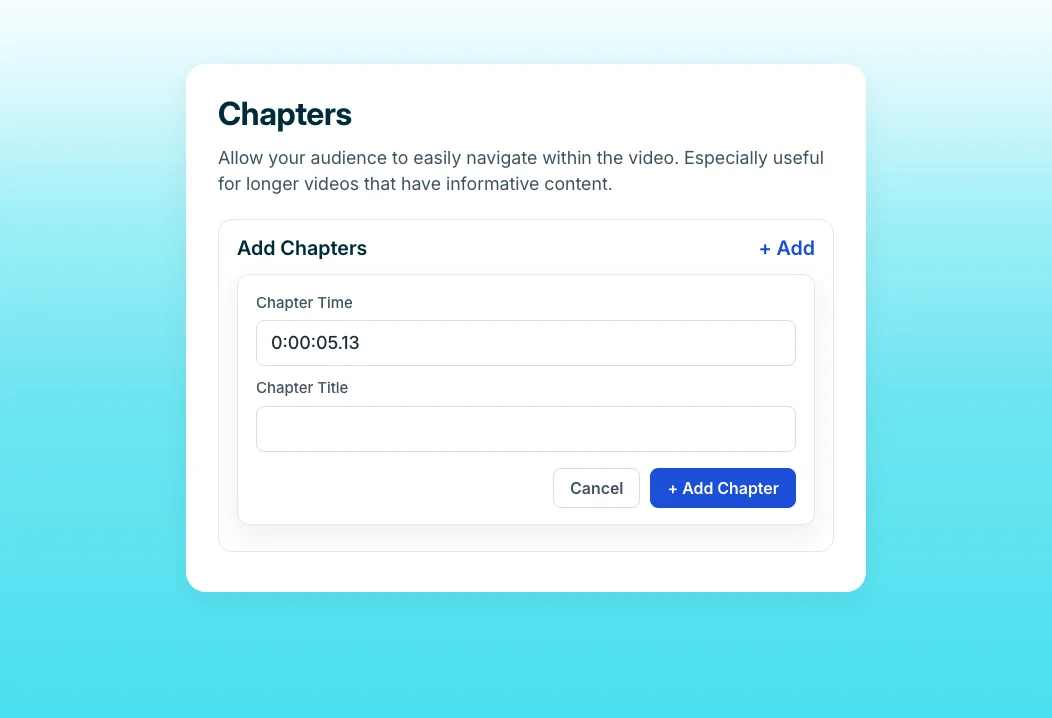
Mark chapters on a longer setup video, each with its own link. When a customer stalls on step four, send them that chapter instead of the whole recording. Chapters appear in the player and on the share page, so customers can navigate setup themselves.

Blur a Spot
Setup screens show API keys, account IDs, and customer names. Blur any area of a clip so specialists can record in a real environment without exposing data. You control when the blur starts and ends, so only the sensitive moment is hidden.
“Since our customer base was growing, our 1:1 training for every new customer was not enough. We had to offer more resources for their success with BuildOps.”
BuildOps created more than 100 self-serve videos in 45 days, turning setup knowledge that lived in live sessions into resources customers use on their own. The support team did it without a production team.
Who this is for

Implementation specialists
Record each setup task once, such as integrations, roles, and permissions, and stop repeating the same configuration walkthrough on every kickoff call.

Onboarding managers
Shorten time-to-value by sending setup videos before the first call, so customers arrive with the basics done and the call covers what is unique to them.

Support leads
Answer setup tickets with the exact chapter a customer needs instead of writing out the steps again.
FAQ


