


Product training videos
Keep Every Partner Trained on Your Latest Release
Partners sell what they were trained on last quarter. Trainn keeps partner training current with clip-level updates and one-click translations.
The problem
Keep Partner Training Current Across Every Release
Partner training goes stale faster than any other content you own. A Forrester survey of 322 partner marketing leaders, commissioned by Ansira in early 2025, found 62% struggle to create consistent partner experiences across their ecosystem. Every release widens the gap between what partners were taught and what the product does.
Resellers often need training on a product before it is even released, and they need it in their own language. As one enablement lead told us, "we are not localizing our videos currently, but we do have a separate translation service for our learning articles... currently, our videos are in English." Every new release means re-recording and re-translating.
That is the editing dependency in partner programs: the first training video is achievable, but keeping it current across every release and language is where programs fall behind.
The Solution
Trainn Keeps Every Partner Training Video Current From One Source Recording
Trainn's AI video agent turns a screen recording into a partner training video made of separate, editable steps. When the product changes, your team updates only the affected steps once. Trainn carries that change into every language version and every partner link. Trainn's training video creator keeps resellers in every region trained on the current release without a new recording.
The features
Three Trainn Features That Help You Create Product Training Videos for Partners and Resellers
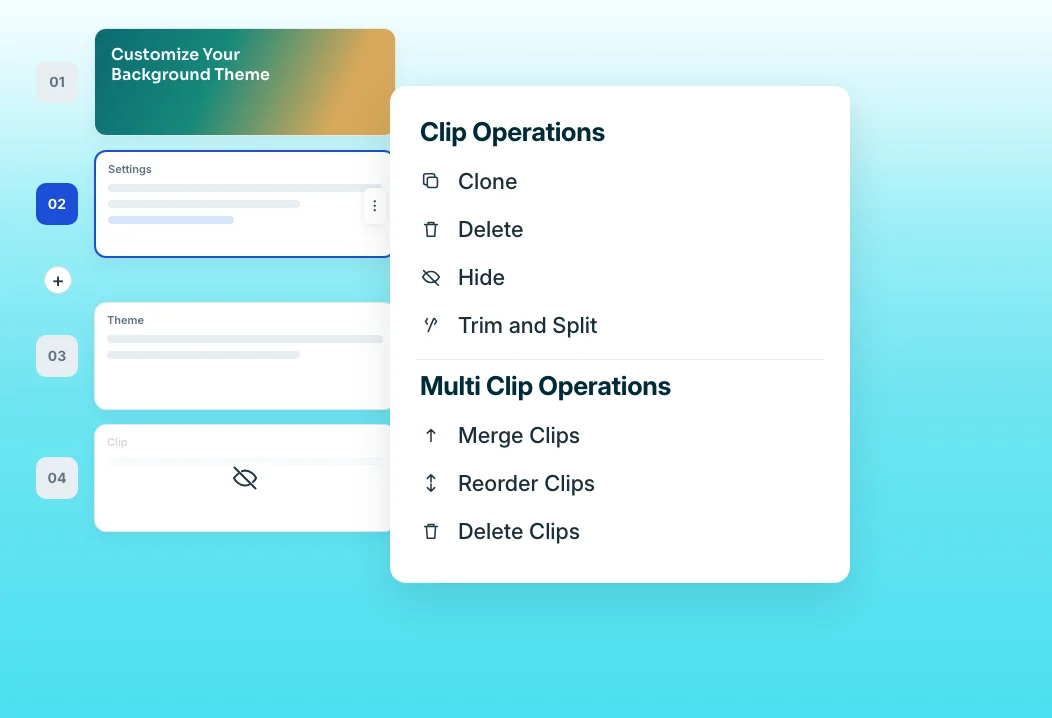
Clip-by-clip editor
When a release changes one screen, swap that clip and re-record its narration. The rest of the partner training video stays intact, so updates take minutes, not a full re-record. Each clip keeps its narration, so the updated step sounds like the rest of the video.
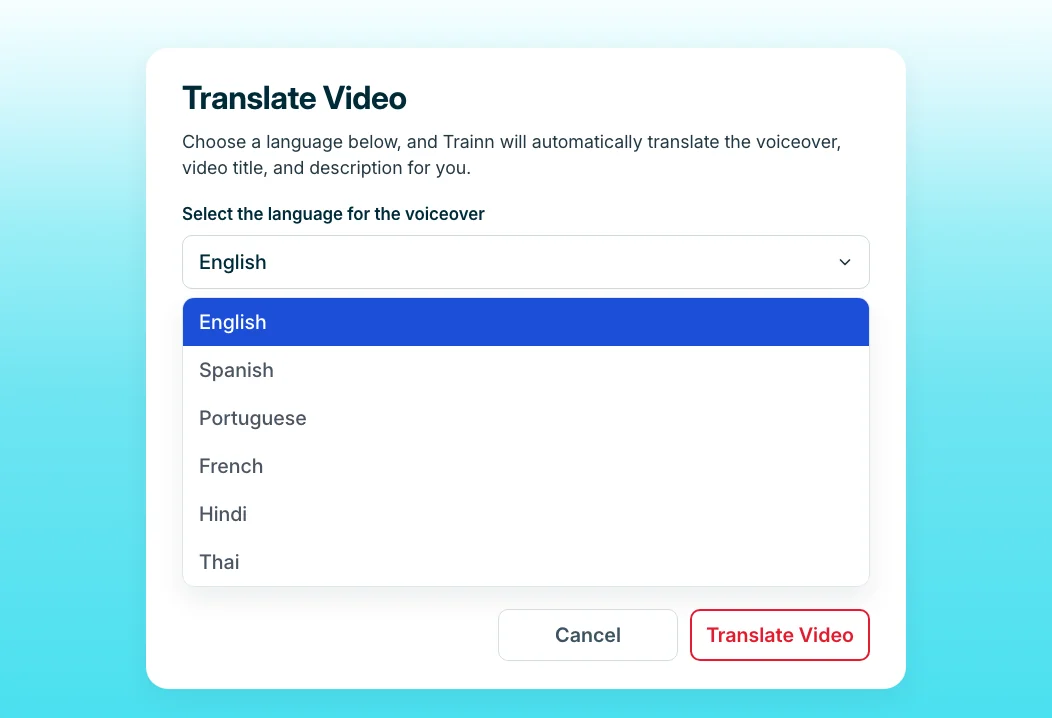
Translations
Translate a training video, including voiceover, subtitles, and description, into any target language. With Linked Videos, you update the main video and every translated version updates with it. A Translation Glossary sets how product terms are pronounced in each language, once, for every video.
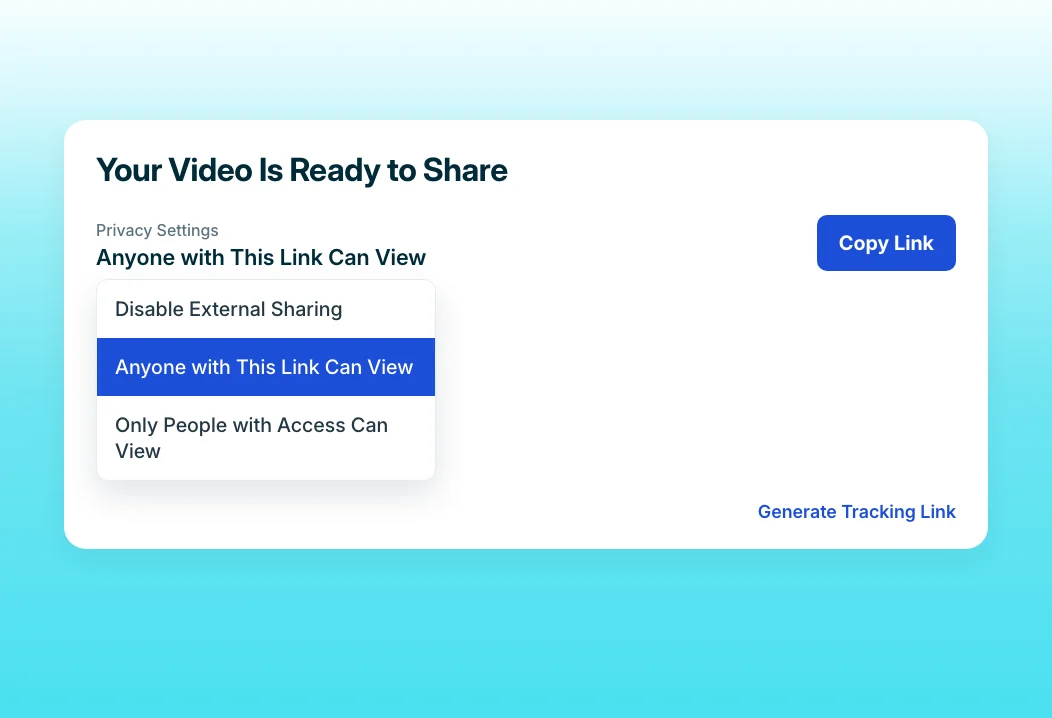
Share Links
Partners get one link per video. Every edit updates it automatically, so no reseller keeps training from an outdated file they downloaded last quarter. You can also restrict a link to named partner groups, or revoke access without deleting the video.
“The best feature is where you can auto-translate a single video into multiple languages.”
Posist serves 12,000 customers in more than 50 countries, with videos in local languages across Latin America, India, and Thailand. Translations creates each language from the original video, which is the same workflow a partner program needs to keep resellers in every region current.
Who this is for

Partner enablement managers
Push release training to every partner within days of launch, in every language you sell in, without re-recording for each market.

Channel managers
Send resellers one link per product that is always current, so partners never pitch from training you replaced a quarter ago.

Product marketing managers
Brief partners on a release before it ships, from the same recording you use for internal enablement and customer training.
FAQ


