


Video tutorials
Answer Repeat Support Questions With Tutorials That Stay Accurate
Customers search for answers before they file tickets. Trainn helps support teams publish video tutorials they can keep current with every release.
The problem
Keep Support Tutorials Accurate After Every Release
Customers go looking for answers well outside your help center. Gartner's 2025 survey of 5,801 customers found 51% of service journeys now start on third-party platforms such as Google, YouTube, and ChatGPT. A clear video tutorial is often the answer they find, or the one they wish they had found.
Support teams know which tutorials would cut ticket volume. The harder part is what happens after the first one is published. Practitioners in customer education describe a familiar dread every time engineering proposes a product interface change, because every affected tutorial now shows customers the wrong screen.
That is the editing dependency in support content: a tutorial that cannot be updated quickly turns from a deflection asset into a source of new tickets.
The Solution
Trainn Turns a Support Engineer's Recording Into a Tutorial That Stays Accurate
Trainn's AI video agent turns a support engineer's screen recording into a finished tutorial, with each step editable on its own. After a release, the support team replaces only the steps that changed. Every help center article or reply that embeds the tutorial then shows the current version. With Trainn's tutorial video creator, support teams answer repeat questions with tutorials they can keep accurate.
The features
Three Trainn Features That Help You Create Customer Support Tutorials
Record a Video
A support agent records the fix the way they would show a customer. Trainn adds narration, zooms, and spotlights, so the tutorial is ready to link in the next ticket reply. The agent who solved the issue is the one who records it, so the tutorial matches the real fix.
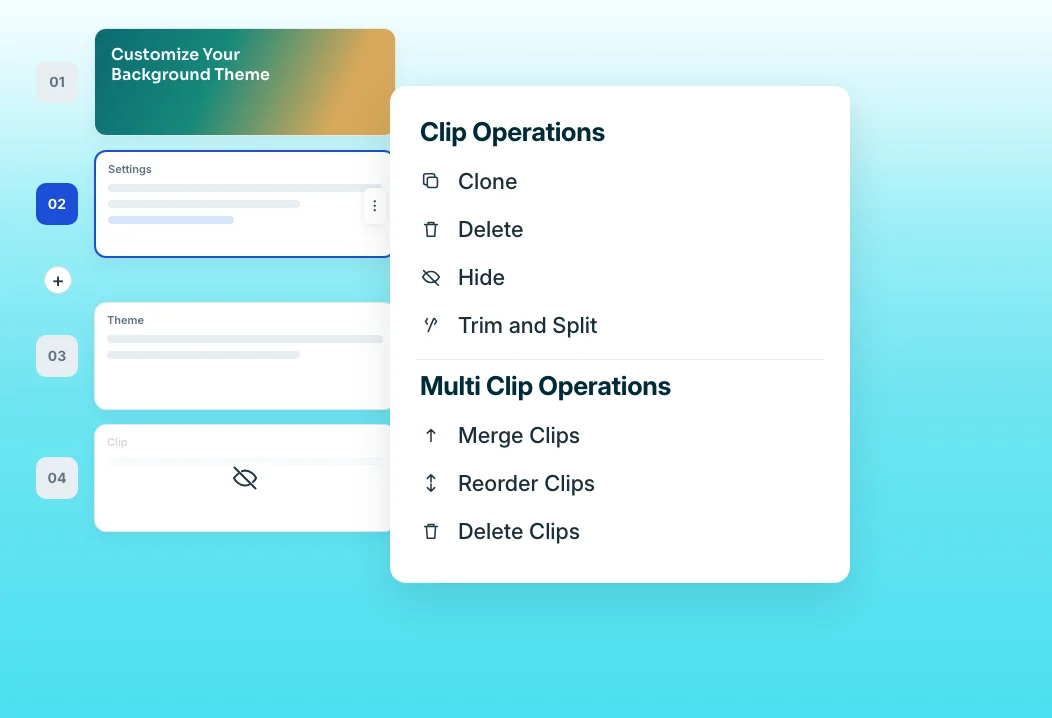
Clip-by-clip editor
When a release changes a screen, swap the affected clip and narration. The tutorial stays accurate without a full re-record. Each clip carries its own narration, so the update sounds like the original.
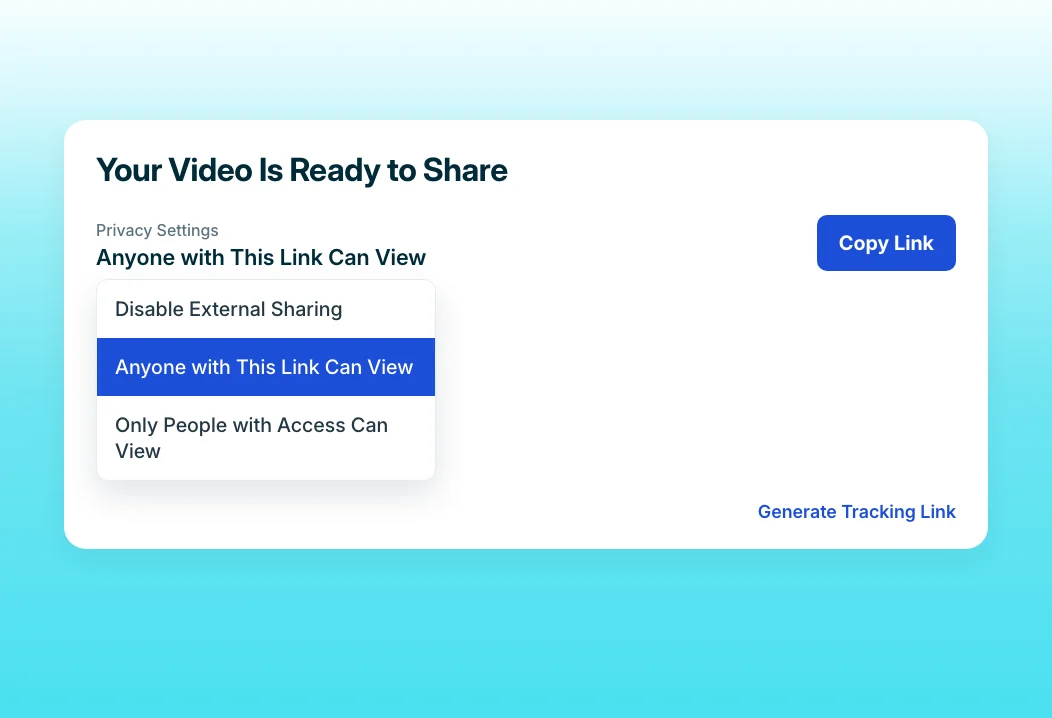
Share Links
Embed one link in the help center article, the macro, and the chatbot answer. Every update reaches all three automatically. Restricted links can also keep internal-only fixes visible to named groups.
“When people go to support, and they go to documentation, they usually are not happy. They're coming to this documentation website because they can't do something.”
ServiceNow's documentation pages with videos score three to 10 points higher in customer satisfaction than pages without them. Trainn cut the team's production time in half, so more support pages now carry a tutorial.
Who this is for

Support managers
Turn the top ticket drivers into tutorials agents can link in replies, macros, and chatbot answers.

Support engineers
Record a fix once and stop typing the same step-by-step answer into every ticket that asks for it.

Knowledge base owners
Keep every embedded tutorial accurate after each release by replacing clips, not republishing articles.
FAQ


