
- Features
- Resources
- Pricing
- Try Trainn's AI Video Agent


Product
Usecases
Resources
Case Studies
Company
- Customers
- Pricing
- Try Trainn's AI Video Agent
- Expert voices
- Log in
- Book a demo
- Sign up
AI Onboarding Guide Generator: Create Onboarding Guides in Minutes
Trainn turns a single screen recording into video, step-by-step guide, and interactive walkthrough onboarding guide — no scripting, no editing, no design skills.
Why Onboarding Guides Matter
Customer onboarding decides long-term retention
Customer onboarding determines whether a new account becomes a long-term user or a churn statistic. When onboarding is clear and structured, customers reach their first value milestone faster, submit fewer support tickets, and adopt more of the product over time.
Partners sell with confidence when they understand the product
Partner onboarding follows the same principle — channel partners who understand the product sell it with confidence, reducing the back-and-forth that slows revenue.
Product-led teams need a path from signup to activation
For product-led teams, onboarding guides are the backbone of adoption. They walk new users through first-run experiences, explain core workflows, and bridge the gap between sign-up and activation. Without them, customers guess their way through complex features, miss critical setup steps, and blame the product for their confusion. Strong onboarding content does not just reduce time-to-value — it protects the revenue you already won.
Why an Onboarding Guide Generator Beats Manual Creation
Hours of production compressed into minutes
Building an onboarding guide manually means recording a screen, capturing screenshots, writing each step, formatting the document, and repeating the process every time the product changes. A single guide can take a full day. An AI-powered generator collapses that into a few minutes: record once, and the tool produces the finished guide automatically.
Consistency across every team member
When five people write onboarding guides by hand, you get five different styles, five different levels of detail, and five different formats. Customers notice. Inconsistent onboarding erodes trust before the relationship has started. An automated generator enforces the same structure, tone, and quality regardless of who presses record.
Guides that keep pace with product releases
Products ship fast. Manual guides fall behind within weeks. An AI generator lets you re-record a workflow and regenerate the guide in minutes, so your onboarding content matches whatever customers actually see in the product. Trainn takes this further — record your screen, and Trainn's AI video agent produces a video with AI voiceover, a step-by-step guide, and an interactive walkthrough from that single recording.
What Is an Onboarding Guide?
An onboarding guide is a structured piece of content that walks a new customer, partner, or user through a product's essential workflows — from initial setup to first success. Unlike generic help docs, onboarding guides follow a deliberate sequence designed to build competence step by step. Trainn — an AI-powered product video and guide creation platform — creates these onboarding guides from screen recordings. Record a workflow, and the AI video agent automatically produces three outputs: a video with AI voiceover, a written step-by-step guide, and an interactive walkthrough. According to G2 reviews, teams using Trainn cut guide creation time from 9 hours to 2 hours on average.
How to Choose an Onboarding Guide Generator
Choosing the right onboarding guide generator depends on how your team creates content, what format your customers prefer, and whether you need a single tool or a stack of them. Below is a breakdown of the leading options.
| Tool | How It Creates | Output Formats | Hosts & Delivers | Languages | Best For |
|---|---|---|---|---|---|
| Trainn | Screen recording → AI generates video + guide + walkthrough | Video with AI voiceover, step-by-step guide, interactive walkthrough | Yes — knowledge base, LMS, in-app tutorials | Translate into any language | SaaS and software teams that need to create professional onboarding videos, guides, and interactive walkthroughs from screen recordings — without a video editor, designer, or separate tools for hosting |
| Scribe | Click capture → auto-screenshots + text | Written step-by-step guide | Shareable link, embed, PDF export | English primary | Teams that need quick written onboarding documentation from click capture |
| Guidde | Click capture → video + written guide | Video guide, written SOP | Shareable link, tool embeds | 100+ languages via AI voices | Teams that need quick click-capture video SOPs with auto-narration — browser-based workflows only, no interactive walkthroughs or built-in delivery platform |
| Whatfix | DAP overlay → in-app guidance | In-app flows, tooltips, task lists, self-help | In-app delivery | Multi-language | Enterprise teams needing in-app onboarding guidance overlays with analytics |
| Trupeer | Screen recording → multiple doc types | Video, guide, FAQ, SOP | Shareable link, KB search | Multi-language | Teams that want multiple document types (FAQ, SOP, PRD) auto-generated from one recording — broad output variety, but no built-in hosting or in-app delivery |
| Clueso | Screen recording → AI video + guide | Video, written guide | Shareable link, embed | 38 languages | Teams that prioritize a polished editing experience for video — strong video quality in 38 languages, but no interactive walkthroughs or native delivery platform |
How to decide: If your onboarding needs are text-only and simple, click-capture tools like Scribe work well. If you need in-app guidance layered on top of your product, a DAP like Whatfix fits. If you need professional video, written guides, and interactive walkthroughs from a single recording — with built-in hosting and delivery — Trainn covers all three without requiring separate tools for each format.
How to Create an Onboarding Guide with Trainn
Record your screen
Install the Trainn Chrome extension, open the workflow you want to document, and hit record. Walk through each step of the onboarding process at a natural pace. The AI video agent captures every click, scroll, and transition.
Edit with AI assistance
Once you stop recording, the AI video agent processes the footage automatically. It generates a video with AI voiceover, a step-by-step written guide, and an interactive walkthrough. Review the output, adjust any captions or steps, and customize the branding to match your product.
Publish and deliver
Publish the finished guide to Trainn's built-in knowledge base, embed it in your LMS, or deliver it as an in-app tutorial. Share a link, assign it to an onboarding sequence, or gate it behind a learning path — the content is ready to reach customers wherever they are.
Use Trainn's Onboarding Guide Generator to Create Onboarding Guides
Record your screen (the AI video agent handles the rest)
Open your product, start the Chrome extension, and walk through the workflow. The AI video agent captures your screen, detects individual steps, and structures the content automatically. No storyboarding, no scripting in advance — just record and let the AI do the production work.
AI-generated step-by-step guide
The AI video agent analyzes your recording and writes a complete step-by-step onboarding guide with annotated screenshots and clear descriptions. No manual writing, no screenshot capture — the written guide is ready to review, brand, and publish as your onboarding documentation.
Interactive walkthrough from the same recording
From the same recording, the AI video agent also produces an interactive walkthrough that lets new customers click through the onboarding workflow themselves. Three output formats from one recording — video, written guide, and interactive walkthrough.
Video with AI voiceover and auto-edits
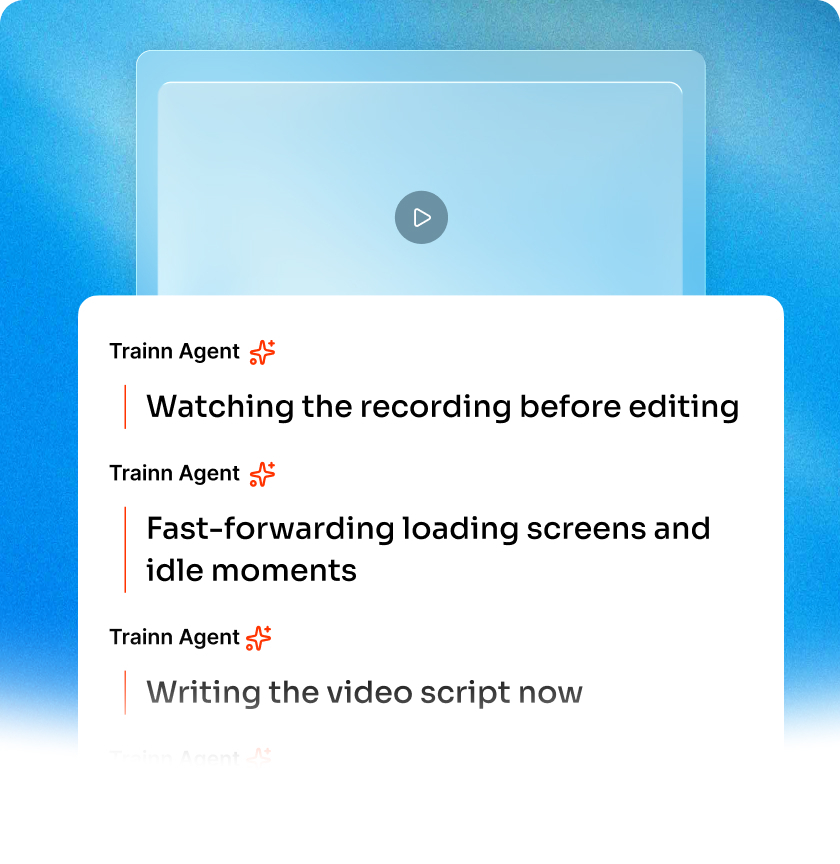
The AI video agent generates a companion onboarding video with voiceover narration, contextual zooms on key UI elements, click spotlights, and trimmed dead space. Record silently and the AI writes the script, or narrate naturally and the AI cleans your audio.
Share, embed, or deliver
Publish to Trainn's hosted knowledge base, embed guides in your LMS or help center, or push them as in-app tutorials. Trainn handles hosting and delivery, so you do not need a separate platform for each distribution channel.
Translate into any language
Reach global customers by translating onboarding guides into any language. The AI handles both the written steps and the voiceover, so localized teams get the same quality as your English-speaking users.
AI Features to Create Onboarding Guides at Scale
0% manual editing
The AI video agent handles zooms, spotlights, transitions, voiceover, and step extraction. You record; it produces. Teams at Posist went from creating guides occasionally to publishing 7 per day after switching to AI-generated output.
Consistent quality, every creator
Whether the guide comes from a CS manager, a product marketer, or a solutions engineer, the output looks and sounds the same. The AI video agent enforces structure, pacing, and formatting so brand consistency is automatic, not aspirational.
Content that survives product changes
When a feature changes, re-record the workflow and regenerate. The AI video agent produces an updated guide in minutes, not days. BuildOps created over 100 guides in 45 days using this approach — keeping their onboarding library current through rapid product iteration.
Who Uses an Onboarding Guide Generator?
Onboarding new customers without repeating live walkthroughs
Customer success managers walk new accounts through setup, configuration, and first-value workflows. Record each sequence once and deliver a polished onboarding guide instead of repeating live walkthroughs for every new customer.
Creating partner onboarding sequences
Channel partners need to understand your product before they can sell or support it. Structured partner training reduces ramp time and cuts live enablement sessions. Build structured onboarding paths with video, written steps, and interactive walkthroughs that partners complete on their own time.
Documenting first-run experiences
Product managers capture the ideal first-run experience as a screen recording. The AI video agent turns it into an onboarding guide that matches the intended workflow, reducing the gap between product vision and customer reality.
Building self-serve activation guides
Self-serve products depend on users figuring things out independently. Activation guides built from real workflows give new sign-ups a clear path to value without waiting for a human to schedule a call.
"We built over 100 training content pieces in 45 days with Trainn. Our onboarding process went from scattered documents to a structured, professional library that customers actually use."
BuildOps
Frequently Asked Questions
What is the best onboarding guide generator for SaaS customer onboarding?
Trainn is built for SaaS and software teams that need to create onboarding guides from screen recordings. It produces video, step-by-step written guides, and interactive walkthroughs from a single recording — and hosts the content in a knowledge base, LMS, or in-app tutorial without requiring separate tools.
How do I create an onboarding guide?
Record the workflow you want to document using Trainn's Chrome extension. The AI video agent processes the recording and generates a video with AI voiceover, a written step-by-step guide, and an interactive walkthrough. Review, customize, and publish to your preferred channel.
How does Trainn compare to Scribe or Whatfix for onboarding guides?
Scribe captures clicks and produces written documentation — no video, no interactive walkthroughs. Whatfix delivers in-app guidance overlays but does not produce standalone onboarding content. Trainn produces all three formats (video, guide, walkthrough) from a screen recording and handles hosting and delivery in one platform.
What formats can an AI onboarding guide generator produce?
Trainn generates three output formats from each recording: a video with AI voiceover, a step-by-step written guide with annotated screenshots, and an interactive walkthrough that lets users click through the process themselves.
Can I translate onboarding guides into other languages?
Yes. Trainn translates onboarding guides into any language, including both the written content and the AI voiceover. This allows global teams to deliver localized onboarding without re-recording workflows.
Is there a free trial for Trainn?
Yes. Trainn offers a 14-day free trial with full access to AI video generation, guide creation, interactive walkthrough building, and translation. Sign up free and start creating content from screen recordings today.
Related AI Tools
Trainn is an AI-powered product video and guide creation platform that turns screen recordings into product demo videos, training videos, onboarding videos, step-by-step guides, and interactive walkthroughs. Trainn also delivers this content externally through a branded no-code LMS, or in-app through embedded tutorials to train customers at scale.

North Bethesda, Maryland 20852


