
- Features
- Resources
- Pricing
- Try Trainn's AI Video Agent


Product
Usecases
Resources
Case Studies
Company
- Customers
- Pricing
- Try Trainn's AI Video Agent
- Expert voices
- Log in
- Book a demo
- Sign up
AI Product Knowledge Training Generator: Create Guides in Minutes
Trainn turns your screen recording into an in-depth product knowledge training guide, video, and interactive walkthrough in under 5 minutes, with AI-written descriptions and translation into any language. No scripting, no editing, no design skills.
Why Product Knowledge Training Matters
Customer-facing teams need depth, not just a feature list
A customer-facing team that only knows what a feature does, not why it matters or how it compares to alternatives, can't answer the follow-up questions that actually come up in a customer or prospect conversation. Product knowledge training that captures the real depth — not just a bullet-point summary — gives CS and sales teams the ability to handle those follow-ups confidently instead of promising to "check and get back to you."
Customers get consistent, accurate answers regardless of who they ask
A support team trained on deep product knowledge gives every customer the same accurate answer, whether they ask the newest hire or the most senior rep. Product knowledge training published the day a feature ships means the whole customer-facing team is working from the same accurate understanding immediately, rather than a patchwork of whoever happened to read the release notes closely.
Partners represent the product's real capabilities, not a surface-level pitch
A partner enablement team that trains partners on deep product knowledge — not just a marketing overview — gives those partners the ability to answer technical questions and position the product accurately in front of their own customers. Partners working from shallow training tend to default to generic claims; partners working from real product knowledge can speak specifically.
Why an AI Product Knowledge Training Generator is Better than Building Training Manually
It captures depth directly from the product, not from a brief
Manually building product knowledge training usually starts with someone writing a document from memory or from a product spec, which tends to flatten into a surface-level summary. An AI product knowledge training generator captures the actual workflow from a screen recording, preserving the specific detail — exact steps, exact UI, exact behavior — that a written-from-memory brief tends to lose.
It removes the bottleneck of one expert's calendar
Manually training a whole customer-facing team on deep product knowledge usually depends on a single product expert's availability for live sessions, which doesn't scale past a handful of people. An AI product knowledge training generator turns that same expert's screen recording into training content the whole team can go through on their own time.
It keeps training current without a full rebuild
Manually built product knowledge training goes stale the moment a workflow changes, and updating it usually means the same product expert re-explaining the change from scratch. Trainn lets a team swap the one step or clip that changed and re-publish, so training stays accurate without pulling the expert back in for a full redo.
What is a Product Knowledge Training Generator?
A product knowledge training generator is a tool that automates the creation of in-depth training content covering a product's features, workflows, and capabilities, intended to give customer-facing teams — and by extension their customers and partners — a thorough working understanding of the product. Trainn — an AI-powered product video and guide creation platform — builds this training content directly from a screen recording rather than requiring someone to write a knowledge brief from memory: it captures the actual workflow, writes detailed descriptions automatically, and generates a guide, video, or interactive walkthrough from the same recording. Trainn generates a complete, in-depth product knowledge training guide from a single screen recording in under 5 minutes, with translation into any language.
How to Choose a Product Knowledge Training Generator
Product knowledge training tools differ mainly on three things: whether training content is captured directly from a real product workflow or written from a brief or template; whether the output can include video, not just text or slides; and whether the tool includes anywhere to host and deliver the finished training material.
| Tool | How It Creates | Output Formats | Hosts & Delivers Content | Languages | Best For |
|---|---|---|---|---|---|
| Trainn | Screen recording, analyzed automatically | In-depth training guide, video, interactive walkthrough | Yes — knowledge base, LMS, in-app tutorials | Translate into any language | SaaS teams that need in-depth product knowledge training for customer-facing teams, generated from real screen recordings — without a video editor, designer, or separate hosting tool |
| iSpring Suite | Manual authoring inside PowerPoint | Slide-based courses, quizzes, SCORM export | Export to third-party LMS | Manual translation workflow | Teams already building training in PowerPoint who want quiz and course-structuring features layered on top |
| WorkRamp | Manual/drag-and-drop authoring inside the platform | Structured courses, videos, quizzes | Yes — full LMS for employees, customers, and partners | Multi-language support for course content | Teams needing a full LMS with drag-and-drop course building, where content is authored inside the platform rather than generated from a recording |
| Document360 | Manual article authoring; AI Writing Agent drafts from text or files | Written training articles, with video support | Yes — enterprise-grade hub, SSO/SCIM | Machine translation for articles | Enterprise teams needing a structured, governed training article library with AI-assisted drafting from existing source material |
| Guidde | Browser extension, click capture ("Magic Capture") | AI-narrated video plus an auto-generated written guide | Share link, embed; no knowledge base or LMS | Multi-language auto-translation on paid tiers | Teams that want an AI-narrated training video and a matching written guide from a software workflow, without needing a place to host either |
| Trupeer | Screen recording, AI-assisted editing | Video, guide, and several auto-generated document types | Share links, collections, knowledge base | 1-click translation | Teams that want a wide range of auto-generated content types beyond training guides and video alone |
How to decide: If your team already builds training in PowerPoint and wants quiz features layered on, iSpring fits. If you need a full LMS with course structuring built into the platform, WorkRamp works well. If you need in-depth product knowledge training generated directly from a real screen recording — capturing the actual product detail rather than a written summary — Trainn covers that without a separate authoring or hosting tool.
How to Create Product Knowledge Training with Trainn's Training Generator
Record
Turn on the Trainn Chrome extension and record the product workflow you want to document in depth. Trainn's AI video agent captures a screenshot at each meaningful step and writes a detailed description automatically.
Edit
Review the generated training guide, adjust the wording of any step, blur sensitive information, and add spotlights or shapes to draw attention to the right part of a screenshot.
Publish/Share
Share the training content as a link, embed it wherever your customer-facing teams already are, or deliver it through your knowledge base, LMS, or in-app tutorials.
Use Trainn's Product Knowledge Training Generator to Create Training Content
Record Your Screen
Record the product workflow you're documenting; the AI video agent understands what you're demonstrating and handles the rest.
AI-Generated Step-by-Step Guide
It turns the recording into a written, step-by-step training guide automatically — screenshots, descriptions, and structure, with no manual writing.
Interactive Walkthrough from the Same Recording
The same recording also produces an interactive, clickable walkthrough — no separate creation step.
Video with AI Voiceover and Auto-Edits
The same recording also produces a video: the AI video agent writes and voices the narration (or cleans up your own voice), adds contextual zooms and spotlights, and trims dead space.
Share, Embed, or Deliver
Share links, embed in your product, or deliver through Trainn's knowledge base, LMS, or in-app tutorials.
Translate into Any Language
One-click translation of both the written content and any video voiceover. Not limited to a fixed set of languages.
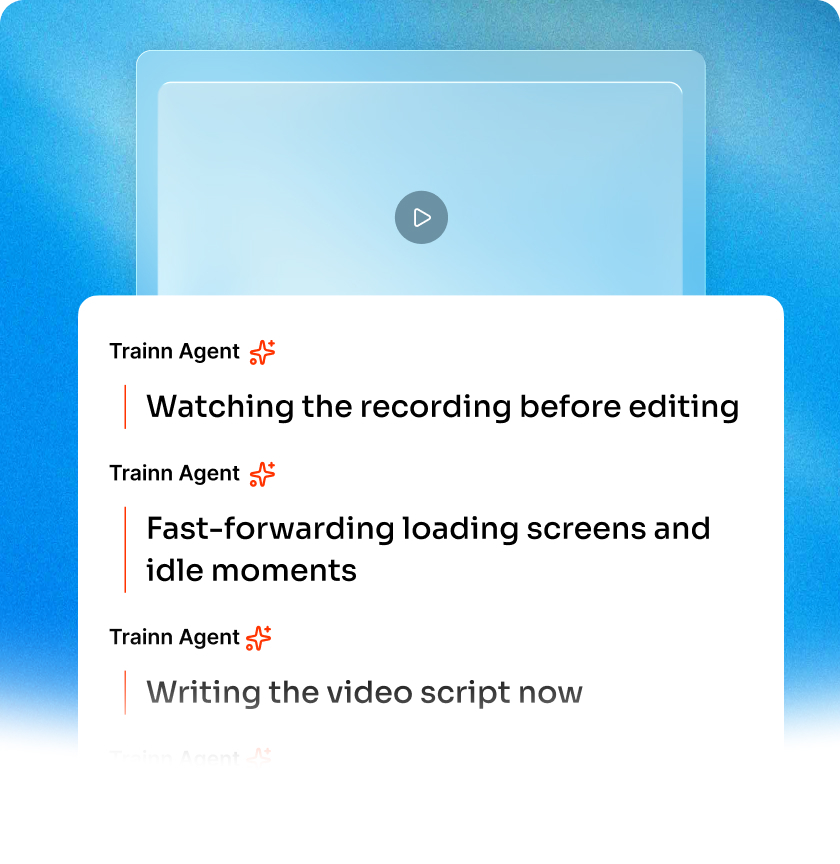
AI Features to Create Product Knowledge Training at Scale
0% Manual Writing
You record, the AI video agent does the rest. It writes each step's description, captures the screenshot, and structures the training guide. The first draft is the one you'd confidently publish.
Consistent Quality, Every Creator
Every piece of training content comes out to the same clear, branded format regardless of who created it. No editorial review needed to catch inconsistent formatting.
Content That Survives Product Changes
A UI change means swapping one step's screenshot, not rewriting the whole training guide. Your training library stays accurate without pulling a subject-matter expert back in for a full redo.
Who Uses a Product Knowledge Training Generator?
Give a whole CS team in-depth training on a new feature
Enablement teams use Trainn's product knowledge training generator to give a whole CS team in-depth training on a new feature, resulting in fewer escalations for questions the team should already be able to answer.
Build deep product knowledge training that reduces reliance on a single subject-matter expert
Support teams use it to build deep product knowledge training that reduces reliance on a single subject-matter expert, resulting in more consistent answers across the whole support team.
Capture in-depth product knowledge the same day a feature ships
Product marketers use it to capture in-depth product knowledge the same day a feature ships, resulting in the customer-facing team staying current without waiting for a live briefing.
Train partners on real product depth rather than a surface-level pitch
Partner managers use it to train partners on real product depth rather than a surface-level pitch, resulting in partners who can answer technical questions accurately in front of their own customers.
Keep pre-sales product knowledge current across a growing team
Sales teams use it to keep pre-sales product knowledge current across a growing team, resulting in more consistent, accurate positioning in prospect conversations.
Give new hires a self-paced path to deep product knowledge
CS teams use it to give new hires a self-paced path to deep product knowledge, resulting in faster ramp time before they're handling live customer conversations solo.
"People are feeling more pressed for time. Our customers always ask for quick 1-minute tutorial videos to learn the product. It took exactly 45 days to create over 100 tutorial videos, review, and publish the Learning Center on Trainn. Now we have a self-serve resource that customers can lean on and learn from."
Sabina Rana
Head of Support, BuildOps
Frequently Asked Questions
What is the best product knowledge training generator for customer-facing teams?
For customer-facing teams, the best product knowledge training generator captures real depth from the actual product, not a surface-level summary written from memory. Trainn's product knowledge training generator builds an in-depth guide, video, and interactive walkthrough from a single screen recording, preserving the exact steps and behavior a written-from-memory brief tends to lose.
How do I create product knowledge training with Trainn?
Turn on the Trainn Chrome extension and record the product workflow you want to document in depth. Trainn's AI video agent captures a screenshot and writes a detailed description at each step automatically, producing a finished training guide by the time you stop recording.
Do I need a product knowledge training generator if I already have product documentation?
Product documentation and product knowledge training serve different purposes — documentation is typically reference material a customer looks up, while product knowledge training is meant to build a customer-facing team's working understanding deeply enough to handle unscripted questions. Many teams need both, and generating the training content directly from a screen recording, as Trainn does, keeps it grounded in exactly how the product behaves rather than a paraphrased summary of the docs.
What makes product knowledge training effective for a customer-facing team?
Effective product knowledge training goes beyond what a feature does to cover why it matters, how it compares to alternatives, and what a customer is likely to ask about it — the kind of depth that lets a team handle a follow-up question confidently rather than promising to check and get back to the customer. It should also stay current, since training built around an outdated workflow undermines the team's confidence the next time a customer catches the gap.
Can product knowledge training include video as well as written guides?
Yes, and pairing formats often performs better than either alone — some team members prefer reading steps, others prefer watching a full walkthrough. Trainn generates a written guide and a video from the same screen recording, so a team can offer both without documenting the product twice.
Is there a free trial for Trainn's product knowledge training generator?
Yes. Trainn offers a 14-day free trial, and pricing starts at $19/month. Sign up free — no credit card required.
Other AI-Powered Tools from Trainn
Trainn is an AI-powered product video and guide creation platform that turns screen recordings into product demo videos, training videos, onboarding videos, step-by-step guides, and interactive walkthroughs. Trainn also delivers this content externally through a branded no-code LMS, or in-app through embedded tutorials to train customers at scale.

North Bethesda, Maryland 20852


