
- Features
- Resources
- Pricing
- Try Trainn's AI Video Agent


Product
Usecases
Resources
Case Studies
Company
- Customers
- Pricing
- Try Trainn's AI Video Agent
- Expert voices
- Log in
- Book a demo
- Sign up
AI Guide Creator: Create Guides in Minutes
Trainn turns a single screen recording into video, step-by-step guide, and interactive walkthrough guide — no scripting, no editing, no design skills.
Why Guides Matter
Customers onboard themselves
A clear product guide lets new users reach their first milestone without waiting for a support reply or a scheduled training call. Teams that publish self-serve guides consistently report faster time-to-value and fewer onboarding-related support tickets.
Support volume drops
Every guide that answers a recurring question is one less ticket in the queue. When customers can look up a workflow, follow annotated screenshots, and solve the problem on their own, support teams reclaim hours they can spend on complex, high-value cases.
Partners scale without hand-holding
Channel and integration partners need to learn your product well enough to sell it, implement it, and troubleshoot it for their own customers. A structured library of product guides gives partners a self-serve path to competence — without draining your enablement team's calendar.
Why a Guide Creator Is Better Than Creating Guides Manually
Screenshots go stale the moment your product ships an update
Manual guide creation means capturing screenshots one at a time, annotating them in an image editor, and pasting them into a document. The moment your product changes a button label or rearranges a settings page, every affected screenshot needs to be recaptured and re-annotated. A guide creator records the workflow once and regenerates the visuals, so updates take minutes instead of hours.
Writing step-by-step instructions is slower than doing the task itself
Describing a five-click workflow in clear, concise prose can take longer than performing that workflow a dozen times. You have to decide what to include, what to skip, and how much context each step needs. A guide creator watches your actions and writes the descriptions for you, producing consistent copy across every guide without a writing bottleneck.
Consistency breaks down across authors and teams
When multiple people create guides manually, formatting drifts, terminology diverges, and quality varies. A dedicated guide creator enforces a single structure — same layout, same annotation style, same language — regardless of who hits the record button. Tools like Trainn take this further by adding AI-generated descriptions, automated zooms, and one-click translation so every guide meets the same standard.
What Is a Guide Creator?
A guide creator is a software tool that converts a product workflow into a structured, shareable guide — typically combining annotated screenshots, written instructions, and interactive elements — without requiring manual screenshotting or copywriting. What separates modern guide creators from basic screen-capture utilities is the level of automation: the best tools handle annotation, description writing, and formatting in a single pass. Trainn generates a complete guide from a single screen recording in under 5 minutes, with AI-written descriptions and translation into any language. The result is three output formats — video, step-by-step guide, and interactive walkthrough — from one recording session.
How to Choose a Guide Creator
The guide creator market splits into three clusters: click-capture tools that generate written documentation from browser clicks, screen-recording tools that produce video and written output from a recorded workflow, and digital adoption platforms that overlay guidance directly inside your product. Your choice depends on the output formats you need, whether you want to host and deliver the content from the same platform, and how many languages your customers require.
| Tool | How It Creates | Output Formats | Hosts & Delivers Content | Languages | Best For |
|---|---|---|---|---|---|
| Trainn | Screen recording — Trainn's AI video agent generates video + guide + walkthrough | Video, step-by-step guide, interactive walkthrough | Yes — knowledge base, LMS, in-app tutorials | Translate into any language | SaaS and software teams that need to create professional guide videos, step-by-step guides, and interactive walkthroughs from screen recordings — without a video editor, designer, or separate tools for hosting |
| Scribe | Click capture — auto-screenshots + text steps | Written step-by-step guide with screenshots | Shareable link, embed, PDF/Confluence export | English primary | Teams that need quick written process documentation from click capture |
| Guidde | Click capture — auto-video + written guide | Video guide with screenshots, written SOP | Shareable link, embed in Zendesk/Salesforce | 100+ languages via AI voices | Teams that need quick click-capture video SOPs with auto-narration — browser-based workflows only, no interactive walkthroughs or built-in delivery platform |
| Trupeer | Screen recording — AI generates multiple doc types | Video, guide, FAQ, SOP, PRD | Shareable link, knowledge base search | Multi-language | Teams that want multiple document types (FAQ, SOP, PRD) auto-generated from one recording — broad output variety, but no built-in hosting or in-app delivery |
| Whatfix | In-app guidance creation via DAP overlay | In-app walkthroughs, tooltips, task lists | In-app delivery, self-help widget | Multi-language | Enterprise teams needing in-app guidance overlays for customer or partner onboarding |
| Clueso | Screen recording + upload — AI video + guide | Video, written guide | Shareable link, embed | 38 languages | Teams that prioritize a polished editing experience for video — strong video quality in 38 languages, but no interactive walkthroughs or native delivery platform |
How to decide: If your guides are text-only and built from browser clicks, click-capture tools like Scribe are straightforward. If you need quick video SOPs with auto-narration, Guidde handles that. If you need professional video, written guides, and interactive walkthroughs from a single recording — with built-in hosting and delivery — Trainn covers all three without requiring separate tools for each format.
How to Create Guides with Trainn's Guide Creator
Record your screen
Install the Trainn Chrome extension and click Record. Walk through the product workflow you want to document — every click, scroll, and navigation is captured. The recording works on any browser-based application, and you can also upload an existing screen recording if you have one ready.
Let the AI video agent edit your guide
Once you stop recording, the AI video agent takes over. It analyzes your workflow, generates annotated screenshots for each step, writes clear titles and descriptions, and adds contextual zooms and spotlights to highlight key actions. Review the draft and make any adjustments — blur sensitive data, reorder steps, or refine the copy.
Publish and share
Hit publish. Your guide is instantly available as a shareable link, an embed code for your website or product, or a page in your Trainn knowledge base, LMS, or in-app tutorial widget. Need it in another language? Translate the entire guide into any language with one click.
Use Trainn's Guide Creator to Create Guides
Record your screen
Turn on the Trainn Chrome extension and walk through your product. The AI video agent captures each interaction, identifies distinct steps, and structures the guide automatically. You can record from any browser-based tool or upload a pre-recorded video.
AI-generated step-by-step guide
The AI video agent analyzes your recording and writes a complete step-by-step guide with annotated screenshots and clear descriptions for each action. No manual writing, no screenshot capture — the written guide is ready to review, brand, and publish.
Interactive walkthrough from the same recording
From the same recording, the AI video agent also produces an interactive walkthrough that lets users click through the workflow themselves inside your product. Three output formats from one recording — video, written guide, and interactive walkthrough.
Video with AI voiceover and auto-edits
The AI video agent generates a companion training video with voiceover narration, contextual zooms on key UI elements, click spotlights, and trimmed dead space. Record silently and the AI writes the script, or narrate naturally and the AI cleans your audio.
Share, embed, or deliver
Share your guide as a direct link, embed it on your website or in your product with a code snippet, or publish it to your Trainn knowledge base. For structured learning programs, add guides to courses on Trainn's LMS with quizzes and certifications. For contextual help, deliver guides through Trainn's in-app tutorials widget so customers see the right guide at the right moment.
Translate into any language
Select a target language and the AI video agent translates the entire guide — step titles, descriptions, and voiceover — in one click. Trainn supports translation into any language so you can serve customers wherever they are.
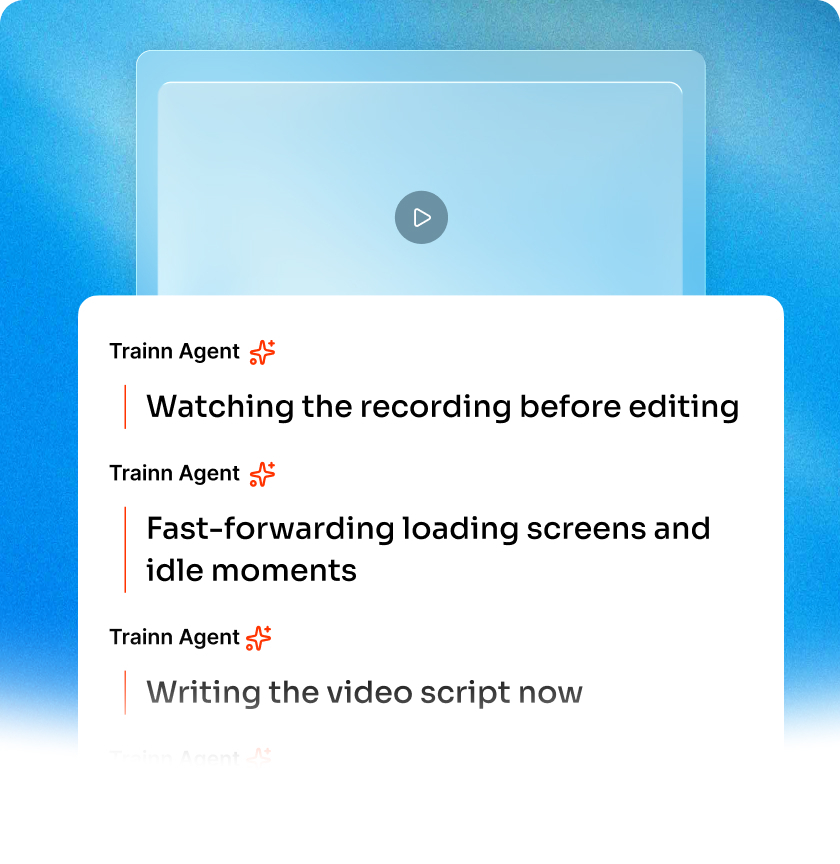
AI Features to Create Guides at Scale
0% Manual Editing
The AI video agent generates step titles, descriptions, zooms, and spotlights directly from your screen recording. The guide is publish-ready the moment processing finishes. You can still adjust anything you want, but you do not have to touch a thing to get a polished result.
Consistent Quality Every Creator
Whether the guide is recorded by a product manager, a support lead, or a solutions engineer, the AI video agent applies the same structure, annotation style, and writing quality. One person's guide looks and reads like every other person's guide — no style drift, no formatting inconsistencies across your library.
Content That Survives Product Changes
When your product updates a workflow, replace the affected steps in your existing guide rather than rebuilding from scratch. Record the changed portion, and the AI video agent re-generates descriptions and annotations for just those steps. Your guide library stays current without a full re-creation cycle every release.
Who Uses a Guide Creator?
Building onboarding guides for new accounts
Customer success teams build customer onboarding guides that walk new accounts through setup, configuration, and first-value milestones — reducing the number of live onboarding calls needed per cohort.
Turning tickets into self-serve guides
Support teams convert their most-answered tickets into self-serve guides that customers find through the knowledge base or in-app widget, deflecting repetitive volume so agents focus on complex issues.
Creating feature-launch guides
Product teams create feature-launch guides and release notes that show customers exactly what changed and how to use it, driving adoption of new capabilities without relying on email announcements alone.
Producing academy and certification guides
Enablement and training teams produce structured guide libraries for customer academies and certification programs, giving learners a visual, step-by-step path through the product.
Building partner training product guides
Partner managers build partner training product guides that channel and integration partners use to implement, demo, and troubleshoot independently — without scheduling enablement sessions.
Embedding product walkthroughs in campaigns
Growth and marketing teams create product walkthrough guides embedded in landing pages, trial experiences, and outbound campaigns to show prospects what the product does before they sign up.
"It took exactly 45 days to create over 100 tutorial videos, review, and publish the Learning Center on Trainn."
Sabina Rana
Head of Support, BuildOps
Frequently Asked Questions
What is the best guide creator for customer training?
The best guide creator for customer training is one that produces multiple output formats from a single recording, hosts the content in a knowledge base or LMS, and supports translation for a global customer base. Trainn fits this description: you record once and the AI video agent generates a video, a step-by-step guide, and an interactive walkthrough. The finished guides publish directly to Trainn's knowledge base, LMS, or in-app tutorial widget, so there is no need to export files and upload them to a separate platform.
How do I create a product guide?
Start by identifying the workflow you want to document and the audience who will follow it. Record yourself completing the workflow from start to finish, capturing every click and navigation. A guide creator like Trainn then converts that recording into annotated screenshots with written instructions automatically. Review the draft, adjust any steps that need more context, and publish. The entire process — recording through publishing — typically takes under five minutes.
How is a guide creator different from a screen recorder?
A screen recorder captures raw video. A guide creator goes further: it segments the recording into discrete steps, generates annotated screenshots, writes descriptions for each step, and formats the output as a structured guide. Some guide creators, including Trainn, also produce a video and an interactive walkthrough from the same recording, host the content, and handle translation — tasks that a standalone screen recorder cannot do.
Can I translate guides into multiple languages?
Yes. Most modern guide creators offer some level of translation support, though the number of available languages varies by tool. Trainn supports translation into any language with one click — the AI video agent translates step titles, descriptions, and voiceover together so the localized guide is complete and consistent.
How do I keep guides up to date when my product changes?
The most efficient approach is a guide creator that supports step-level replacement. Instead of re-recording the entire workflow when one screen changes, you record only the updated portion, swap it into the existing guide, and the tool regenerates descriptions and annotations for that step. Trainn's Agent handles this replacement workflow, so your guide library stays current without a full rebuild after every release.
Does Trainn offer a free trial?
Yes. Trainn offers a 14-day free trial with full access to AI video generation, guide creation, interactive walkthrough building, and translation. Sign up free and start creating content from screen recordings today.
Related AI Tools
Trainn is a customer education platform for SaaS companies that enables customer-facing teams to create product training content-such as videos and guides-and deliver it across knowledge bases, learning management systems (LMS), and in-app experiences to support onboarding, product adoption, and customer success at scale.

North Bethesda, Maryland 20852


