
- Features
- Resources
- Pricing
- Try Trainn's AI Video Agent


Product
Usecases
Resources
Case Studies
Company
- Customers
- Pricing
- Try Trainn's AI Video Agent
- Expert voices
- Log in
- Book a demo
- Sign up
AI Business Playbook Software: Create Customer and Partner Playbooks in Minutes
Trainn turns screen recordings into customer onboarding and partner enablement playbooks in minutes, with step-by-step guides, interactive walkthroughs, and narrated videos for every play, plus translation into any language. No writing, no editing, no design skills.
Why Customer and Partner Playbooks Matter
Customers follow a proven path to value
Customers who improvise their setup often configure the product in ways that cause problems months later. A playbook gives them the sequence your most successful accounts followed.
Partners sell and implement the way your team does
Resellers and implementation partners work without your internal context. A partner playbook packages your team's process into steps they can repeat.
Customer success scales without adding headcount
When every account needs a customer success manager to walk them through the same plays, team size caps growth. A playbook customers follow on their own handles the repeatable parts. Managers spend their time on accounts that need judgment, not repetition.
Why Business Playbook Software Is Better Than Building Playbooks Manually
Playbooks get built from real workflows
Writing a playbook by hand means describing every screen in words and adding screenshots one by one. Playbook software with screen capture records the workflow and generates the steps automatically. The playbook reflects how the product actually works, not how someone remembers it.
Each play comes in the format partners prefer
A partner's sales engineer may want a quick walkthrough, while their implementation lead wants detailed written steps. Manual playbooks rarely offer both. Software that generates several formats from one recording serves both audiences.
Updates happen play by play
A single product change can make several pages of a manual playbook wrong. Software that edits at the step level lets you fix only what changed. Trainn is one example of business playbook software that builds customer and partner playbooks this way.
What Is Business Playbook Software?
Business playbook software is a tool for creating, organizing, and sharing playbooks: the documented sequences of steps a team follows to complete recurring work. Trainn, an AI-powered product video and guide creation platform, focuses on playbooks for people outside your company, such as customer onboarding playbooks, partner enablement playbooks, and support playbooks, built from screen recordings of your product. Trainn's AI video agent turns each recorded workflow into a step-by-step guide, an interactive walkthrough, and a narrated video, then translates them into any language. One G2 reviewer reported cutting production from nine hours to two hours per video with Trainn.
How to Choose Business Playbook Software
Playbook software splits by audience. Some tools are built for internal employee playbooks with onboarding assignments and sign-offs, and others for documenting the workflows customers and partners follow.
| Tool | How it creates | Output formats | Hosts & delivers content | Languages | Best for |
|---|---|---|---|---|---|
| Trainn | Screen recording (Chrome extension) | Step-by-step guides, interactive walkthroughs, narrated videos, grouped into playbook sections | Yes: share links, embeds, knowledge base, LMS platform, in-app tutorials | Any language | SaaS teams that need to create customer onboarding playbooks, partner enablement playbooks, and support playbooks from screen recordings, without writing them by hand or stitching together separate tools for hosting. |
| Trainual | AI-generated and template-based content written in the platform | Employee playbooks with processes, policies, quizzes, and sign-offs | Hosted for employees, with role-based assignments | Translation for global teams (count not listed) | Small and midsize businesses documenting internal policies and processes for their own employees, not playbooks for customers or partners. |
| Scribe | Browser extension or desktop capture of clicks | Step-by-step guides; shareable as video or on-screen walkthrough | Share links, embeds, exports | One-click translation (plan-dependent) | Teams turning individual processes into quick written guides who will assemble the full playbook and host it elsewhere. |
| Guidde | Browser extension or desktop app capture | Narrated video guides; exports to video, slide deck, article | Share and export | AI voiceovers in 40+ | Teams that want each play as a short narrated video guide and already have somewhere to host a structured partner program. |
| Document360 | Articles written in an editor, with an AI writer that drafts from prompts | Knowledge base articles | Hosted internal or external knowledge base | Auto-translation into 50+ | Documentation teams publishing text-first playbooks as knowledge base articles, without screen-recorded walkthroughs or video. |
| Tango | Chrome extension click capture; desktop on paid plans | Screenshot how-to guides; interactive walkthroughs | Share links, embeds, knowledge base sync | Enterprise-tier translation | Teams building screenshot-based playbooks inside a knowledge base they already run, without narrated video. |
How to decide: If your playbook is for your own employees, with policy sign-offs and role assignments, Trainual fits. If text-first playbooks in a knowledge base are enough, Document360 works well. If quick screenshot or video guides for single processes are all you need, Scribe, Tango, or Guidde fit. If you need customer and partner playbooks with guides, walkthroughs, and narrated videos from the same recordings, plus a branded knowledge hub or academy to host them, Trainn covers all of that without requiring separate tools for each format.
How to Create Customer Playbooks with Trainn's Business Playbook Software
Record each play
Use the Trainn Chrome extension to record each workflow in the playbook, such as account setup, a first project, or an integration. Each recording becomes one play.
Edit and organize
Review the AI-written steps, blur sensitive account data, and adjust spotlights. Group the plays into a collection with named sections, so customers and partners move through the playbook in order.
Share or deliver
Share the playbook as one link, embed it in your partner portal or help center, or track each partner's progress with a private link. Updates to any play appear everywhere the playbook is shared.
Use Trainn's Business Playbook Software to Create Customer and Partner Playbooks
Record Your Screen
Record the workflow once with the Chrome extension. The AI video agent detects each action and understands what you're teaching, so you never write documentation by hand.
AI-Generated Step-by-Step Guide
It turns the recording into a numbered step-by-step guide: one screenshot per step, an AI-written title and description, and an automatic zoom and spotlight on the action in each screenshot. When one step in your playbook changes, you swap that step's screenshot instead of redoing the whole thing.
Interactive Walkthrough from the Same Recording
The same recording also produces an interactive, clickable walkthrough that customers complete inside the flow, with no separate creation step.
Video with AI Voiceover and Auto-Edits
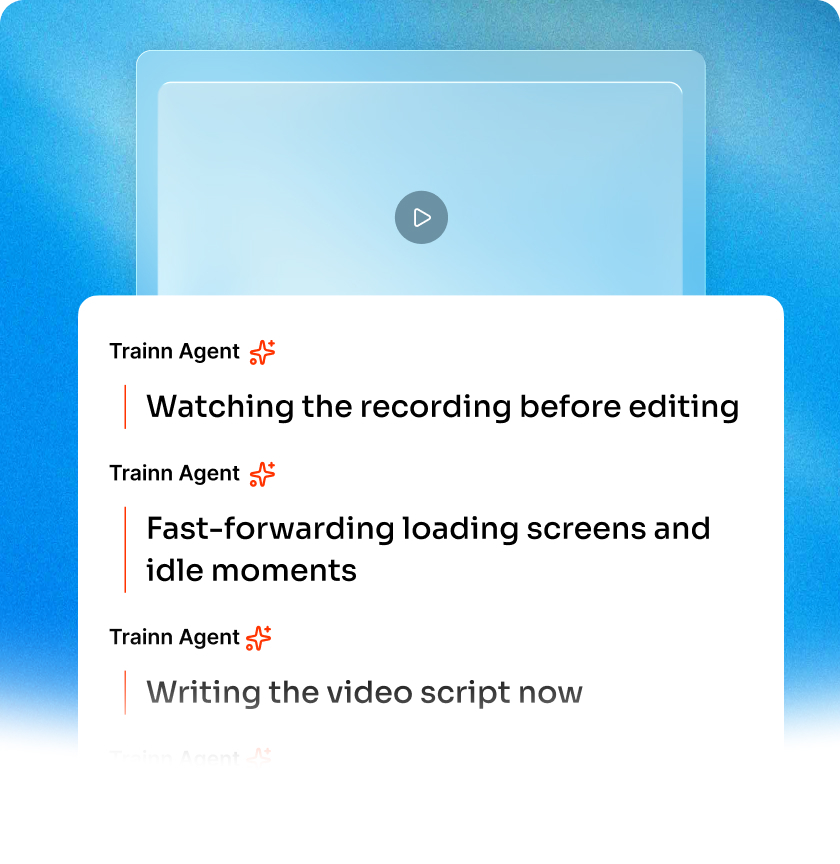
The same recording also produces a narrated video: the AI video agent writes and voices the narration (or cleans up your own voice), spotlights each meaningful click, zooms where the viewer needs to look, and trims dead space.
Share, Embed, or Deliver
Share a tracked link, embed it in your product or help center with no code, export it as a document, web page, slide deck, or image set, or deliver it through Trainn's knowledge base, LMS platform, or in-app tutorials.
Translate into Any Language
Translate step text, titles, and descriptions, plus the video voiceover, into any language in one click. The translated version keeps the same structure, so nothing needs reformatting.
AI Features to Create Customer and Partner Playbooks at Scale
Plays built from real workflows
Record a workflow and the AI video agent turns it into a finished play, with a guide, a walkthrough, and a video, and every step written and highlighted. No one writes playbook pages by hand.
One standard across every play
Plays recorded by different team members share the same layout, annotation style, and voice quality, so a partner can't tell who built which section.
Playbooks that keep pace with releases
Edit the single step a release changed, and the update appears in every partner portal and help center where the playbook is shared.
Who Uses Business Playbook Software?
Use Trainn's business playbook software to give resellers a step-by-step sales and implementation playbook, so new partners ramp without shadowing your team. See how Trainn supports partner training.
Use it to build an onboarding playbook every new account follows, cutting repeated setup calls.
Use it to document their configuration plays for enterprise customers, so handoffs to the customer's administrators don't lose steps.
Use it to publish a self-serve troubleshooting playbook customers can follow before opening a ticket.
"What I really like about Trainn is that all videos look like they come from the same place, even though different people create them."
Macy Douglas
Senior Manager, Multimedia, ServiceNow
Frequently Asked Questions
What is the best business playbook software for customer and partner playbooks?
The best business playbook software for customer and partner playbooks builds plays from your real product and delivers them where external teams already work. Employee-focused tools like Trainual fit internal policies, and knowledge base tools like Document360 fit text-first playbooks. Trainn turns screen recordings into guides, walkthroughs, and narrated videos, and can host the finished playbook in a branded knowledge base.
How do I create a business playbook with software?
Start by listing the plays: the recurring workflows your customers or partners must complete. In Trainn, record each workflow with the Chrome extension, review the AI-written steps, then group the plays into a collection with named sections. Share the collection as one link or embed it in your partner portal.
Do I need business playbook software if I already have a sales enablement tool?
Sales enablement tools mainly organize content for your own sellers. A customer or partner playbook teaches external teams how to use your product, step by step, in your actual interface. If partners or customers are the audience, playbook software that generates product walkthroughs fills a gap enablement tools usually leave.
What should a partner enablement playbook include?
A partner enablement playbook should cover how to position your product, how to demo it, how to implement it for a customer, and how to get help. Each section works best as short, task-focused plays rather than one long document. Including both written steps and video lets partners use the format that suits the moment.
Is there a free trial for Trainn?
Yes. Trainn's Creator plan starts with a 3-day free trial, then $19/month. The trial lets you record a real workflow and see the finished playbook before you pay. Features vary by plan. Start the trial at https://app.trainn.co/sign_up.
Other AI-Powered Tools from Trainn
Onboarding Guide Generator
Create onboarding guides that get customers to first value.
Guide Creator
Create step-by-step guides, walkthroughs, and videos from one recording.
Work Instructions Software
Create step-by-step work instructions for customers and partners.
Operations Manual Generator
Document the routines customers run in your product.
Training Manual Generator
Build product training manuals from screen recordings.
How-To Guides
Create how-to guides with screenshots and AI-written steps.
Trainn is an AI-powered product video and guide creation platform that turns screen recordings into product demo videos, training videos, onboarding videos, step-by-step guides, and interactive walkthroughs. Trainn also delivers this content externally through a branded no-code LMS, or in-app through embedded tutorials to train customers at scale.

North Bethesda, Maryland 20852


