
- Features
- Resources
- Pricing
- Try Trainn's AI Video Agent


Product
Usecases
Resources
Case Studies
Company
- Customers
- Pricing
- Try Trainn's AI Video Agent
- Expert voices
- Log in
- Book a demo
- Sign up
AI Generative Video Maker: Create Videos in Minutes
Trainn turns your screen recording into a studio-quality product video in under 5 minutes, with AI-generated voiceover and translation into any language. No scripting, no editing, no design skills.
Why Generative AI Video Matters
Customers get a polished walkthrough without a video team
Generative AI video lets a product expert turn a plain screen recording into a video that looks like it went through a production team, without anyone needing production skills. A support team can turn a video answer to a common question around the same day it starts recurring, resolving it for every future customer who watches — not just the one who called in.
Onboarding videos keep pace with a changing product
A CS lead can produce a customer-facing onboarding video the same week a workflow changes, instead of waiting on a video specialist's queue that's backed up with other requests. A product marketer can turn a feature demo into a launch-ready video the same day the feature ships, rather than weeks behind the release.
Partners get consistent training without hiring per region
A partner enablement team can generate a training video per partner segment without hiring a second video person for each new language or region. Generative video removes production capacity as the bottleneck on how many partners a team can properly train.
Why a Generative AI Video Maker is Better than Editing Manually
It removes the production bottleneck
Manually producing a polished video from a screen recording means scripting, recording voiceover, cutting the footage, adding zooms and callouts, and syncing audio — a process that can take hours for a few minutes of finished video. A generative AI video maker performs all of that automatically once the recording stops, cutting the time from hours to minutes.
It doesn't require anyone to be on camera or comfortable narrating
Most product experts can walk through a workflow with confidence but freeze up trying to narrate it cleanly on the first take. A generative AI video maker can write the script and generate the voiceover directly from the recorded actions, so nobody has to record their voice at all if they'd rather not.
It keeps quality consistent regardless of who's recording
A manually edited video looks as good as the person editing it — which means quality swings depending on who made it. Generative AI applies the same editing standard, brand elements, and pacing to every video, so the newest team member's first video looks as polished as the most experienced creator's fiftieth.
What is a Generative AI Video Maker?
A generative AI video maker is a tool that uses AI to produce finished video content from source material — typically a screen recording, a script, or a set of parameters — automating tasks like editing, voiceover, and scene structuring that would otherwise require manual video production skills. Trainn — an AI-powered product video and guide creation platform — builds the finished video directly from a screen recording rather than requiring you to input the actions from scratch: it understands the workflow you recorded, writes the narration around it, and applies zooms, spotlights, and brand elements automatically. Trainn generates a complete, voiced-over product video from a single screen recording in under 5 minutes, with translation into any language.
How to Choose a Generative AI Video Maker
Generative AI video tools differ mainly on three things: what they need from you to start (a script, a recording, or just a prompt); how much of the editing happens automatically versus on a manual timeline; and whether the tool covers only video or also produces a written guide and delivery layer from the same input.
| Tool | How It Creates | Output Formats | Hosts & Delivers Content | Languages | Best for |
|---|---|---|---|---|---|
| Trainn | Screen recording, understood and edited automatically | Video, step-by-step guide, interactive walkthrough | Yes — knowledge base, LMS, in-app tutorials | Translate into any language | SaaS teams that need a generative AI video maker producing videos, guides, and walkthroughs from one recording — without a video editor, designer, or separate hosting tool |
| Guidde | Browser extension, click capture ("Magic Capture") | AI-narrated video plus an auto-generated written guide | Share link, embed; no knowledge base or LMS | Multi-language auto-translation on paid tiers | Teams that want an AI-narrated video and a matching written guide, without needing a place to host either long-term |
| Synthesia | Text script or prompt, AI avatar presenter | Avatar-presenter video, no screen recording input | Share link, export | 140+ languages via avatar dubbing | Teams that need a talking-head presenter video from a script, with no software walkthrough or screen recording involved |
| Loom | Manual screen/webcam recording | Raw video only, manual AI summary add-on | Share link only | English-focused AI summaries | Teams sending a quick, informal async video message rather than a polished, edited product video |
| Camtasia | Manual desktop recording | Video only, edited on a timeline | Export/publish to third-party hosting only | Manual subtitle authoring | Teams with a dedicated video editor who wants full timeline-level control over cuts and transitions |
| Trupeer | Screen recording, AI-assisted editing | Video, step-by-step guide, and several auto-generated document types | Share links, collections, knowledge base | 1-click translation | Teams that want a wide range of auto-generated content types (assessments, PRDs, FAQs) from one recording, beyond video alone |
How to decide: If your video needs a scripted presenter and no actual product footage, an avatar tool like Synthesia works well. If you need a quick, informal async message and nothing more, Loom fits. If you need a professional product video generated automatically from a real screen recording — with a guide and delivery layer available from the same recording — Trainn covers that without requiring separate tools for each piece.
How to Create a Video with Trainn's Generative AI Video Maker
Record
Turn on the Trainn Chrome extension and record your workflow in HD. Trainn's AI video agent captures your Chrome tab, window, or full screen and understands what you're demonstrating as you go.
Edit
The AI video agent writes the narration (or cleans up your own voice), adds contextual zooms and spotlights, trims dead clicks, and applies your brand automatically — all without opening a timeline editor.
Publish/Share
Share the finished video as a link, embed it in your product, or deliver it through your knowledge base, LMS, or in-app tutorials.
Use Trainn's Generative AI Video Maker to Create Videos
Record Your Screen
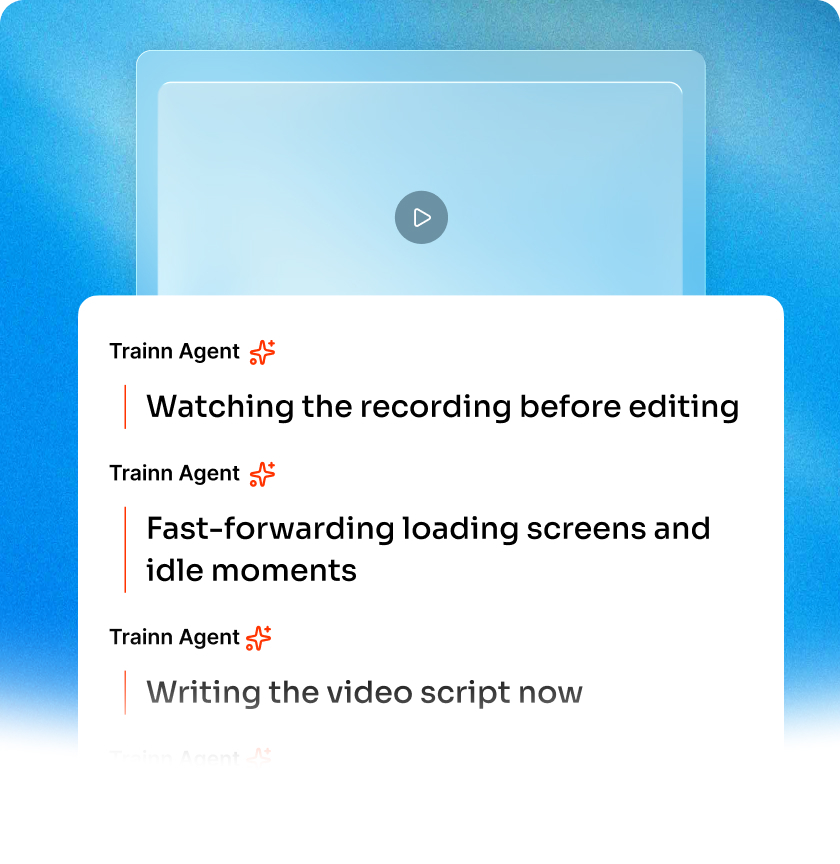
Record the workflow; the AI video agent understands what you're teaching and handles the rest. Talk naturally or say nothing — it writes the script from the recording.
AI Voiceover & Script
Two paths: let the AI video agent narrate (record silently, it writes and voices the video), or convert your voice (it cleans up narration, strips filler words, removes background noise, rewrites for clarity). You don't need to be a presenter — just know your product.
Auto-Edits: Zooms, Spotlights & Cleanup
It adds contextual zooms where the viewer needs to look, spotlights key clicks, trims pauses and dead scrolls, and reviews its own work before you see it. No keyframes, no timeline editing. The same recording can also become a step-by-step guide or an interactive walkthrough — no separate creation step.
Share, Embed, or Deliver
Share links, embed in your product, or deliver through Trainn's knowledge base, LMS, or in-app tutorials.
Translate into Any Language
One-click translation of both the video voiceover and any written content. Not limited to a fixed set of languages.
AI Features to Generate Videos at Scale
0% Manual Editing
You record, the AI video agent does the rest. It writes the script, generates the voiceover, adds zooms and spotlights, syncs audio to video, and hands you a finished video. The first output is the one you'd confidently share.
Consistent Quality, Every Creator
Every video comes out to the same professional bar regardless of who hit record. Brand elements are applied automatically. No quality gate needed — the standard is built into the AI video agent.
Content That Survives Product Changes
A UI change is a clip swap, not a full re-record. Edit the script, the voiceover re-syncs. Your video library stays current without rebuilding from scratch.
Who Uses a Generative AI Video Maker?
Produce a feature launch video the same day a feature ships
Product marketers use Trainn's generative AI video maker to produce a feature launch video the same day a feature ships, resulting in launch content that's ready on release day instead of weeks behind it.
Generate onboarding videos per account
CS teams use it to generate onboarding videos per account, resulting in fewer live onboarding calls needed per customer.
Turn recurring support questions into video answers
Support teams use it to turn recurring support questions into video answers, resulting in fewer repeat tickets on the same issue.
Generate per-customer setup walkthroughs
Implementation leads use it to generate per-customer setup walkthroughs, resulting in faster time-to-first-value for new accounts.
Standardize partner training videos across a distributed team
Enablement teams use it to standardize partner training videos across a distributed team, resulting in consistent training regardless of who created the video.
Generate a self-serve trial walkthrough video
Growth teams use it to generate a self-serve trial walkthrough video, resulting in more trial users completing setup without booking a call.
Teams running partner training programs use generated videos as the core content layer before assigning any learning paths on top.
"People are feeling more pressed for time. Our customers always ask for quick 1-minute tutorial videos to learn the product. It took exactly 45 days to create over 100 tutorial videos, review, and publish the Learning Center on Trainn. Now we have a self-serve resource that customers can lean on and learn from."
Sabina Rana
Head of Support, BuildOps
Frequently Asked Questions
What is the best generative AI video maker for product teams?
For product teams, the best generative AI video maker produces video directly from a real screen recording rather than requiring a script or prompt with no actual product footage. Trainn's generative AI video maker builds a finished video from the recording itself — writing the narration, adding zooms and spotlights, and applying brand elements automatically — so the video shows the actual product rather than a generic scripted scene.
How do I create a video with a generative AI video maker?
Record your workflow with the Trainn Chrome extension. Trainn's AI video agent analyzes the recording, writes and generates the voiceover, adds contextual zooms and spotlights, and hands back a finished video — typically within a few minutes of stopping the recording, with no manual editing step.
Do I need a generative AI video maker if I already use an avatar-video tool?
It depends on what the video needs to show. Avatar tools like Synthesia generate a presenter speaking a script, with no real product footage — useful for narrated slides or talking-head content. If the video needs to show your actual product in action, a tool built around screen recordings, like Trainn, is the better fit, since avatar tools have no way to capture a real workflow.
How accurate is AI-generated voiceover in a generative video maker?
Modern generative AI video makers, including Trainn, use professional-grade text-to-speech engines that produce natural-sounding narration rather than robotic output. If a generated voiceover sounds off, it's usually a voice or language setting rather than a limitation of the technology — most tools let you choose a different voice or adjust pacing before publishing.
Can a generative AI video maker create videos in multiple languages?
Yes. Trainn lets you generate a video with an English voiceover and translate it — script, voiceover, and subtitles — into any additional language with one click, without re-recording or hiring separate voiceover talent per language.
Is there a free trial for Trainn's generative AI video maker?
Yes. Trainn offers a 14-day free trial, and pricing starts at $19/month. Sign up free — no credit card required.
Other AI-Powered Tools from Trainn
Trainn is an AI-powered product video and guide creation platform that turns screen recordings into product demo videos, training videos, onboarding videos, step-by-step guides, and interactive walkthroughs. Trainn also delivers this content externally through a branded no-code LMS, or in-app through embedded tutorials to train customers at scale.

North Bethesda, Maryland 20852


